5
Calibrate Touchscreen: Regular + OK
Customer Sengs Selecon: Less Thick + OK
(when prompted, enter PIN code 411 + Enter)
Service Tech: More Thick + Le Arrow
(when prompted, enter PIN code 461 + Enter)
Reset UI: Right Arrow + Le Arrow
Launch LVCB Status Screen: Le Arrow + OK
Launch Diagnoscs Screen: Right Arrow + OK
Recover Catastrophic Error: Regular + More Thick
Iniate Manual Water Shot Rinse: Less Thick
Iniate Manual Scour Rinse: Regular
Iniate Manual Rotary Rinse: More Thick
Iniate Steam Cycle: Less Thick + More Thick
Raise Cup Holder: Less Thick + Regular
(Raises for 60 seconds)
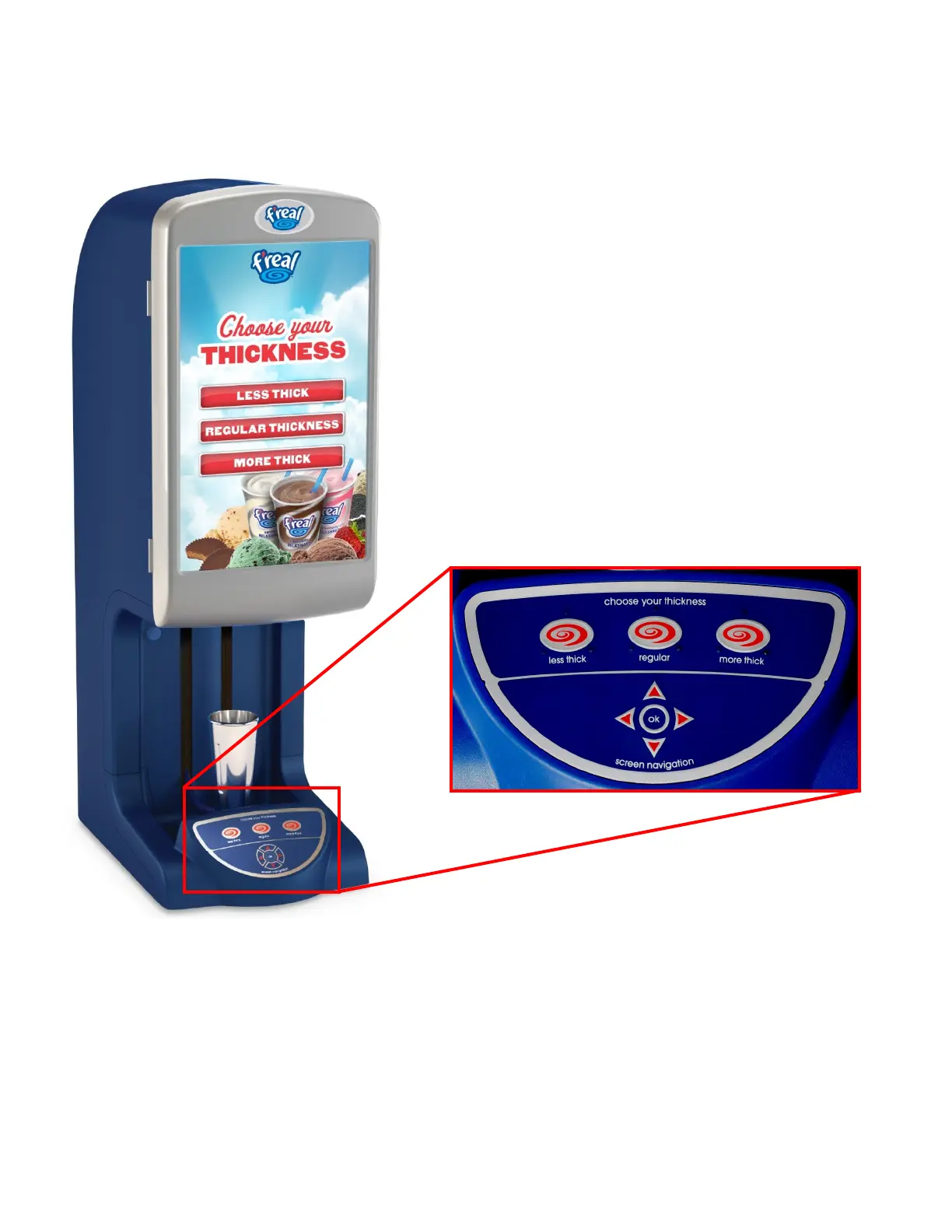
Keypad Commands
Each FRLB4 blender includes a membrane keypad at the base. The keypad can be used to perform several
dierent commands. In each case, you will need to hold down the designated buon(s) for 8 seconds.



 To Next Page