Confidential Page 21
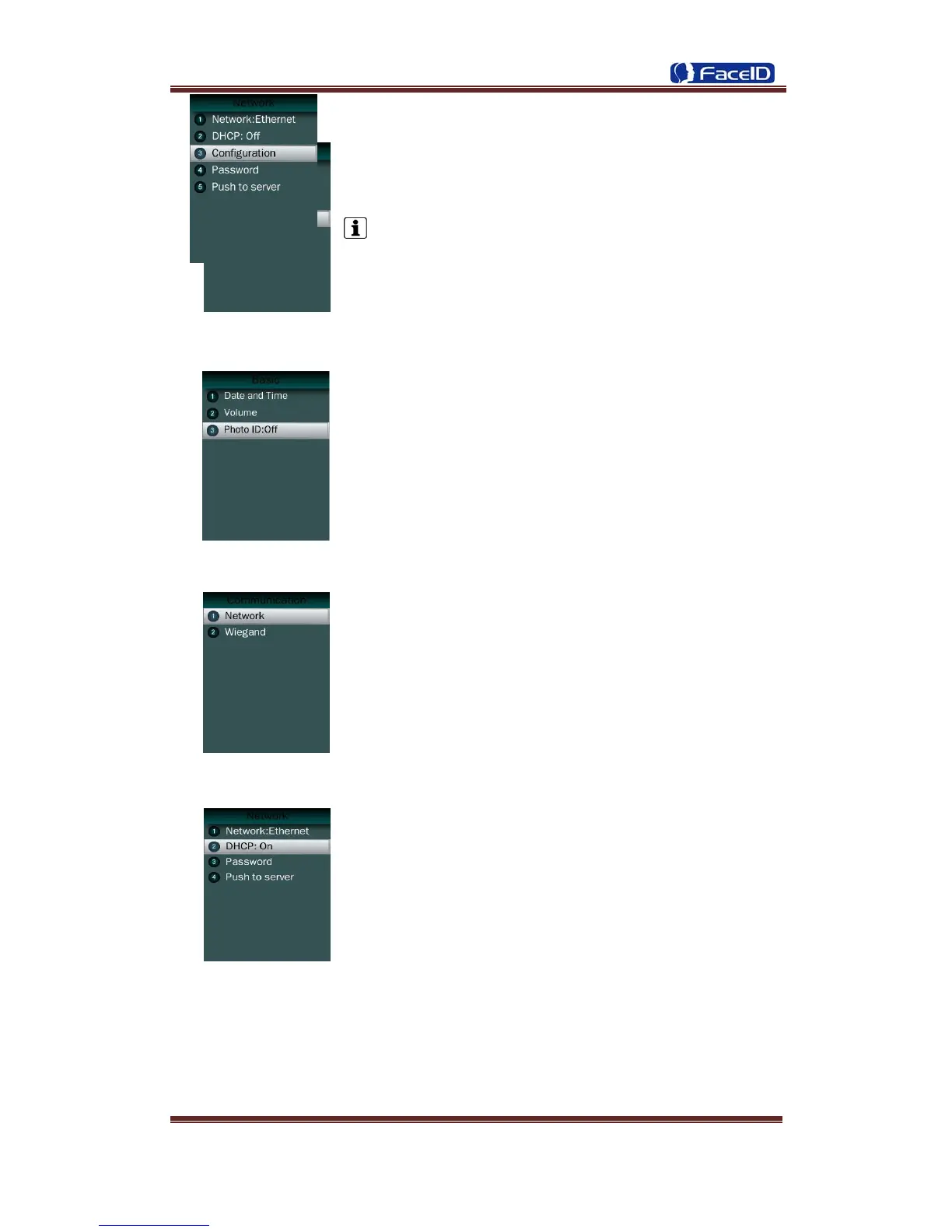
Volume
Set Volume: terminal support 4 modes to customers.
The default is medium.
Head Photo Switch
Photo ID Switch
Switch On: Users head photo will display on the screen
when the user verified successful.
Switch Off: Users head photo will not display on the screen
when user verified successful.
Communication
Communication: Network and Wiegand setting.
Network
Ethernet -DHCP
DHCP Switch: If the DHCP function turned on, user doesn’t
need configure the IP/Mark/Gate for terminal.
If the DHCP function turned off, user needs configure the IP Address/Mark/Gate for
terminal.


 To Next Page