Confidential Page 22
Network -Password
It is for enhancing the security of network access through
software or SDK.
The password can be set max 8 bits.
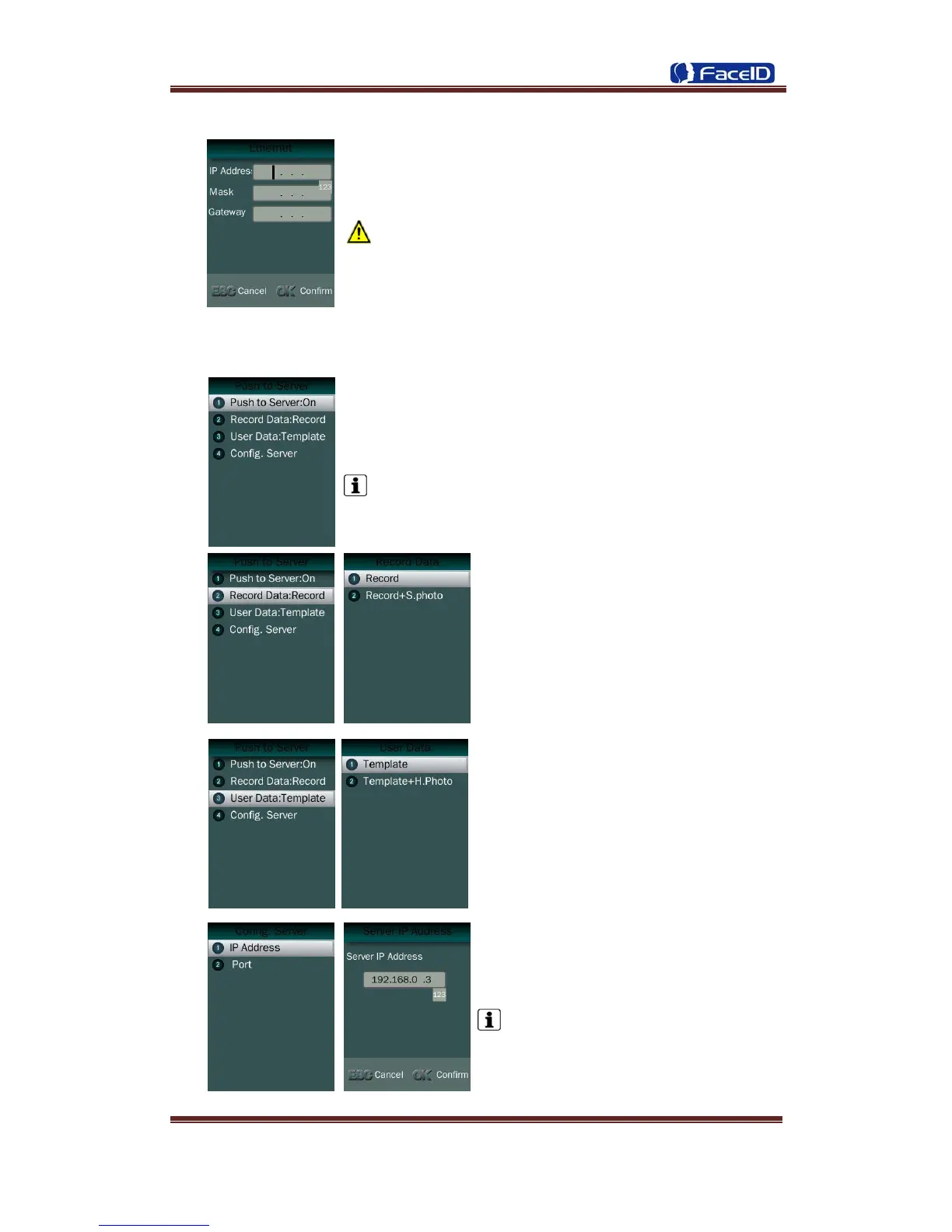
Network -Push to sever
1. Push to sever Switch: On/OFF
The default is off.
2. Record Data Switch: User can select
record data/record+security photo data be
pushed to the server.
3. User Data Switch: User can select user
template data/user template+head photo
data be pushed to the server.
4. Server configuration: User needs to set
IP address and port of server.
The default IP address is 192.168.0.3.


 To Next Page