Facina_VKPCCTV_Instructions_Rev01
15
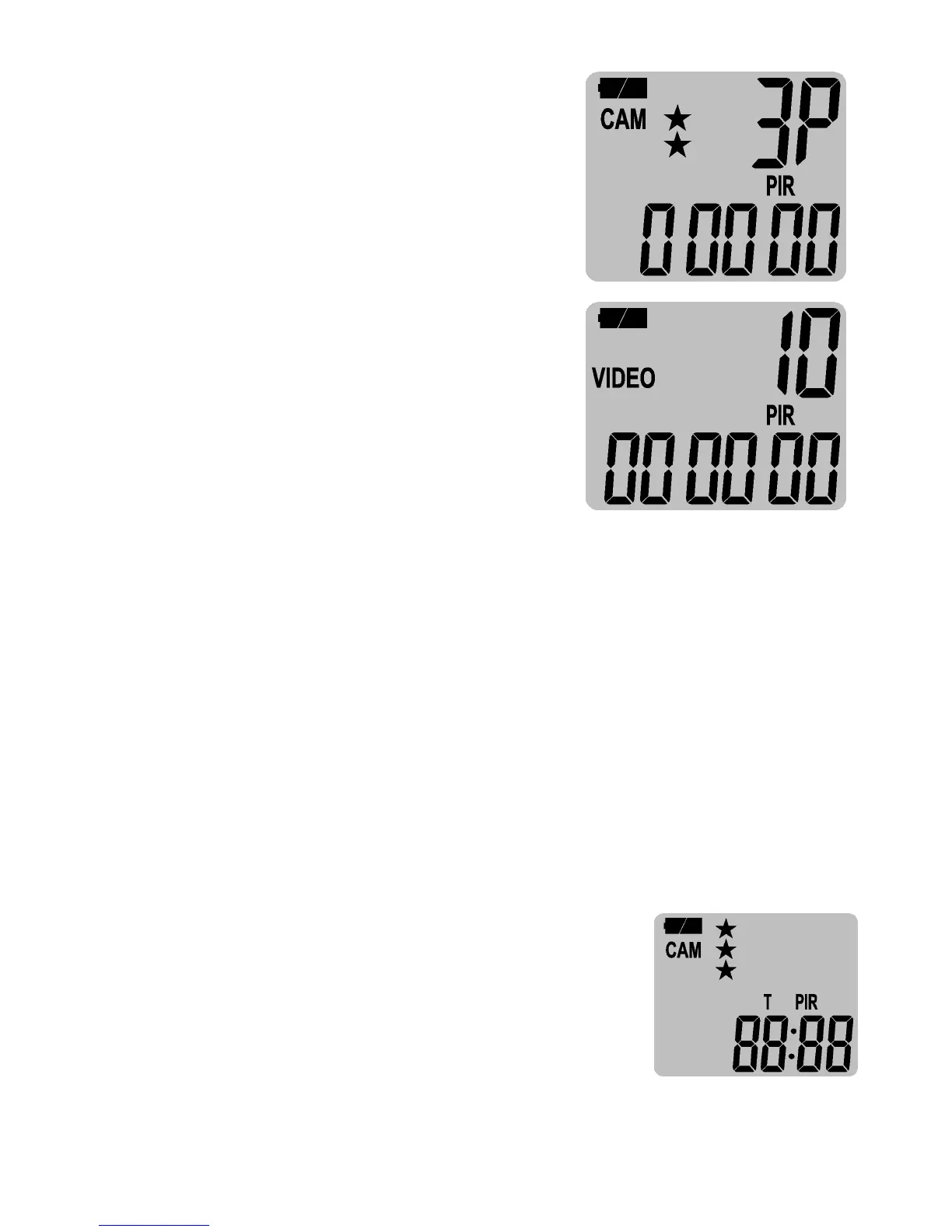
• A (Preset A) - This bypasses all
user defined settings and uses
the following settings:
(PIR mode / Still image /
Resolution: 5MP / Burst: 3P /
Time out: 30 seconds).
• B (Preset B) - This bypasses all
user defined settings and uses
the following settings:
(PIR mode / Video: 10 seconds
/ Resolution: 720P / Time out:
30 seconds).
• CAM – This is a programmable mode for user to program
the setting you wanted.
Setting the Time and Date:
Your camera uses the 24hr military time format.
• Slide the switch to the TEST position and the status
display will show the camera’s current status.
• Press [M] button once to call out the program menu.
• The word PIR or TLS will be blinking, press [DN] button
until display shows SET in blinking, then press [M] to
confirm camera into setting.
• The word – dEL – will in blinking,
press [DN] button once to get the T
(Time) in blinking, then press [M] to
confirm.


 To Next Page