Facina_VKPCCTV_Instructions_Rev01
16
•
Press [UP] or [DN] button to adjust the first digit of Hour then
press [M] to confirm, and go to next digit of hour then [M] and
move to the Minute setting.
•
Press [UP] or [DN] then [M] button
repeatedly to set the Minutes in digit by
digit until minute setting is completed
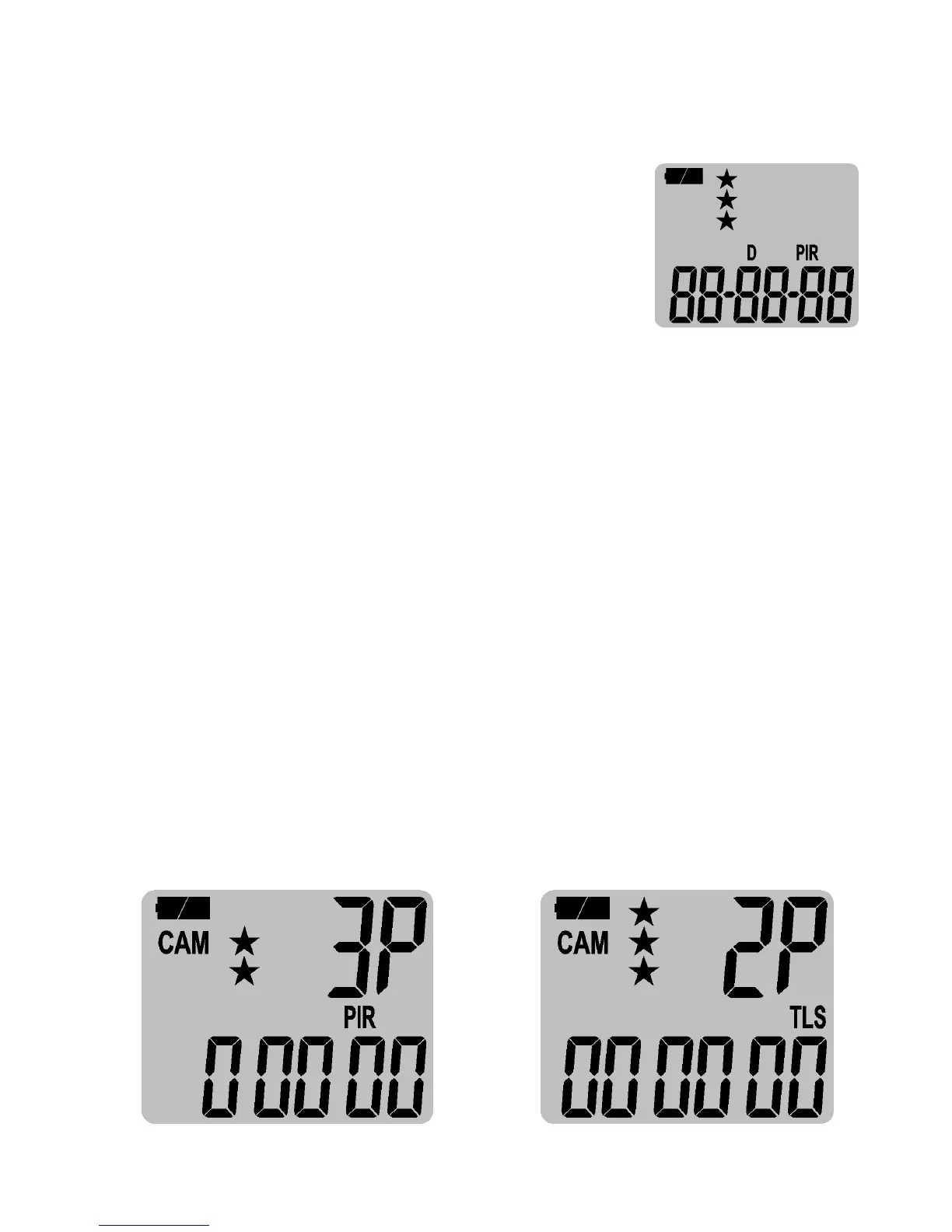
then move to set Date, the D (Date) will
show at display.
•
Adjust the Year, Month and Day by pressing [UP] or [DN] and
then [M] button in digit by digit to complete the setting. Each
time you finish an adjustment, you MUST press [M] button to
confirm and move to the next digit for adjustment.
•
Once done, the word GPS will be blinking, this stands for GPS
coordinate value setting. To exit by pressing and hold the [M]
button 2 seconds.
Setting the Programmable Mode:
Your camera can be programmed to operate either in PIR
Detection mode or Time Lapse / PIR mode when programmed at
the TEST and switched back to CAM.
Select the Switch to CAM - This allows the user to define what
setting the camera will use.
Passive Infrared Mode Time-Lapse / PIR Mode


 To Next Page