Facina_VKPCCTV_Instructions_Rev01
22
• You can adjust the time from 00:00 to 23:59 by pressing
the [UP] or [DN] then [M] buttons same as Start Time
settings.
• After completing the end time setting, camera will go into
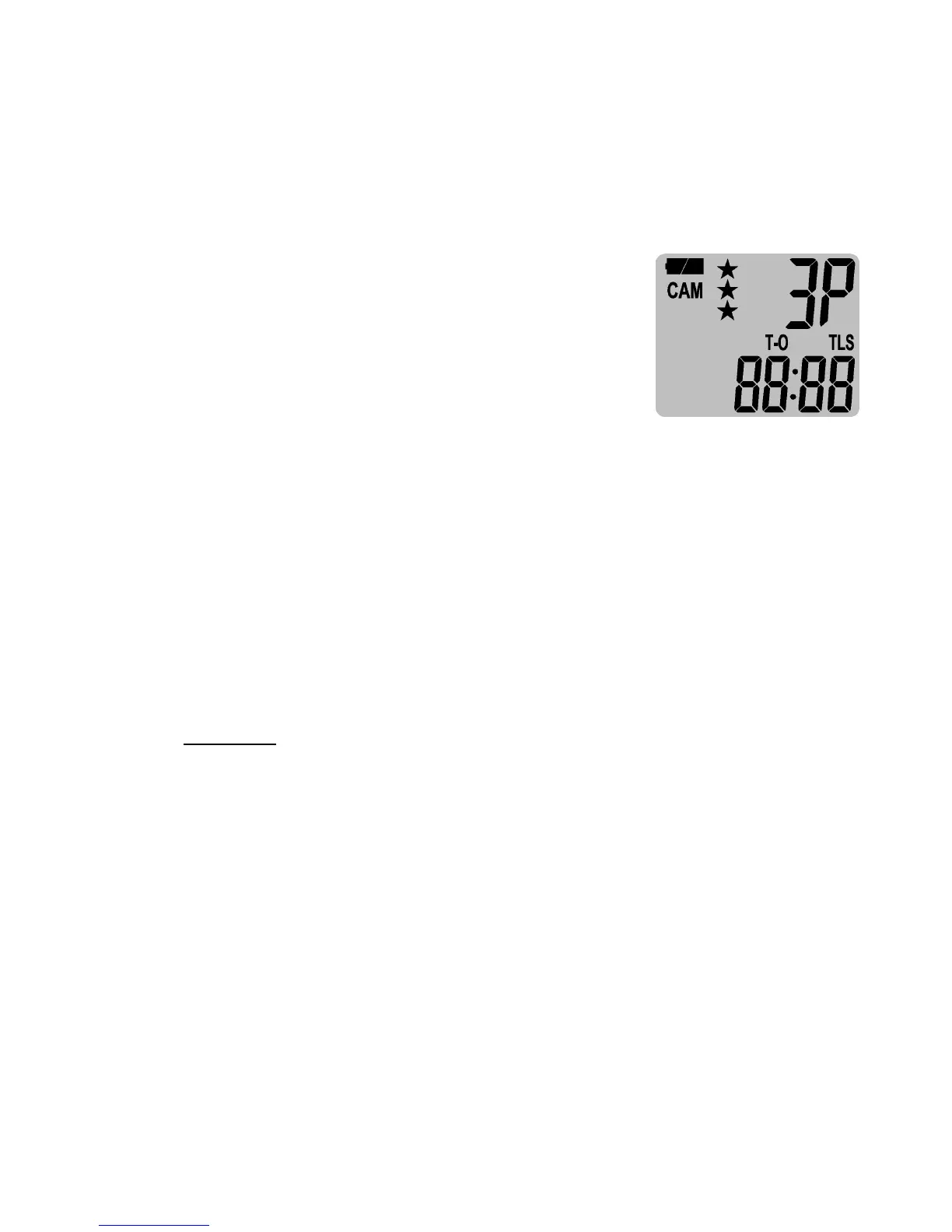
Time Lapse Mode "Time Out" setting, the display will
show T-O + 88:88 (T-O = time out,
88:88 = time in MM:SS or OFF)
• Press [M] button to into the Time
Lapse Mode Timeout setting.
• Press [UP] or [DN] button to increase or decrease the first
digit of minutes from 0 to 1 and OFF, then [M] to confirm
and go to next digit of minutes, repeat by pressing [UP] or
[DN] then [M] to complete minutes and seconds value,
and then save the timeout setting.
NOTE: The Time Out for TLS is amount of time in seconds
or minutes that camera will sleep after the capture. If
PIR is activated within the timeout of TLS, camera will
recount the timeout.
The Time Out for TLS is OFF and 00:05~10:00 (600 sec) in
5 sec increment. When Timeout is set to OFF, the camera
will not take any image.
• You’ll then see the word TLS blinking. Press [DN] button
once to SET menu or press and hold [M] button 2 seconds
to exit and camera stays at TLS detection mode.
•
Now, camera will operate at Time Lapse Mode if you slide
the switch to CAM position, and the image resolution and
burst number is the same as the settings of PIR mode.


 To Next Page