FagronLab™ BASIC – User Manual | 18
FagronLab™ BASIC
• The displayed numbers change with the plus and minus
button. By pushing on the compounding button , it jumps
to the next position. If a number is entered incorrectly, it is
possible to navigate to the input position again
• By pressing the compounding button for three seconds the
four digit PIN is confirmed
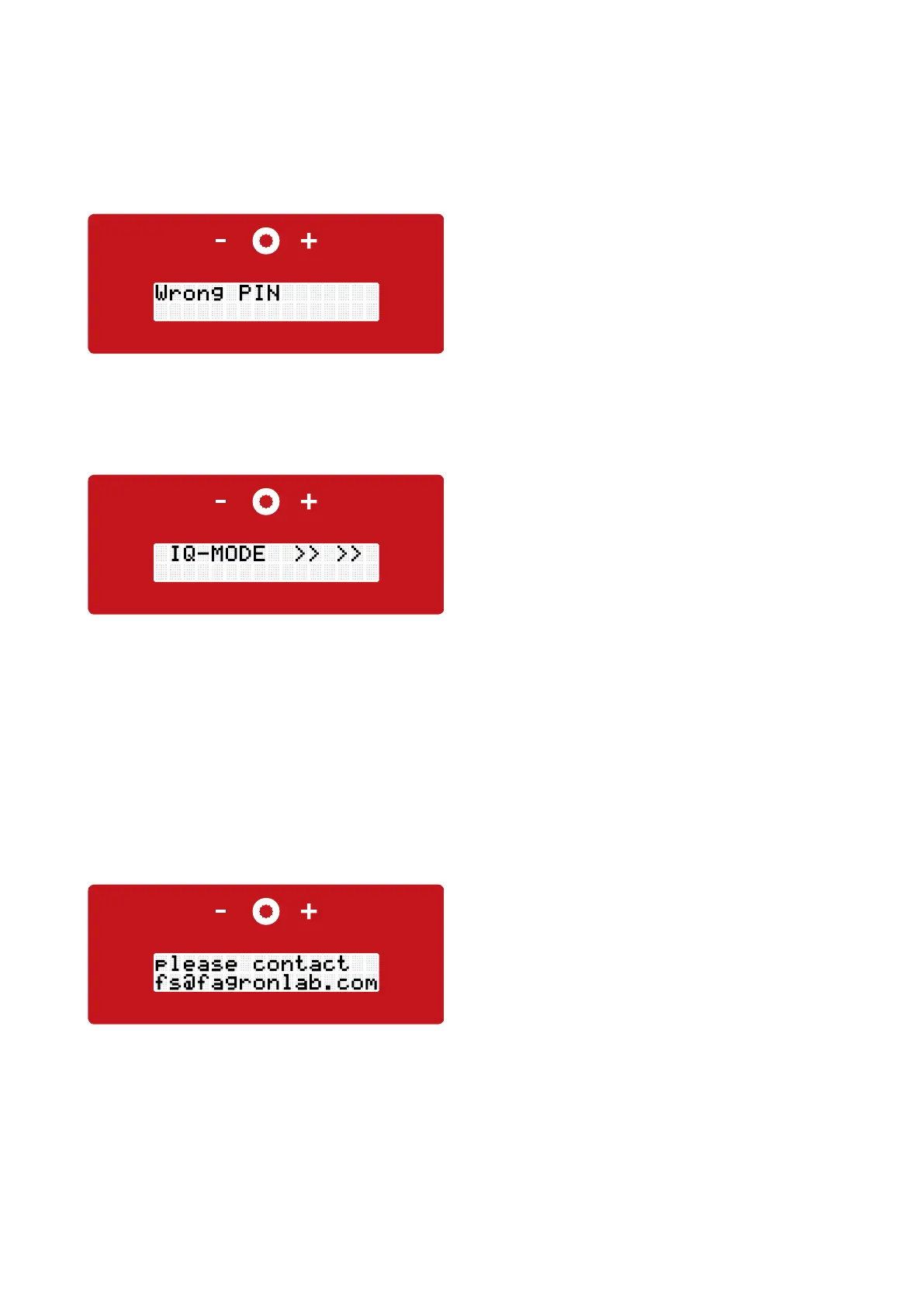
• If the PIN was not entered correctly the display will show "Wrong PIN"
• After pushing the compounding button the PIN can be entered
again
Pic.: Display wrong PIN
Pic.: Display IQ - Mode
Pic.: Display contact
• We recommend to perform a function test before using the device for the first time "Installation Qualification (IQ)"
• Move the lift arm in its lowest position. To insert the mixing unit into the quick-lock coupling (review chapter 4 "quick-lock
coupling"), it is recommended to use slight pressure from the top of the lift arm
• Press the compounding button for two seconds, the display will show "IQ-Mode Start?"
• Move the mixing unit up by hand and with pushing the compounding button the mixing process starts. The jar is moved by
hand up and down in its available range, the complete compound needs to be interpenetrated from lid to bottom
• Every mixing speed level runs five seconds, to test intern if the actual speed of rotation equals the level of the given speed of rotation
• As soon as the FagronLab™ display shows the free spin program
• Move the jar into its lowest possible position. After the process is finished, the mixing shaft automatically unlocks and the mixing
unit in the lift arm can be moved to its lowest position for extracting
• By pushing the compounding button the start screen appears
• Fill a 50 ml FagronLab™ jar with following testing compound:
- Iron oxide (or a dierent colourful test substance) 0,01
- Semi-solid foundation ad 50,00
• Insert the SMB into the test jar and close it
• If the mixing speed level test determines discrepancies, the
display shows "please contact fs@fagronlab.com". Please
contact the technical service per email with the serial
number of the FagronLab™ BASIC
• By pushing the compounding button the start screen
appears
Installation qualification (IQ)/Operation qualification (OQ)
IQ - Mode
Not OK


 To Next Page