FagronLab™ BASIC – User Manual | 17
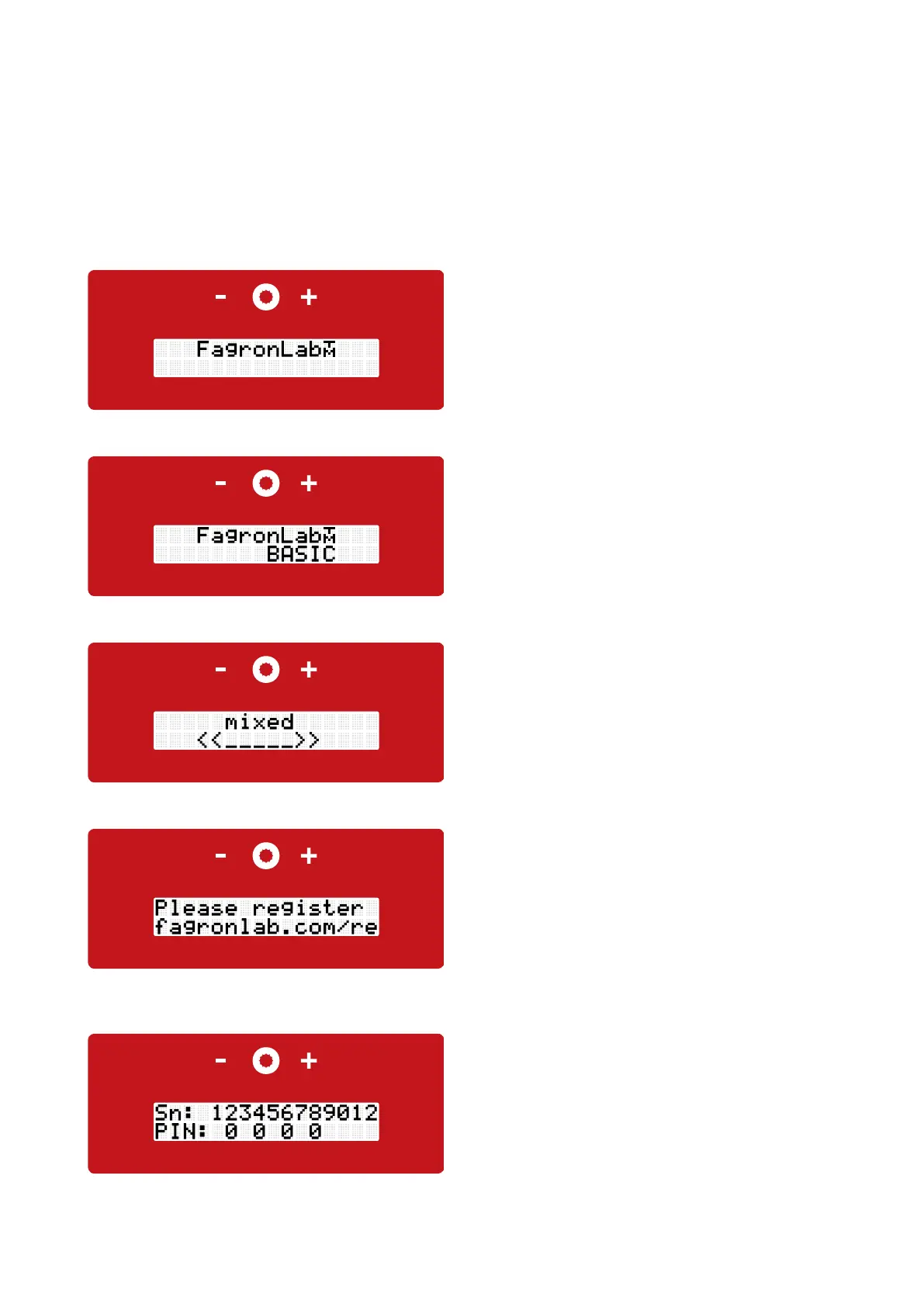
• On initial operation the reference for the online
registration at www.fagronlab.com/re will be displayed
• The touch panel is on the front of the FagronLab™
BASIC, with a minus button (left), the compounding
button (middle) and a plus button (right)
• After starting up the device with the power switch,
located on the back, the display shows the device type
"FagronLab™ BASIC"
• Followed by the current number of preparations. After
a few seconds it forwards automatically to the next
screen.
• Enter the 12 digit serial number online at
www.fagronlab.com/re to register the new device. Then
a four digit PIN number will be provided to activate the
FagronLab™ BASIC
• Enter the four digit PIN on the display of the FagronLab™
BASIC
4. Display handling
FagronLab™ BASIC
Initial operation
Pic.: Display FagronLab™ BASIC
Pic.: Display device type
Pic.: Display current preparation
Pic.: Display registration
Pic.: Display PIN
Registration


 To Next Page