FagronLab™ BASIC – User Manual | 20
FagronLab™ BASIC
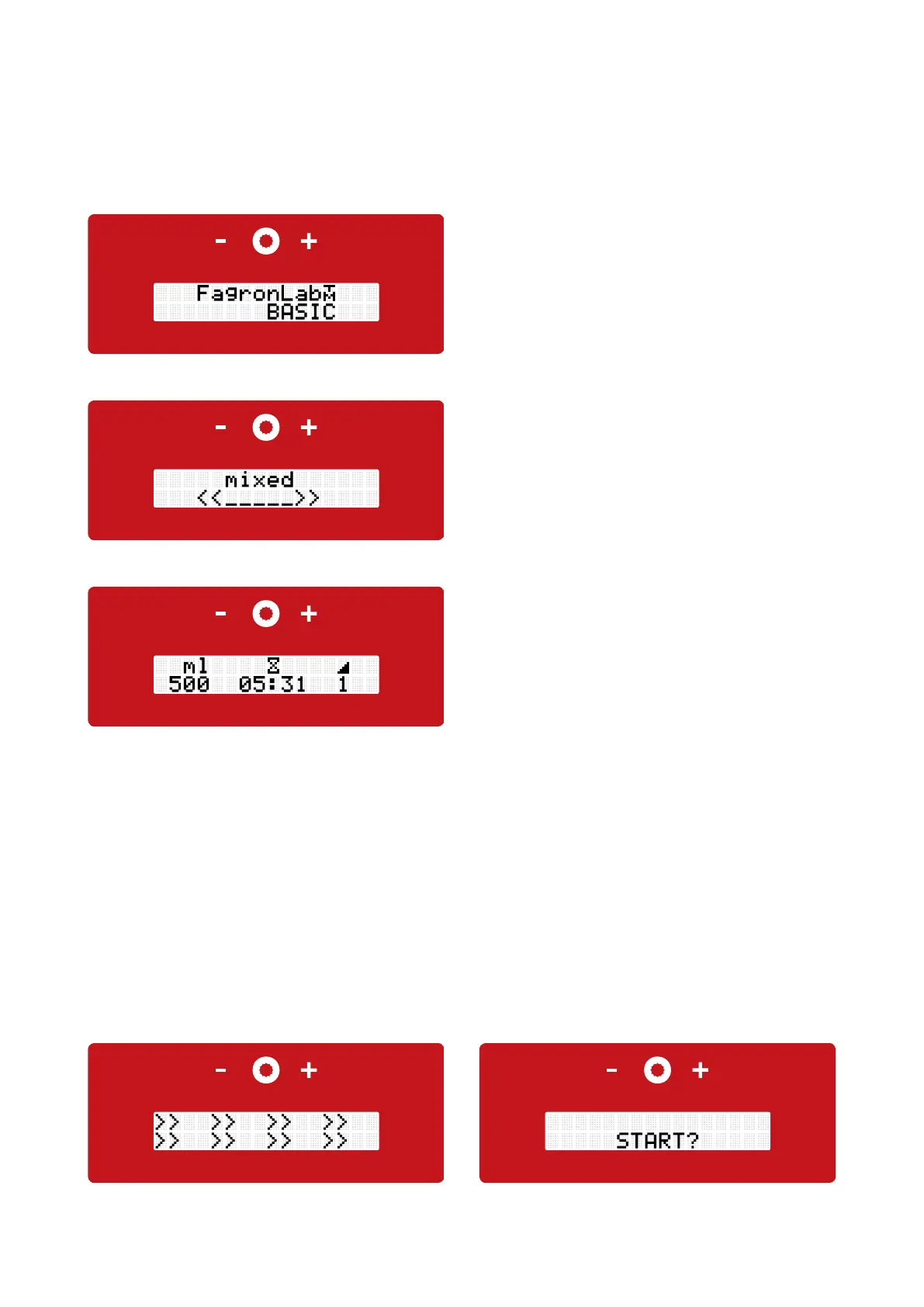
• Followed by the current number of preparations
• After a few seconds, it forwards to the next screen
• The start display shows the jar size, mixing time and the
mixing speed in levels
• Both, the mixing parameters and the jar size, can be changed individually through pressing the plus and minus touch button. To
switch between the operation settings push the compounding button . The changeable setting which will be modified with the
plus and minus button flashes
• The time changes in five seconds steps by pressing the plus/minus button. If the plus/minus button is longer pressed down, the
time setting changes will accelerate
• Depending which jar size will be used the recommended standard mixing speed level and the minimum mixing time will also
automatically be changed. Due to high rotation the levels 8 and 9 are not suitable for manufacturing in the jar sizes 300 ml and
500 ml, therefore, they are disabled for these quantities
• The lift arm is in its lowest position. To insert the mixing unit into the quick-lock coupling (review chapter 4 "quick-lock coupling"),
it is recommended to use slight pressure from the top of the lift arm
• Press the compounding button for two seconds, the display shows "Start?". Move the mixing unit up by hand and with pushing
the compounding button the mixing process starts. The jar is moved by hand up and down in its available range, the complete
compound needs to be interpenetrated from lid to bottom
Pic.: Display current preparations
Pic.: Start screen
Pic.: Display initializing Pic.: Display start?
• After starting up the device with the power switch, located
on the back, the display shows the device type "FagronLab™
BASIC"
Pic.: Display device type


 To Next Page