Assessment OK Not OK
Place the device securely
Establish the power supply, connect the device with the power outlet
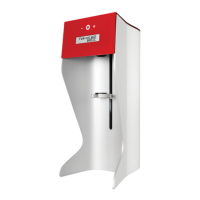
Turn on the FagronLab™ BASIC device with the power switch
The display shows the device type "FagronLab™ BASIC"
The display shows the number of current number of preparations "mixed
<<---->>"
The display shows "IQ - Mode >> >>"
Attach the test mixing unit (review chapter 4) into the quick-lock coupling
(review chapter 5)
The compounding button starts the IQ-Mode
The display shows all the levels during IQ-Mode
The display shows IQ-Mode "OK"
Remove the test mixing unit (review chapter 5)
Jump between configuration options with the compounding button
Use the +/- buttons to decrease and increase the jar size
With changing the jar size mixing time and mixing parameters are
adjusting
Use the +/- buttons to decrease and increase the mixing time
Use the +/- buttons to change the mixing level from 0 to 9
Observe the operation manual


 To Next Page