EasyManua.ls Logo

Falcon SG3K-1SC - User Manual

Falcon SG3K-1SC
42 pages
Print Icon
To Next Page IconTo Next Page
Loading...
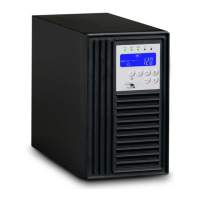
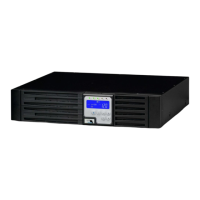
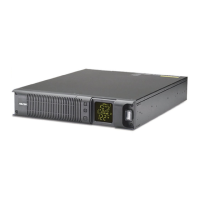
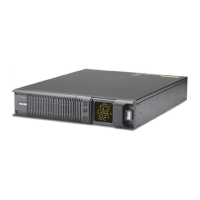
SC On-line UPS
User’s Manual
Rack / Tower Models
700VA to 3kVA, 120Vac
© 2016 Falcon® Electric, Inc. All rights reserved.
All other brand names and trademarks are the property of their respective owners.
The information stated in this document is subject to change without notice.
Falcon®, Falcon® Electric and UPS logos are registered trademarks of Falcon Electric, Inc.
OM480039 SC1-3KR_T 120V_12-12-16 REV.NR
Proprietary: The information contained herein is proprietary to Falcon Electric, Inc. and
shall not be reproduced or disclosed in whole or in part or used for any reason except
when such user possesses direct, written authorization from Falcon Electric, Inc.
The statements contained herein are based on good faith assumptions and provided for
general information purposes only. These statements do not constitute an offer, promise,
warranty or guarantee of performance. Actual results may vary depending on certain
events or conditions. This document should not be used or relied upon for any purpose
other than that intended by Falcon Electric, Inc.

Questions and Answers

  • J
    Jonathan SchneiderAug 9, 2025
    What to do if my Falcon SG3K-1SC has a Fault LED?
    • A
      Andrew MartinAug 9, 2025
      If the Fault LED is on, read the error code displayed on the LCD to identify the fault. If you see error code Er05 or Er39, check the battery connection and voltage, recharge the batteries for 8 hours if needed, and test the UPS during a simulated outage. For an overload, disconnect non-critical devices until it ceases and inspect cables for short circuits. If the error code is Er11, ensure the ventilation is clear and the fans are working. For site wiring issues, check the AC source wiring and ground-neutral voltage. If the error code is Er14, verify the fans are functioning properly.
  • J
    Jennifer LewisAug 14, 2025
    Why does my Falcon SG3K-1SC switch between battery and utility mode?
    • A
      Alexander VasquezAug 14, 2025
      The Falcon UPS may switch between battery and utility modes due to a faulty power strip connected to it. Try removing the power strip. Another cause might be damage to the utility wall receptacle or a faulty cord plug. In this case, replace the wall receptacle or cord plug.
  • A
    April RoseAug 20, 2025
    What to do if my Falcon SG3K-1SC UPS is unable to provide backup power?
    • D
      Dr. Mary SmithAug 20, 2025
      If your Falcon UPS fails to provide backup power, first check that the battery connectors are fully engaged. If the batteries are weak, allow them to recharge. If the problem persists after recharging, replace the batteries.
  • R
    Rebecca SmithAug 27, 2025
    Why does Falcon UPS fail to provide specified battery backup time?
    • M
      murphydonaldAug 27, 2025
      If your Falcon UPS does not provide the specified backup time, allow the batteries to charge for 8 hours. If the backup time is still unsatisfactory after charging, contact Falcon Electric for battery replacement.
  • D
    Daniel CrawfordSep 1, 2025
    What to do if Falcon SG3K-1SC UPS makes strange noise or smell?
    • J
      jamesweeksSep 1, 2025
      If your Falcon UPS emits a strange noise or smell, immediately shut down the entire system and disconnect the power from the UPS.

Summary

Safety and Storage Instructions

Safety Precautions

Essential safety guidelines for UPS installation, operation, and storage, covering electrical, environmental, and load considerations.

UPS Functional Descriptions

Front Panel Display & Operation

Explains the LED panel indicators, control buttons, and their functions for UPS operation and status.

LCD Panel Description

Details the LCD panel icons and measurements, providing insights into UPS status, faults, and parameters.

Installation and Operation

Operating Procedures

Guides users through starting up, shutting down, and performing self-tests in normal AC and battery modes.

Settings and Configuration

Guides on configuring UPS settings like buzzer, self-test, bypass voltage windows, and operating modes.

Maintenance Guide

Troubleshooting UPS Issues

Offers solutions for common UPS malfunctions by checking connections, loads, and error codes.

Error Code Definitions

Lists specific UPS error codes and their corresponding definitions to aid in diagnosing problems.

Falcon Electric Service

Falcon SG3K-1SC Specifications

General IconGeneral
Output Power Factor0.9
Transfer Time0 ms
Capacity3000VA/2700W
Input Voltage230V ± 25%
Output Voltage230V ± 3%
TopologyOn-Line Double Conversion
Form FactorTower
Frequency50/60 Hz (auto-sensing)
Battery TypeSealed Lead-Acid (SLA)
Communication InterfaceUSB, RS232
Battery RuntimeVaries with load (typical 5-15 minutes at full load)

Related product manuals