3: Detailed User Interface Features
30
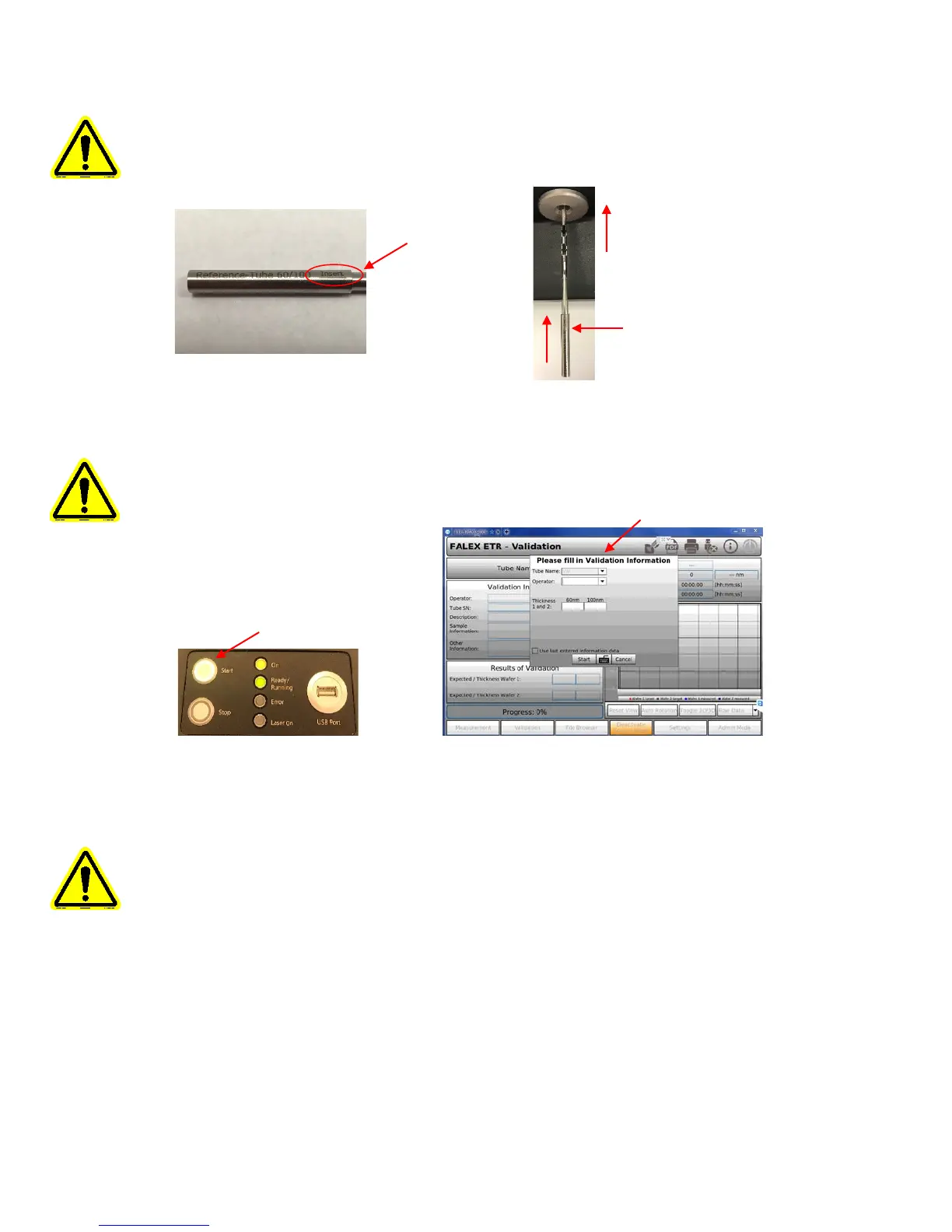
Note: The tube can only be inserted one direction, one end is larger than the other, also
there is an ‘insert’ directional arrow on the end with the tube serial number, non-serial
number end is inserted into the unit.
Press the ‘Start’ button on the front panel. Once the ‘Insert Tube’ pop-up is gone, the ‘Please
fill in Validation Information’ popup will appear.
Note: The serial number will not be captured by the camera.
Enter required information in the ‘Please fill in Validation Information’ pop-up. Select
keyboard icon to open full-size keyboard.
Note: Required information fields are: ‘Operator:’, ‘Thickness:’. ‘Tube Name:’ is
automatically set to ‘VAL’. For the ‘Thickness’ of 60nm & 100nm use the
target/expected values from the NIST certificate or the label on the stainless steel tube.


 To Next Page