EasyManua.ls Logo

FANATEC PODIUM WHEEL BASE DD2 - User Manual

FANATEC PODIUM WHEEL BASE DD2
48 pages
Print Icon
To Next Page IconTo Next Page
Loading...
Manual
EN
Rev. 10
Question and Answer IconNeed help?

Do you have a question about the FANATEC PODIUM WHEEL BASE DD2 and is the answer not in the manual?

Overview

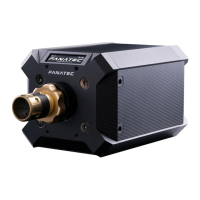
The Fanatec Podium Wheel Base DD2 is a high-performance direct drive wheel base designed for sim racing, offering an immersive and realistic driving experience. It delivers a substantial 25Nm peak torque, providing outstanding wheel speed and acceleration. The device is compatible with a wide range of CSL and ClubSport series steering wheels, as well as various Fanatec pedals, shifters, and handbrakes. It is fully usable out-of-box, but regular firmware and driver updates are recommended for optimal performance and to access new features.

Technical Specifications:

  • Peak Torque: 25Nm
  • Compatibility: PC, Xbox One (with officially licensed Xbox One steering wheel)
  • Mounting Options: Side mounting (two M8-threaded holes, 20mm deep) and bottom mounting (five M6-threaded hole patterns, 12mm deep, for Fanatec triangular mounting and square mounting 78.4mm x 66mm).
  • Connections: USB, SHIFTER1, SHIFTER2, PEDAL, HANDBRAKE, POWER, DATA, E-STOP, TORQUE KEY, CAN.
  • Cooling System: Internal fan to expel hot air from the back of the device, with automatic fan adjustment based on temperature.
  • OLED Display: Shows various screens including Default Screen, Force Feedback Analysis, Motor Data Analysis, Temperature Analysis, and System Info.

Usage Features:

  • Steering Wheel Attachment: The Podium Wheel Base DD2 uses a Quick Release system for attaching steering wheels. For Simplified Quick Release, the clamp ring bolt is tightened with an Allen key. For ClubSport Quick Release, the steering wheel is pushed onto the shaft until the locking ring engages. Proper tightening of the locking ring is crucial to prevent damage.
  • Quick Release Change: The Quick Release system can be changed by loosening the clamp ring bolts, removing the steering axle, and detaching the cables. Re-attaching requires careful alignment of the gaps in the clamp ring with the red line on the wheel base shaft. Re-calibration of the wheel centre is necessary after changing the Quick Release.
  • Connections:
    • USB: Connects the wheel base to a PC or console.
    • SHIFTER1/SHIFTER2: Connects H-pattern and sequential shifters. SHIFTER2 supports ClubSport Shifter SQ in SQ mode or ClubSport Static Shifter Paddles.
    • PEDAL: Connects pedals (e.g., ClubSport V3 and Clubsport V3 inverted).
    • HANDBRAKE: Connects the ClubSport Handbrake V1.5.
    • POWER: Connects the power supply.
    • DATA: Used for future accessories such as LED displays.
    • E-STOP: Connects the included Podium Kill Switch.
    • TORQUE KEY: Used with the included Torque Key.
    • CAN: Used for future CAN bus support.
  • Podium Kill Switch: This emergency stop button is crucial for safety. Pressing it stops the wheel base, and rotating it clockwise and lifting it back up resumes function. It also serves as a power button: press for approximately one second to turn the wheel base on/off, and press and hold for approximately five seconds to release. The Kill Switch has two cable routing options for mounting.
  • Tuning Menu: Activated by pressing the Tuning Menu button on the attached Fanatec steering wheel. It allows adjustment of various settings, including:
    • SEN (Sensitivity): Defines the steering angle (90° to 2520°). Default is AUTO (1080).
    • FF (Force Feedback): Adjusts the maximum strength of the motor (001 to 100). Default is 035.
    • LIN (FFB Linearity): Reduces maximum FFB output by a small amount to guarantee a consistent output between peaks and holding forces.
    • NDP (Natural Damper): Adds an additional damper effect (001 to 100). Default is 050.
    • NFR (Natural Friction): Simulates mechanical friction of a vehicle's steering components (001 to 100). Default is Off.
    • NIN (Natural Inertia): Simulates additional weight on the steering axis (001 to 100). Default is Off.
    • INT (FFB Interpolation): Simulates additional weight on the steering axis (01 to 20). Default is 06.
    • FEI (Force Effect Intensity): Adjusts the overall intensity of force effects (000 to 100). Default is 100.
    • Force Effect, Spring Effect, Damper Effect: These modifiers adjust the ability to change force feedback signals of a game.
    • ABS (Brake Pedal Vibration Threshold): Gives a direct feedback based on brake inputs (0 to 100). Default is OFF.
    • SHO (Shock/Vibration): Adjusts the strength of shock/vibration motors in the steering wheel (0 to 100). Default is 100.
    • MPS (Function of Multi Position Switch): Configures the Multi Position Switch as Auto, Encoder, Constant, or Pulse.
    • BRF (Brake Force): Adjusts the brake feeling (010 to 100). Default is 050.
  • OLED Display: The display shows various information like current steering wheel position, angle, and other parameters. It can display different screens by pressing the FunkySwitch™ directions.
  • Steering Wheel RevLEDs: Test function to activate signal flow on the LED bar.
  • Vibration Test: Activates vibration signal to test vibration motors.
  • Clutch, Brake and Throttle Indicators: Shows current activation and position of these single pedals.
  • Rotary Encoder: Boxes flash blue when turning left or right.
  • 2GS Indicator: Shows activation of the 2GS (two gears shifter, sequential shifter, SQ) by filling two little squares with blue colour.
  • H-pattern Indicator: Shows activation of the 6GS, 7GS or 8GS (six gears shifter, seven gears shifter or eight gears shifter) by filling the little squares with blue colour.
  • Mode Switch: Shows the selected mode of the Advanced Paddle Module.
  • Clutch Bite Point: Left & right paddle work in parallel.
  • Handbrake + Clutch: Left: handbrake; right: clutch.
  • Brake + Throttle: Left: brake; right: throttle.
  • Mappable Analog Axes: Paddles can be mapped as two additional axes.
  • Multi-Position Switches: Two multi-position switches work as two buttons by default.
  • Bars (right/left): Show the position of the two switches.
  • MPS Setting: Selects the way the switch behaves.
  • Pulse: Position of the switch is changed, a single pulse signal of the new position is sent.
  • Constant: Each position sends a permanent signal.
  • Encoder: Switch acts as a rotary encoder.
  • Automatic: If set to Automatic, the PC Driver or console will directly set the value which can be selected by games that support this feature.
  • Analog Joystick: Analog stick on the left side of the ClubSport Steering Wheel Formula V2 has an x-axis and y-axis shown by the two bars.
  • Thumb Encoders: Boxes flash blue when the encoders are rotated upwards or downwards.
  • Wheel Angle / Sensitivity: Adjustable in the PC driver 'Settings' menu.
  • Pedals: Checkbox 'Combined pedals' in the PC driver 'Pedals' section.
  • Gear Shifters: Checkbox 'Map sequential shifter to the shifter paddles' in the PC driver 'Gear shifters' section.
  • Switching Modes: The wheel base starts in "PC" by default. The OLED Display shows the current operation mode. Pressing two highlighted buttons below changes modes.
  • Shifter Calibration Mode: To enter, press the shown buttons of the ClubSport Steering Wheel Formula V2. The OLED display shows the neutral position and subsequent gears (1st to 7th).

Maintenance Features:

  • Cleaning: Clean only with a dry or slightly damp cloth.
  • Firmware and Driver Updates: Fanatec regularly releases firmware and driver updates to improve functionality and compatibility. Updates are performed via the PC driver. The process involves connecting the wheel base to a PC, entering Bootloader mode, and using the Fanatec Wheel Base Updater software. After a firmware update, the wheel base will restart automatically, and an initial calibration run will be performed. It is crucial not to touch the attached steering wheel during this process to avoid injuries or miscalibration.
  • Troubleshooting: The manual provides a comprehensive troubleshooting section addressing common issues such as incorrect steering wheel centering, H-pattern shifter not working, driver window not showing the attached steering wheel, tuning display not showing, auto calibration not working, wheel base becoming weaker or fading, motor temperature issues, motor switched off, and fan not working. Solutions include updating firmware, checking connections, recalibrating, and contacting customer support.
  • Serial Number: Located on the rear side of the wheel base, under the top housing cover. This number is required for customer support inquiries.

FANATEC PODIUM WHEEL BASE DD2 Specifications

General IconGeneral
BrandFANATEC
ModelPODIUM WHEEL BASE DD2
CategoryVideo Gaming Accessories
LanguageEnglish

Related product manuals