EasyManua.ls Logo

FANATEC CSL - User Manual

FANATEC CSL
24 pages
Print Icon
To Next Page IconTo Next Page
Loading...
Manual
EN
Rev. 02

Other manuals for FANATEC CSL

Questions and Answers

  • R
    Ronald LawrenceJul 28, 2025
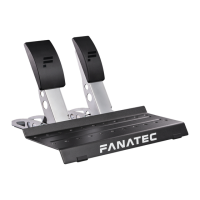
    What to do if FANATEC Video Gaming Accessories CSL Pedals are not recognized by PC driver or wheel base?
    • C
      cassandra79Jul 28, 2025
      If your PC driver or wheel base isn't recognizing the FANATEC CSL Pedals, ensure you've updated your wheel base and ClubSport USB Adapter firmware to the newest version available in the latest PC driver, which can be downloaded from fanatec.com/driver. Also, verify that you're using the RJ12 cable that came with the CSL Pedals package. Finally, double-check that the RJ12 cables are correctly plugged into the appropriate ports on the CSL Pedals' gas pedal module, as well as the corresponding ports on the wheel base and ClubSport USB Adapter.
  • B
    Brandon PopeAug 5, 2025
    Why won't my PC boot when the FANATEC Music Pedal (CSL Pedals LC) is connected via USB?
    • J
      James ThomasAug 5, 2025
      If your PC doesn't boot when the FANATEC CSL Pedals LC is connected via USB before Windows starts, this is due to certain main board manufacturers' BIOS. To solve this, boot the PC first, and then connect the CSL Pedals LC via USB.
  • F
    freyesAug 12, 2025
    What to do if pedal signal of the FANATEC CSL Pedals and / or CSL Pedals LC in-game behaviour feels incorrect?
    • D
      Donald HopkinsAug 12, 2025
      If the pedal signal of the CSL Pedals and / or CSL Pedals LC in-game behavior feels incorrect, connect the CSL Pedals LC to a PC or a wheel base. Start the Fanatec Control Panel and check the indicator bars of each pedal while pressing each corresponding pedal. You may need to manually calibrate the minimum and / or maximum positions or reselect ‘...Manual Mode’ to adjust the pedal signal behavior as desired.
  • M
    michaelsheltonAug 19, 2025
    How to fix FANATEC Music Pedal (CSL Pedals Load Cell Kit) not being recognised?
    • J
      Joshua GutierrezAug 19, 2025
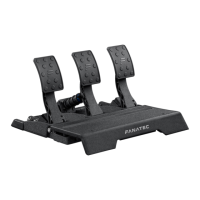
      If the PC driver or the wheel base does not recognise the CSL Pedals Load Cell Kit: * Make sure that you have updated your wheel base and CSL Pedals LC firmware to the latest firmware version contained within the latest PC driver which can be downloaded from fanatec.com/driver. * Ensure that you are using the RJ12 cable included with your CSL Pedals package. * Ensure that the RJ12 cables are plugged in the correct ports of the CSL Pedals Load Cell Kit module and the correct port of the wheel base.

Summary

General Information

Compatibility

Package Contents

Assembly

Plan Your Setup

Decide on pedal module and plate positions before connecting the CSL Pedals Load Cell Kit.

Attachment

Instructions for physically connecting the load cell module to the pedal set.

Pedal Plate Adjustment

Details on adjusting the height of the load cell pedal plate using the provided tool.

Connections

Guides for connecting the load cell module to the wheel base or PC via USB or RJ12.

Tuning Options

How to configure settings like Brake Force (BRF) and Manual Mode via software.

Cleaning

Troubleshooting

PC Driver Recognition Issues

Troubleshooting steps when the PC driver or wheel base does not recognize the CSL Pedals Load Cell Kit.

Firmware Update Pedal Reset

Address issues where pedal positions reset after a firmware update.

Incorrect In-game Pedal Behavior

Resolving issues with incorrect pedal signals or in-game behavior feedback.

PC Booting Issues with USB Connection

Solutions for PCs failing to boot when the load cell kit is connected via USB before system boot.

Contacting Customer Support

Information on how to get in touch with Fanatec customer support for further assistance.

Video Manual

Serial Number

Trademarks

Product Recycling

Compliance

Warranty

FANATEC CSL Specifications

General IconGeneral
Force FeedbackYes
ConnectivityUSB
CompatibilityPC, PlayStation, Xbox
Wheel Diameter30 cm
CategoryRacing Wheel
Direct DriveNo
Quick ReleaseYes
Rotation1080 degrees
MountingClamp or Hardmount

Related product manuals