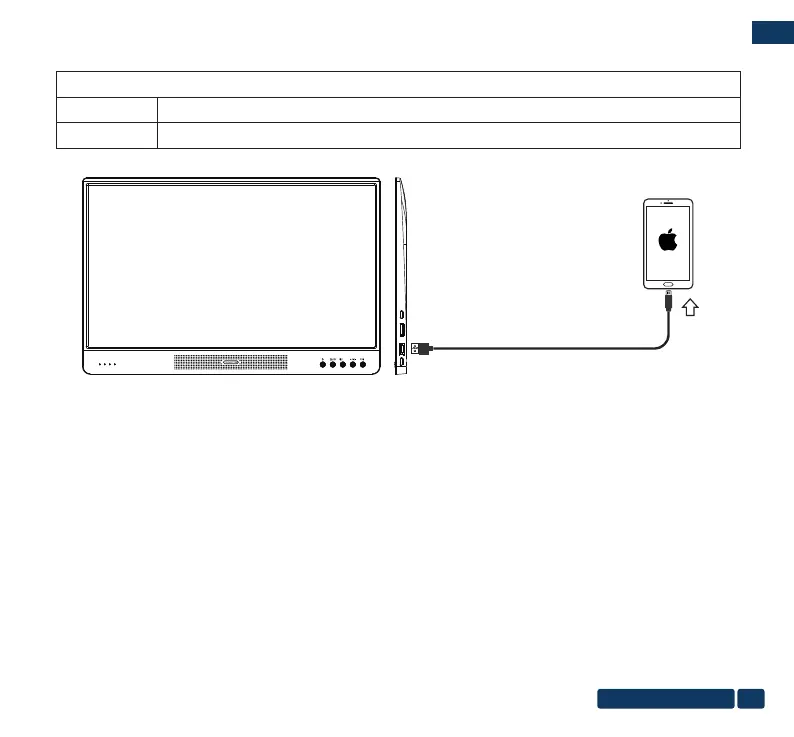
3.Connect to iPhone/iPad(iOS)
Connect:
a. Make sure the phone has enough power.
b. Connect the adapter(Power Bank) rst and keep it charged.
c. Find the USB1 transmission interface, use a Lighting cable to connect the iphone/ipad with the portable monitor,
and the image will be copied and displayed immediately.
Cable selection:
Option 1
Option 2
AC adapter,Lighting cable
Power bank, Type-C to USB cable, Lighting cable
DCIN Type-CUSB 1
HDMI
OK
+
EN
us-pc@fangor.cn
15


 To Next Page