EN
us-pc@fangor.cn
23
EN
B: iOS device without WiFi environment.(Use the phone’s network data)
Step1: Turn on the portable monitor and press the "source" button Click to enter the "Mirascreen" on the portable monitor.
(Loading time 5-10 seconds)
Step2: Open the WiFi function on your smartphone/pad, and connect to the portable monitor SSID (name and password
showed on the screen)
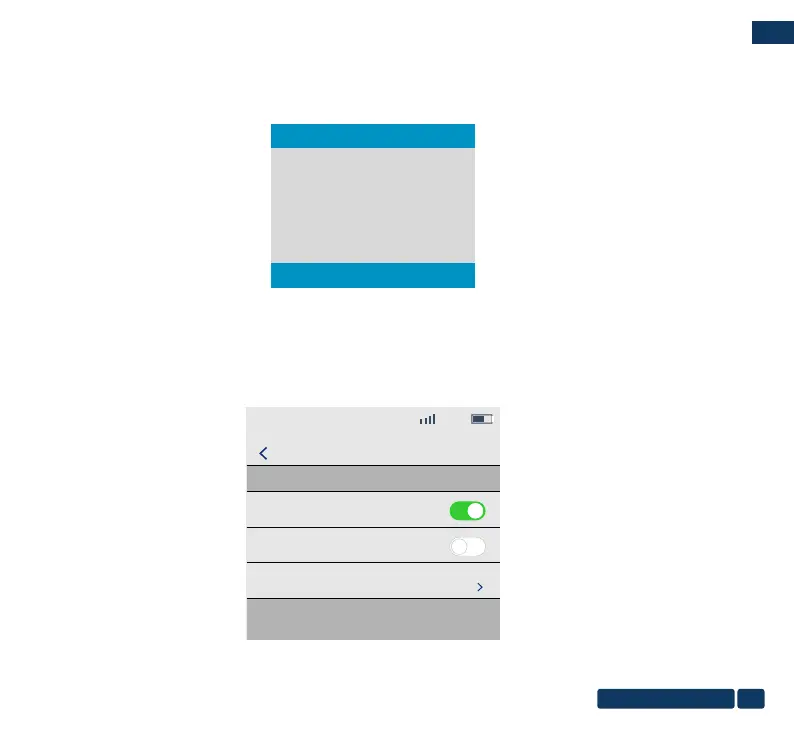
Step3: Choose "Cellular Data" and turn on it.
12:20
Celluar
Setting
Cellular Data
Data Roaming
Personal Hotspot
Turn off cellular data to restrict all data to WLAN, including
email, web browing, and push notifications.
4G
Off
Auto
Type-C
Mirascreen
HDMI


 To Next Page