ENGLISH
12 / 55
1.6 First steps
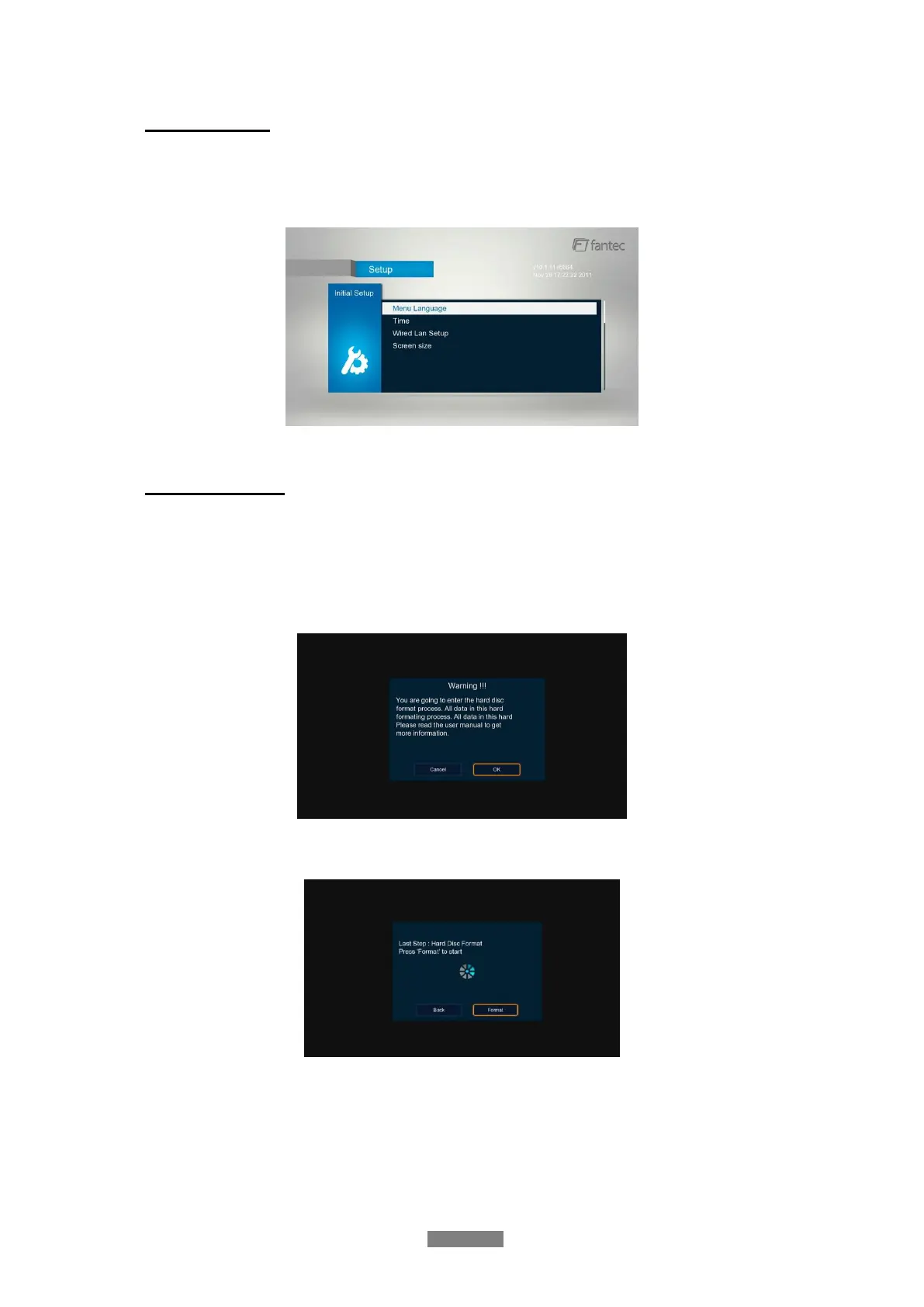
At the time if you connect the player to the TV, you can make following settings:
Menu Language, Time, Wired Lan Setup, Screen Size
Note: You can adjust these settings any time, in under the setup menu.
1.7 HDD Format
For users who wish to install a new SATA HDD into the player, at first you have to format the
hard disk. Please refer to the following procedures to format the hard disk.
- Step 1: Go in the Setup menu under System can you format the HDD
- Step 2 Select the HDD and on the Warning page, press OK to confirm.
- Step 3: Select Format, press OK, and then hard disk format will start.
The formatting procedure will be finished within a few minutes. And then you can use the hard
disk properly on the player.
Note: HDD format will remove all data stored on the hard disk drive. Please take care and
backup your data in advance!



 To Next Page