ENGLISH
38 / 55
3.8.2 Delete under File Manager
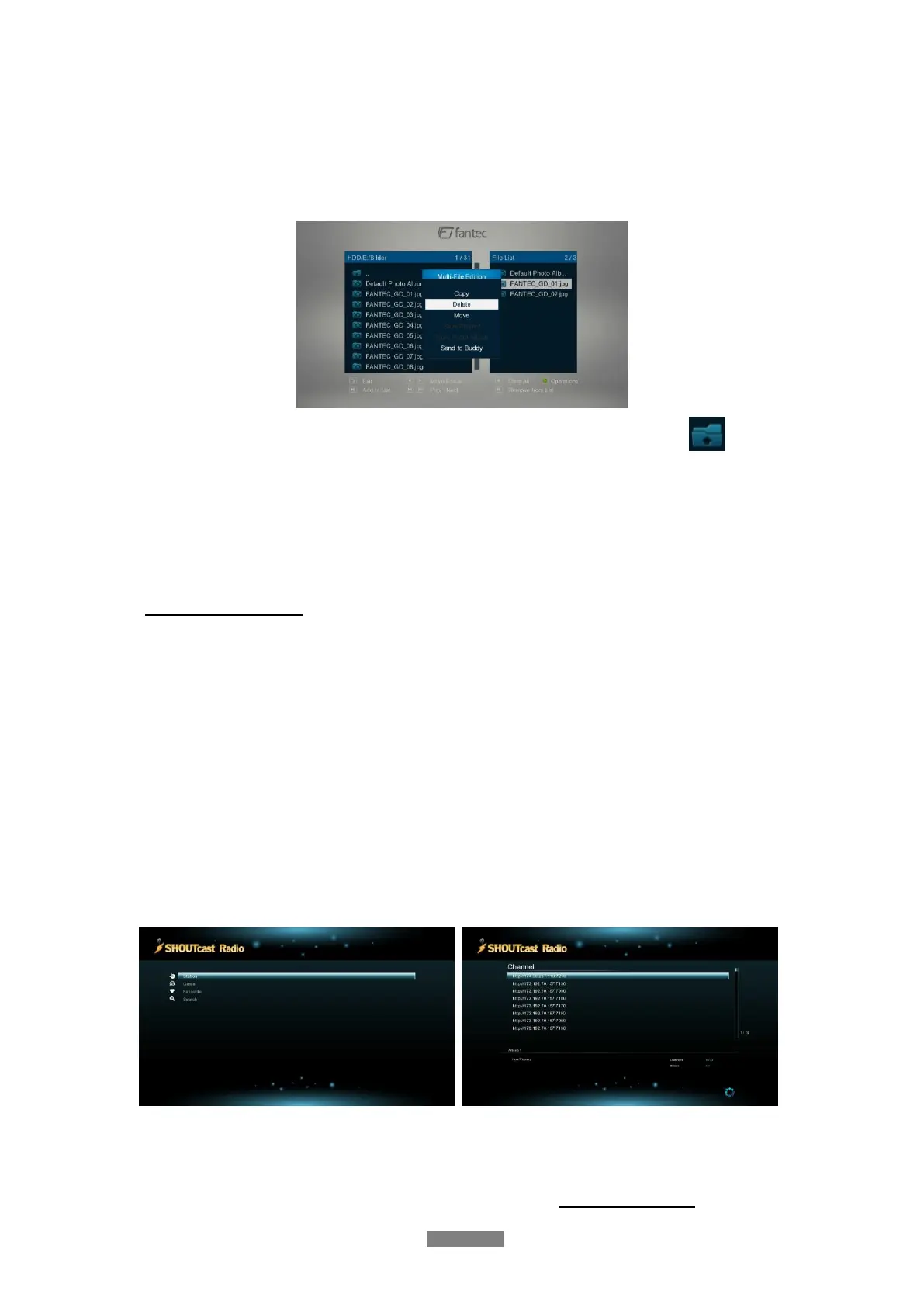
To start the Delete function, please enter the HDD via File Manger. The press Edit button on
the remote control and select Multiple Select option. In the file explorer you can navigate by
Up/Down/Left/Right/Next/Prev button and add or delete files to the File List by the
Play/Pause button.
In order to switch between different folders, please select the upper folder icon:
To start the Delete procedure, please press the Edit button and select Delete.
Note: If you want to delete a single file, just press Edit and then Delete to start the delete
procedure.
3.9 Internet Media
This feature is additional function. All contents and services under this feature are provided by
third-party service providers, our company does not offer any contents and services of this
feature and it not responsible for any contents and services provided under this feature. Our
company is not responsible for any operational stability of the contents and services, for
example, if you cannot access certain web site for video streaming or news broadcast, or the
content of a web site has been changed etc, are all responsible and control by the third-party
service providers. If you find that these features cannot operate properly, please contact our
customer service or visit our company website to obtain the relevant information.
3.9.1 SHOUTcast Radio
Select SHOUTcast Radio icon to get all free internet radio stations, press OK to select and
play radio station, press Back to come back
Note:
When you enter the Digital Radio menu at the first time, it will take several seconds to
download data from the Internet, please be patient to wait;
For more about SHOUTcast, please refer to the website: www.shoutcast.com



 To Next Page