ENGLISH
24 / 55
3.2 Movie Library
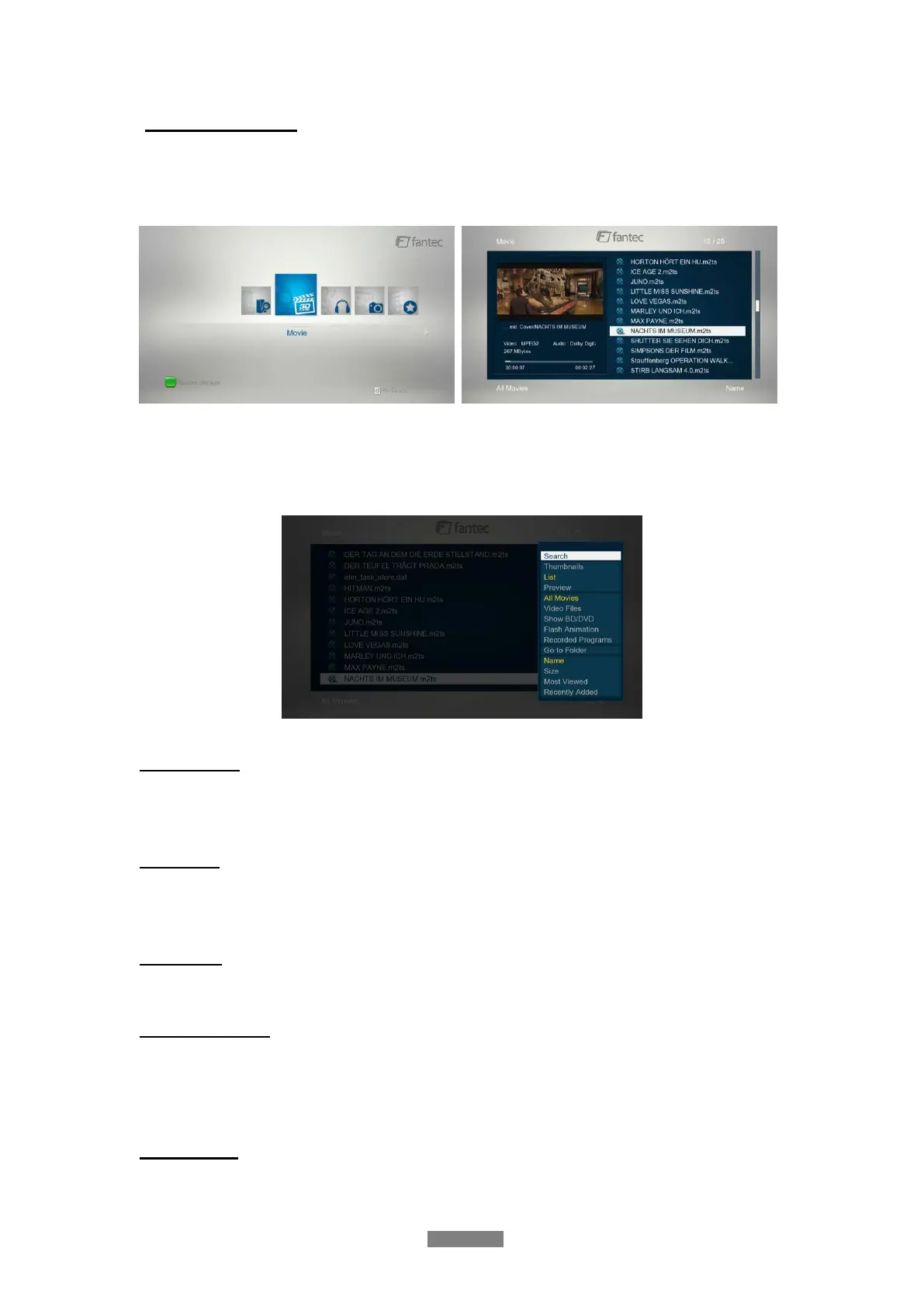
Select the Movies icon on the main menu to enter into movie library interface. Only supported
files will be displayed. Please refer to chapter ‘5. Appendixes’ for more details about the
supported file formats.
3.2.1 Movie Library Options
In movie library, press MENU button to display the option menu, you can get following
functions though the option menu.
Quick-Search
- Choose the Search option in the option menu and you can search for a media file by filter
to locate the specific media file.
View Mode
- Choose a view mode among Thumbnails, List, and Preview from option menu or go to a
specified folder.
Filter Mode
- Choose to filter by All Movies, Show DVDs or Flash Animation from option menu.
Show BD / DVDs
- Choose to display DVD IFO, BD MV and ISO files directly in media library. During
playback of DVDs, you can press Menu button, to get back to the Title Menu or Root
Menu of the DVD.
Sorting Mode
- Choose to sort by Name, Size, Most Viewed or Recently Added from option menu.



 To Next Page