FANTEC MM-VP35US Media Player User Manual
22
6.3.6 Auto Start Setup
The Auto Start function is also useful for commercial advertising.
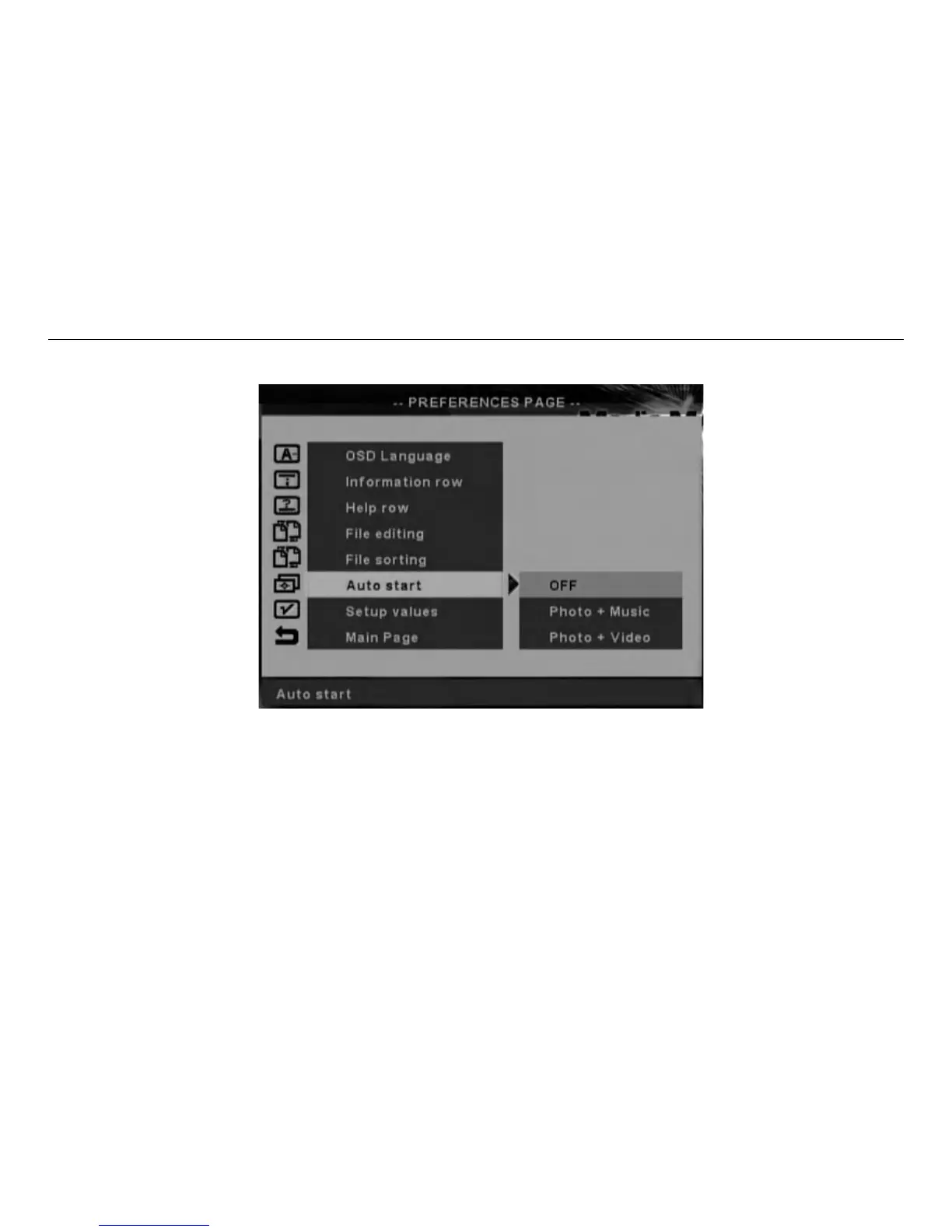
Auto Start Setup Screen
.Select PHOTO-MUSIC will start the automatic playback of a photo with music show. The files play sequentially,
in an alphabetical order based on the filenames. You can change the operation of the Harrier at this time by
pressing the ENTER key on the remote control –this will cause the action button row to appear at the bottom of the
screen.
.Select PHOTO-VIDEO will start the automatic playback of a photo and video show. The video clips play with the
sound tracks associated with them. Pressing any key on the remote control will disable the automatic playback and
jump to the main menu.
.Selecting OFF disables automatic playback mode after power on the device. (Factory default mode is OFF).


 To Next Page