DE - 25/38
EN - 16/28
INITIALIZATION
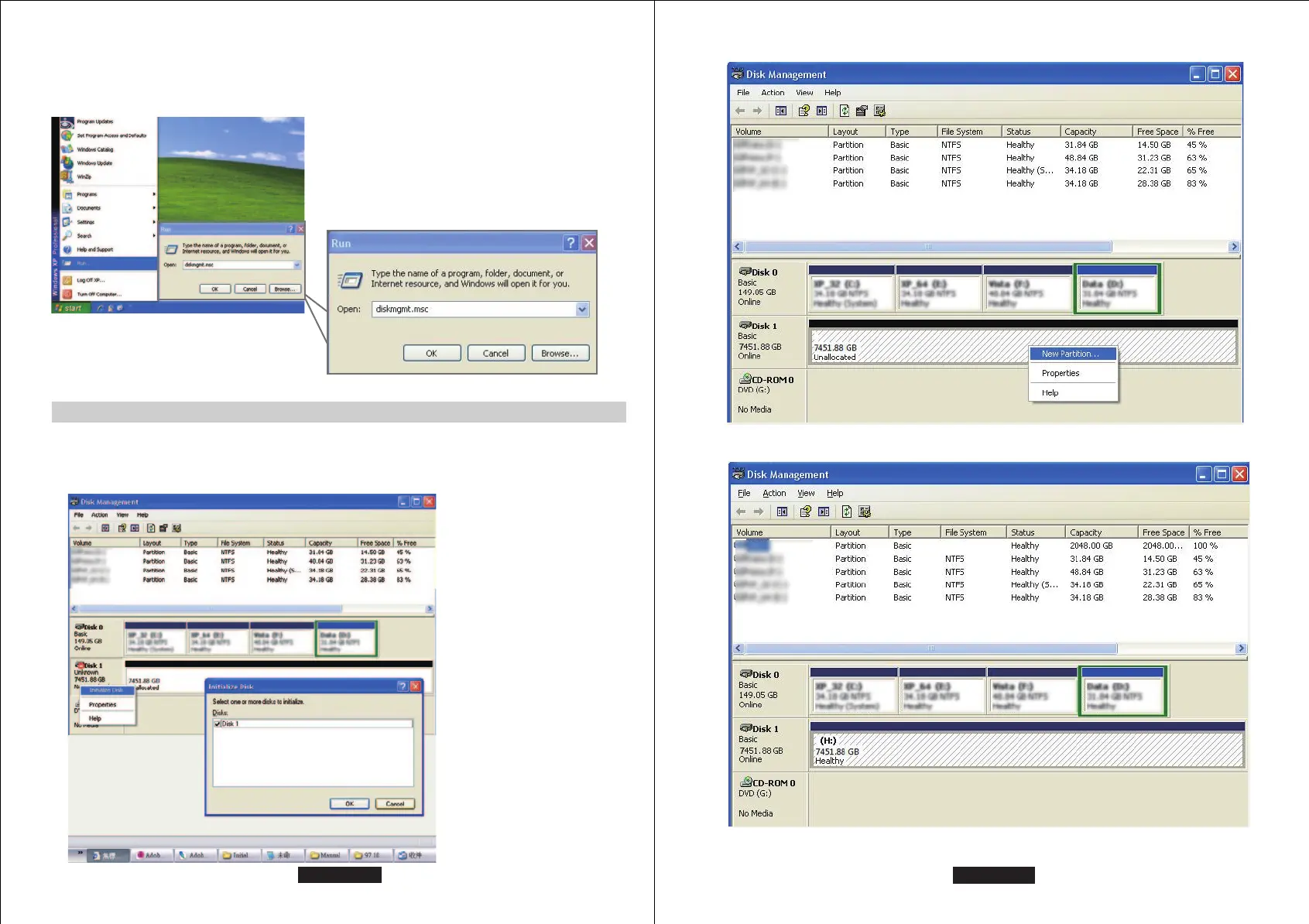
1. Start disk initialization.
If the HDD is uninitialized, you may
have to initialize it by doing steps as
followed: At first click “Start”, “Execute”
at your PC and key in “diskmgmt. msc”.
After that please press “RETURN” key.
Windows 2000 / XP (32 / 64 bit)
Windows 2000 / XP (32 / 62 bit) only support MBR.
Under Windows 2000 / XP, the HDD total volume shall not be more than 2,048GB,
otherwise the device won't be recognized.
EN - 15/28
3. Disk format completed.
2. Create new partition and format disk.


 To Next Page