19
Show Last Visited Web site Icon on Thumbnails
When in the thumbnail view, this option shows an icon in the upper right hand corner that represents
the Web site the student visited last.
Limit Task Manager
e Task Manager is disabled on the student computer by default. To enable the Task Manager, clear
the Limit Task Manager on Student check box.
Insight Folder on Student
Specifies the path of the Insight folder on student machines. is can be on the machine’s hard drive
or on a network drive.
Web Limiting
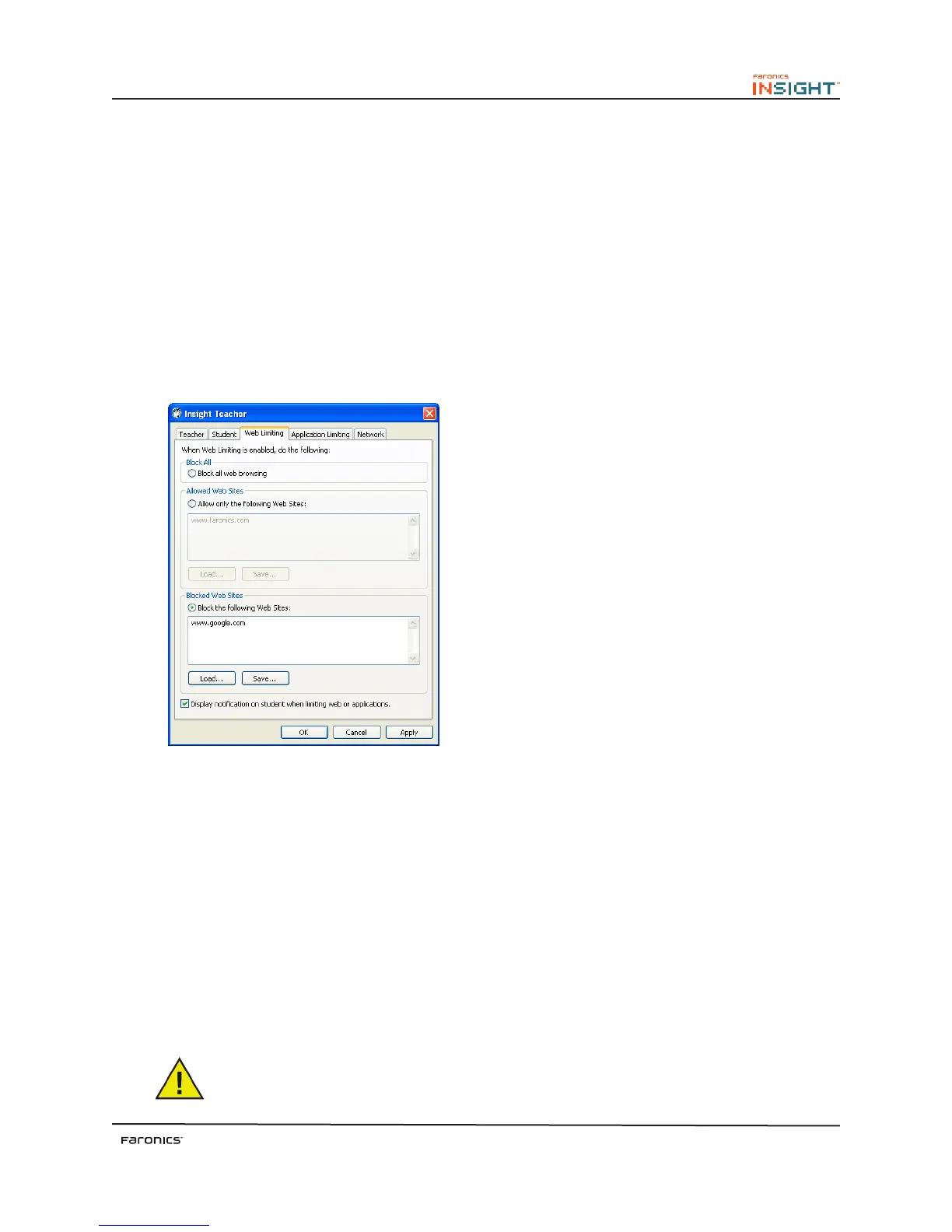
e Web Limiting tab configures the following options:
Block All
Blocks all web browsing, instant messaging and e-mail programs.
Allowed Web sites
is option allows the teacher to enter a list of web sites that are allowed when Limit Web is turned on.
Lists of web sites can be saved and loaded by using the Load and Save buttons. e files are saved as .lsu
files. e teacher can use the wildcard characters * and ? to allow certain kinds of web sites. e web
sites that are not listed here will be blocked.
Block the Following Web sites
is option allows the teacher to enter a list of web sites that are blocked when Limit Web is turned on.
Lists of web sites can be saved and loaded by using the Load and Save buttons. e files are saved as .lsu
files. e teacher can use the wildcard characters * and ? to block certain kinds of web sites. e web
sites that are not listed here will be accessible.
You can select only one option from ‘Allowed Web sites’ or ‘Block the Following Web
sites’ at the same time.



 To Next Page