Fasep 2000 srl Rev. 1.6
Videotronic V585.2.U: User’s Manual 14 march 2022
3-5
5 Calibration ALU-SE
Switch on the wheel balancer.
MAIN MENU > MENU > RESET > SET UP > CALIBRATION
> ALU-SE CALIBRATION > SET/OK (fig..49).
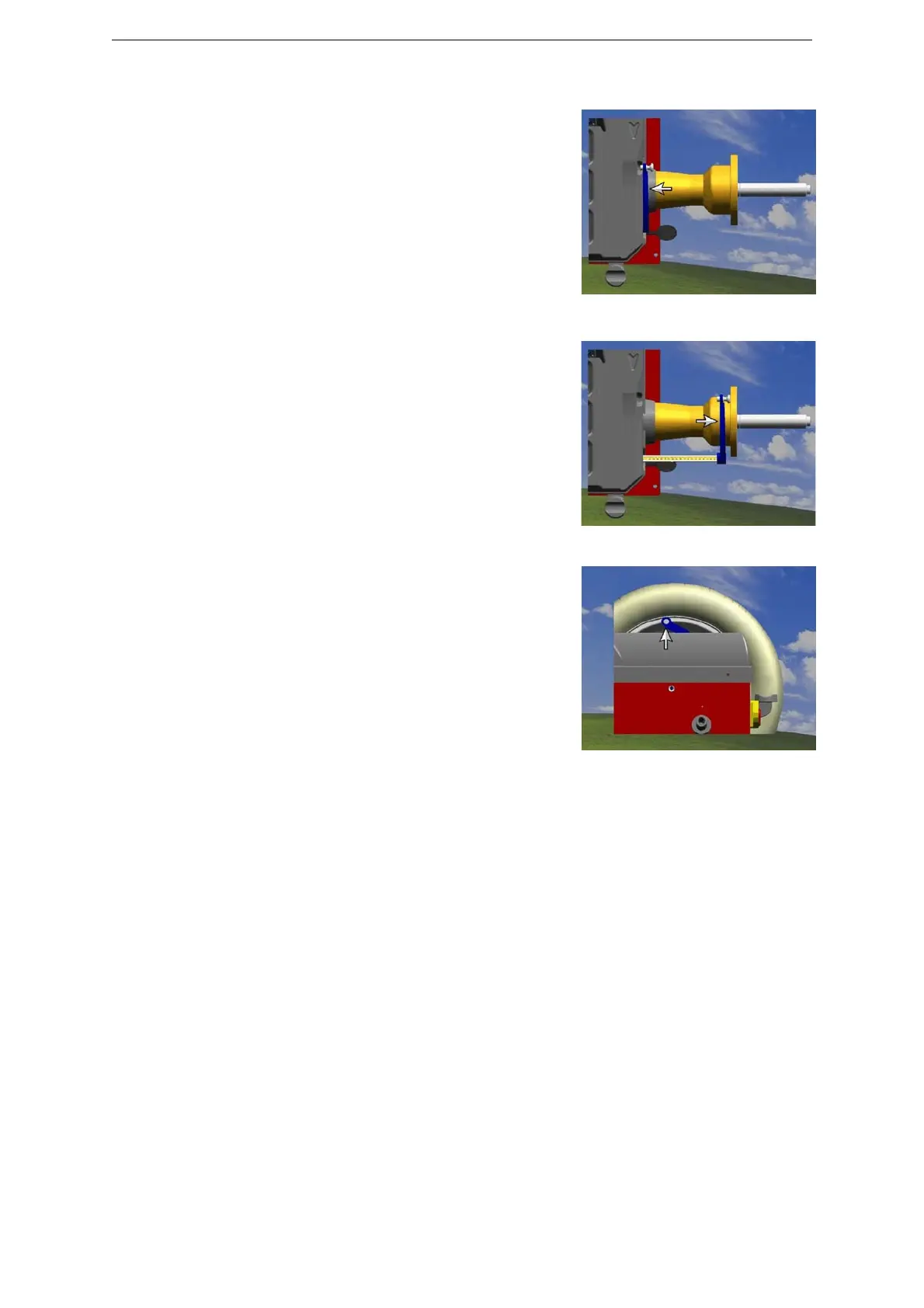
Put the rod on rest position (fig.49) and press SET/ OK.
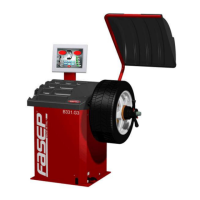
Put the rod on the flange (fig.50) and press SET/ OK.
Select width of wheel
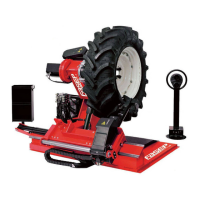
Put the rod on internal side of the rim (fig.51) and press
SET/OK.
Press <ESC> to go back to standard use
.
Fig. 50
Fig. 51
Fig. 52



 To Next Page