Appendix 2-2
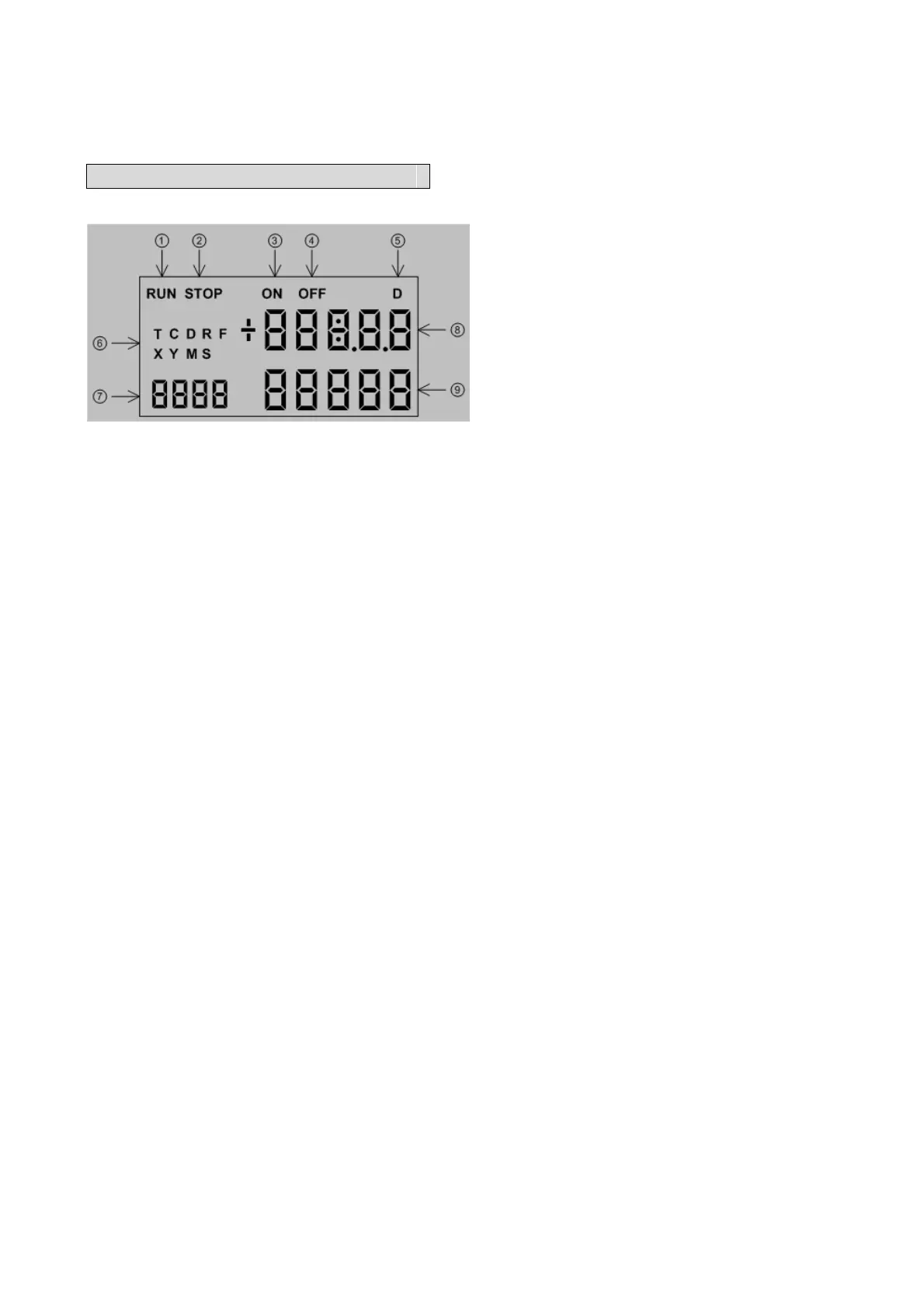
1.2 FBs BDAP Display Legend
① “RUN” indicator. When the PLC is in running state, this symbol will be appeared.
② “STOP” indicator. When the PLC is in stop state, this symbol will be appeared.
③ “ON” indicator. When the selected element is Timer or Counter, this symbol will be
appeared when the corresponding state is on.
④ “OFF” indicator. When the selected element is Timer or Counter, this symbol will be
appeared when the corresponding state is off.
⑤ “D” indicators. When the selected element is 32 bit register, the “D” symbol will be
appeared.
⑥ Element symbols for selection. There are nine element types can be chosen, those
are T, C, D, R, F, X, Y, M and S.
⑦ Reference number or year display, The sequence number of the selected element or
the year part of the calendar.
⑧ Value display or hour and minute display. For 16 bit register, it represents the
current value of 16 bit content. For 32 bit register, it represents the portion of the
number above 5
th
digit (million) in decimal or MSB word in hexadecimal format. It
also represents the state of discrete element or hour and minute part of the
calendar.
⑨ Value display or month and day display. For 32 bit register, it represents the lower 5
digit portion of the number in decimal or LSB word in hexadecimal format. It also
represents the enable/disable state of discrete element or month and day part of the
calendar.



 To Next Page