Appendix 2 -3
1.3 FBs BDAP Operation Procedure
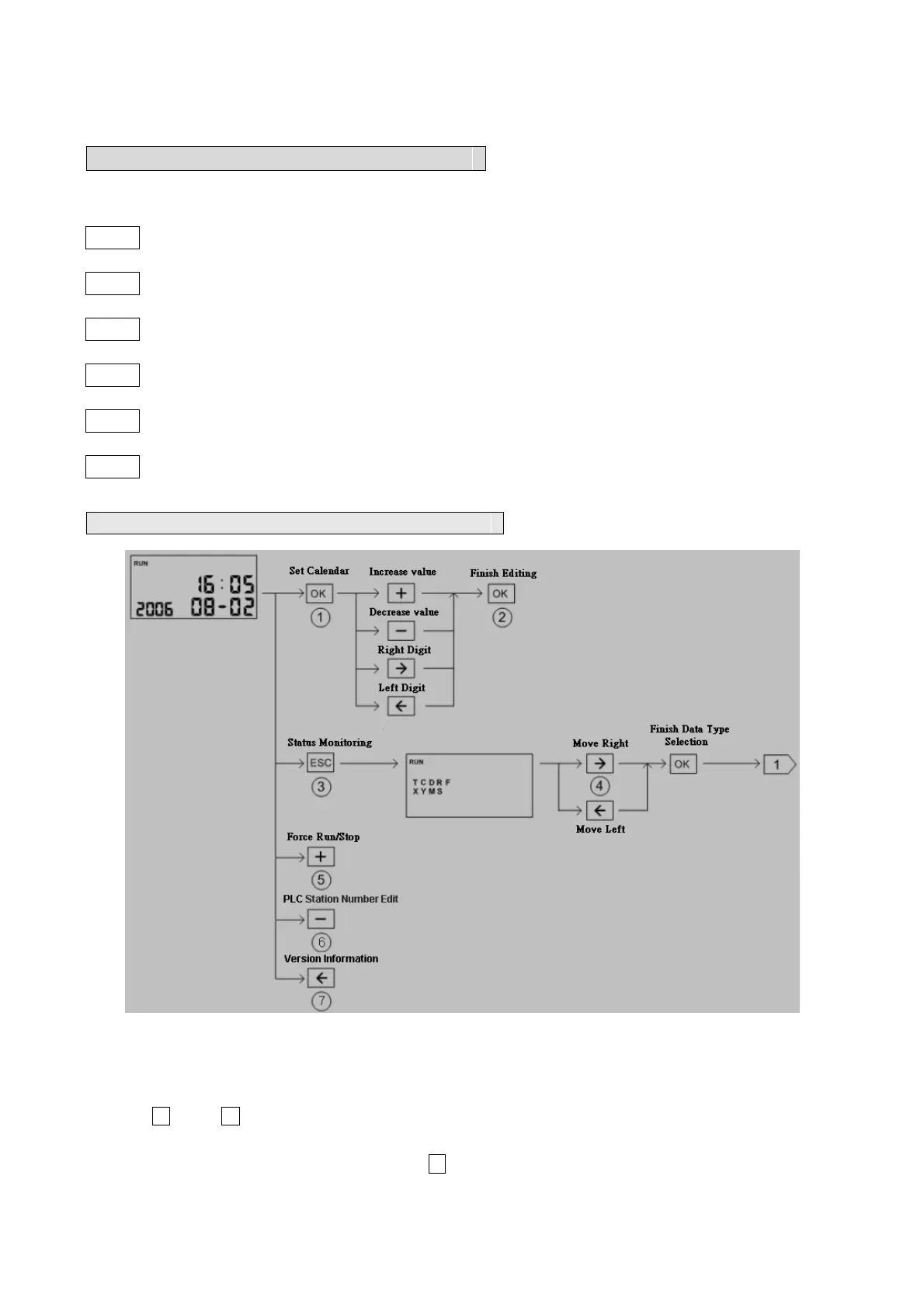
Operation Keypads: There are six keypads in total for operation.
ESC : Escape key
OK : OK key
- : “- ” key
+ : “+ ” key
Æ : “Æ ” key(shift right)
Å : “Å ” key(shift left)
Default display mode: Calendar Display
○
1
Select the field to be changed, selected field will be blinked
○
2
Enter the new value
○
3
Enter status monitoring display screen
○
4
Use Å key、 Æ key select the element type to be monitoring. The selected type will be
blinked.
○
5
Under calendar display mode, press + key to force PLC stop or run



 To Next Page