Appendix -5
1.5 FUN Functions
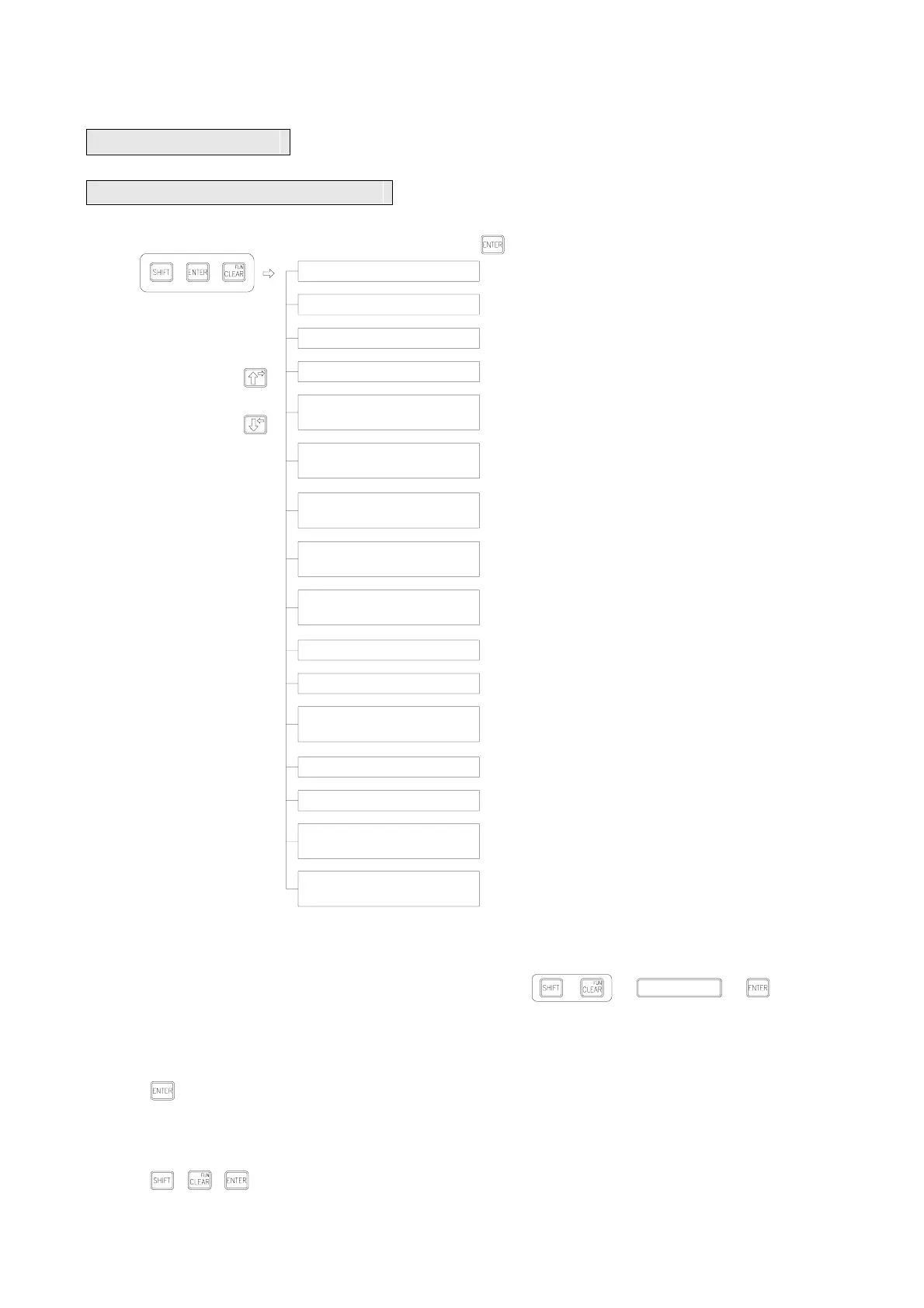
1.5.1 In and out of FUN functions
Note:1、When several DAPs are connected, information can be stored to PLC (D2944~D3071) if one of the DAP is set in
all the FUN functions (except item 11).
2、After entering FUN 4~15, without password protection, all the FUN functions can be executed by only pressing
. With password protection, it is required to pass it first before executing FUN functions.
3、If it is password-protected, FB-DAP will be set in a password protection status at each beginning of operation.
4、FUN items 1~9 can be entered with numeric keys directly and then go straight to that function.
5、 After executing a item of FUN functions, if execution of other items is required, press the three keys
+ + again.
16、 ENABLE
KEYS MAPPING
13
、 WRITE PROTECT
14
、 RF CARD MODE
15
、 RF CARD
START ADDR.
11
、 SET DAP NO.
12
、 MAX. DAP NO.
ON NETWORK(1~16)
9
、 ENTER SOFTKEY
MODE(16-KEY)
7
、 DEFINE SOFTKEY
MODE (8-KEY)
8
、 DEFINE SOFTKEY
(16-KEY)
6
、 DEFINE SOFTKEY
(8-KEY)
5
、 DEFINE ALARM
ADDRESS
3
、 PASSWORD SET
4
、 DEFINE FUN KEY
2
、 PASSWORD CLOSE
1
、 PASSWORD OPEN
*:Indicates when multiple DAPs are connected, each DAP can be set respectively.
○ :Indicates when multiple DAPs are connected, the information set by one of them is not available for use until PLC is reset.
■ Exit of FUN functions to general information setter functions. Press + + +
*
○
○
○
○
○
10、 VOLUME
*
*
Press + +
■ Enter FUN functions
Press
(Self-define 8 special keys)
(RF card mode selection)
(Start address of a RF card number storage)
(Corresponding special contacts of ENABLE keys)
Monitored items
(Enter into the modes of the 8 special keys)
(Enter into the modes of the 16 special keys)
(Set DAP number
(s) at multi-link)
(Set the max. DAP numbers on network
(1-16) at multi-link)
(Adjust volume)
(Data write-in protection)
(Self-define 16 special keys)
(Self-define speed monitoring function key FUN KEY 0-9)
(Self-define start address of content for display at an alarm)
(Password blocked)
(Password setting)
(Password open)



 To Next Page