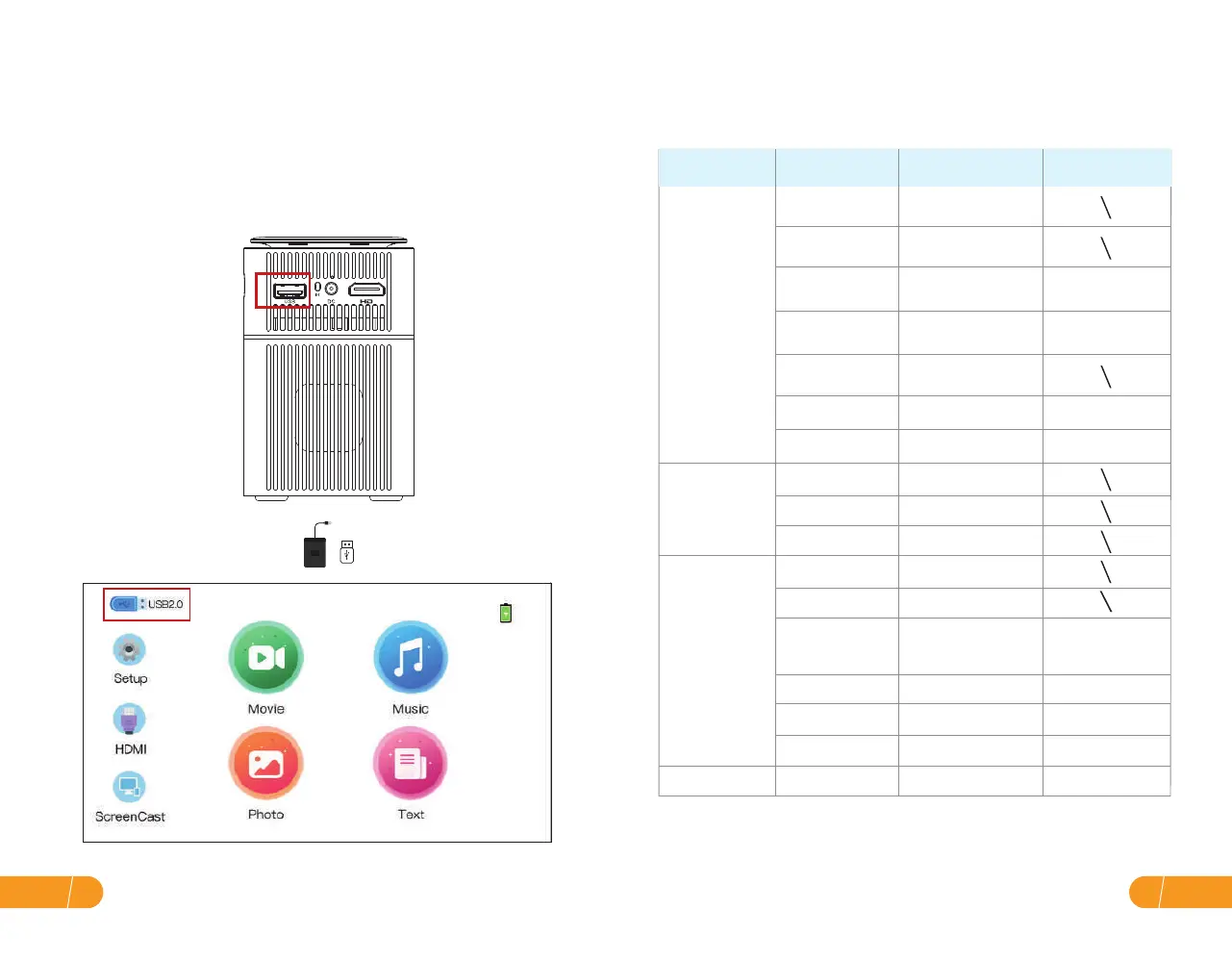
● USB connection
Insert the USB flash/storage hard drive Into the USB port and choose USB
as the source from the menu.
(The USB icon on the main interface will turn blue after the USB inserts. If the USB
icon on the interface does not display blue, you need to insert it again or
check whether the USB disk is faulty.)
Supported multimedia formats
b. Choose the content which you need to play.
File
Video Play
MPEG1
MPEG2
MPEG4
RM\RMVB
MJPEG
.DAT\.MPG\.MPEG
.MPG
.AVI\.MP4 DIVX,XVID
.RM\.RMVB RV8, RV9, RV10
.AVI
WMV
VC1
JPEG
MP3
M4A
.MP3
.MP4
AAC-LC
HE-AAC
WMA
TEXT .TXTDocument
Dihtital(AC-3)
Optional
BMP
PNG
.JPG
.BMP
.PNG
Picture Play
Audio Play
Format Suffix Decoding
EN11
EN 10


 To Next Page