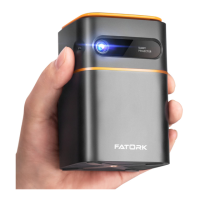
* Problems listed below might occur during the operation of your projector.
Please refer to the possible factors that might cause the issue to troubleshoot. If
you have any questions during use, please feel free to contact our customer
service team.
A1: The projector or the connected device (PC, TV, etc.) is muted.
A2:The video format is not supported by the projector.
A3:Fire stick: Enter "Setting" and find "Display & Sound". Then select ''navigation
sounds". Select Stereo (or PCM) for "surround sound".
[Audio]Q: Why is the projector display available but without audio?
A1: Make sure the projector is placed on a flat surface with a projector light in
the middle of the screen.
A2:Make sure the projector screen is placed horizontally.
[Image]Q: What can I do if the projection screen is not square or horizontal?
A1: Make sure the video source has a satisfactory resolution.
A2:Adjust the colors: enter Menu-Picture-Color Temperature, select different
modes and adjust the value accordingly.
A3:Reset the projector to manufacturer setting: enter Menu-System-Restore
Factory Default to reset.
[Image]Q: How can I do if there is color distortion?
A1: Please restart it to see if it can be solved. The line/blurry screen is caused
by the motherboard or screen. If you can't solve it, please contact our
customer service team for help.
[Image]Q: How can I do if there is a line/blurry screen in the projection picture?
A1: Make sure the batteries are installed correctly and have enough power.
A2:Please make sure the IR receiver is not covered.
A3:Contact customer service team for a replacement.
[Remote control]Q: How can I do if the remote is unresponsive?
A1: Press the "Menu" on the remote to enter the System Setting. Enter "OSD
Language".
[Settlng]Q: How can I change the language?
A1: Tap the projector slightly to shake off the dust, which may be caused
during installing or shipping.
A2:Clean the lens with clean non-woven fabrics. Try cleaning the projector.
When cleaning the projector, you can dip it in alcohol.
[Display]Q: How should I do if there are small dots on display?
A1: It was caused by dust. It can be cleaned. Please contact our customer
service team for the cleaning operation.
[Image]Q: How can I do if there are black spots, bright spots, and yellowing in
the projection picture?
A1: Check if the fan noise increases or the fan stops working. Unplug the
projector and contact our customer service team for assistance.
A2:Make sure the outlet and projector power adapter is not wet or humid,
which will cause sparks or smoke on the outlet when power on the projector.
[Damage]Q: What should I do If there Is expanding dark spot or smoke when
using the projector?
A1: The video format is not supported by the projector.
A2:Encryption applied to the videos or media player who holds the video.
A3: If the projector lamp is off with only audio playing, the lamp is defective.
Please contact customer service for a replacement.
A4:Try another HD cable if you select the HD Input Source.
[Audio]Q: Why is the projector's audio available but without display?
A1: The fluency of playing is related to the network; If you are connected to a
Wifi device, it generally has a delayed display.
[Audio]Q: Video playback is out of sync with sound and picture?
A1: Make sure all cables are plugged correctly and firmly.
A2:Make sure you select the right Input Source. For example, if you connect
with a phone. Please follow the "Connections" section in the manual.
[Signal]Q: Why does the projection screen show No Signal?
A1: Press the "Menu" on the remote to enter the Settings. Then, select "Projection
Mode". Press the "OK" button to rotate the image.
[Image]Q: How can I do if the image is upside down?
A1: Adjust the focus ring by moving it leftward / rightward till it shows the
correct image.
A2:Place the projector on a flat surface horizontally or vertically. An inner at
any angle may result in blurry displays or uneven colors.
A3:Darker environment suggested achieving the best pro cine performance.
A4:The eligible distance of 1.64 - 9.85 feet between the projector and
projecting screen/wall.
A5:Projecting wall or screen is clean white if possible.
[Image]Q: How can I do if the image is blurry or out of shape?
Questions & Answers
EN23
EN 22


 To Next Page
 Loading...