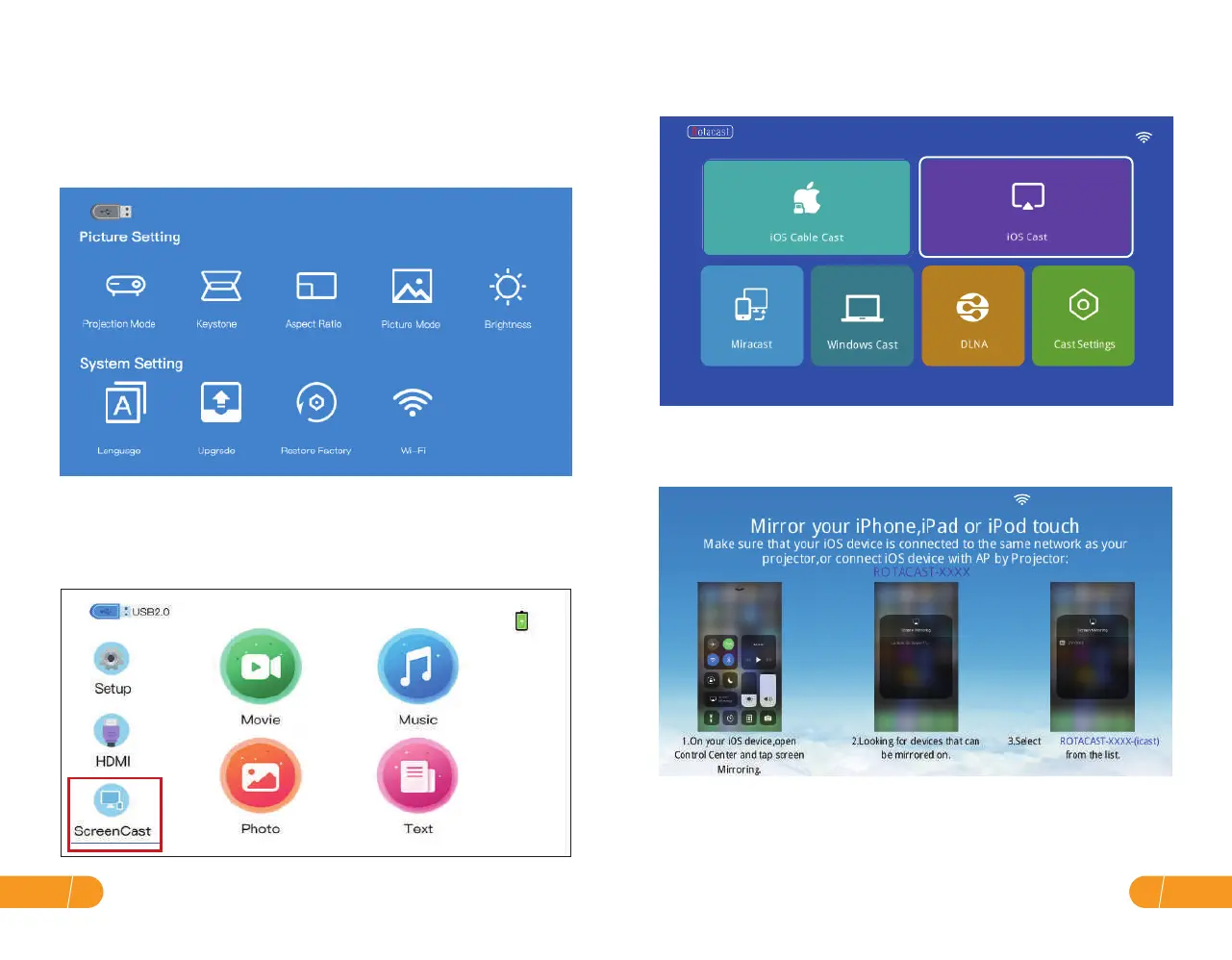
Step 2. Select "ScreenCast" Screen Mirroring as the input source to enter "iOS
Cast".
Step 3. Connect your iPhone / iPad to the same WiFi. Open"Screen Mirroring"
on your device and click"ROTACAST-XXXX"to connect.
● WiFi wireless screen mirroring
A. iPhone / iPad / iPod touch (iOS system)
Streaming with your WiFi (wireless connection)
Step 1. Turn on the projector, click "Setup" and select Wi-Fi to connect.
(Or select "ScreenCast" Screen Mirroring as the input source,then go to the
next screen and select "Cast Settings". Setting up your WiFi.)
EN15
EN 14


 To Next Page