12
Service Menus
The service menus are intended for use by a trained service technician only. To access these menus, makes
sure “MENU” is highlighted in the pop-up and then press the green check button and the bottom center soft
key button (blank) simultaneously.
Fault Codes Menu
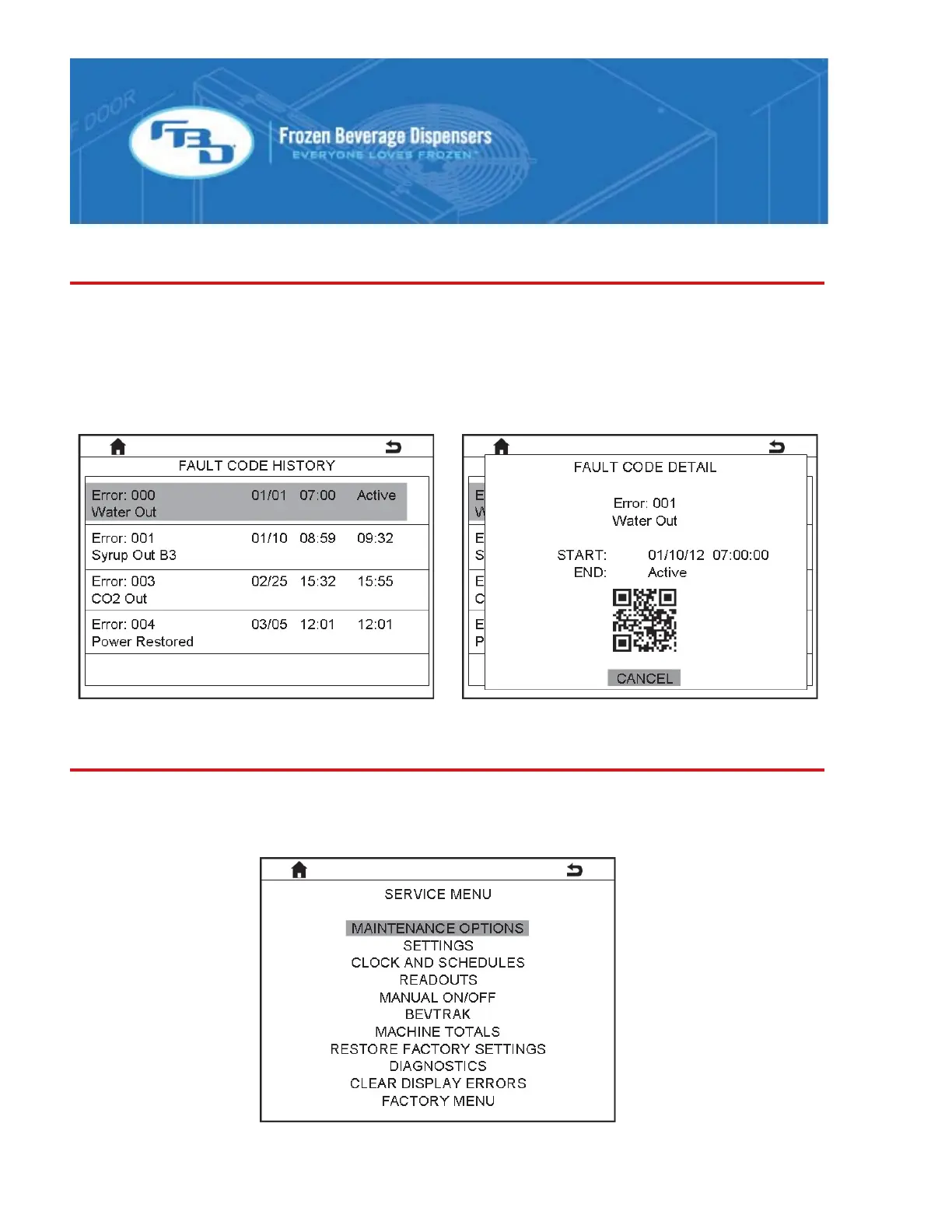
The fault code menu provides a list of the last twenty fault codes with the date and time of occurrence and
resolution. When the green button is pressed, additional details about the highlighted error are shown,
including a QR code. Scan the QR code with a smart phone to see detailed troubleshooting steps. For a
complete listing of fault codes that can be displayed please see the “Fault Code Definition” section of this
manual.



 To Next Page