29
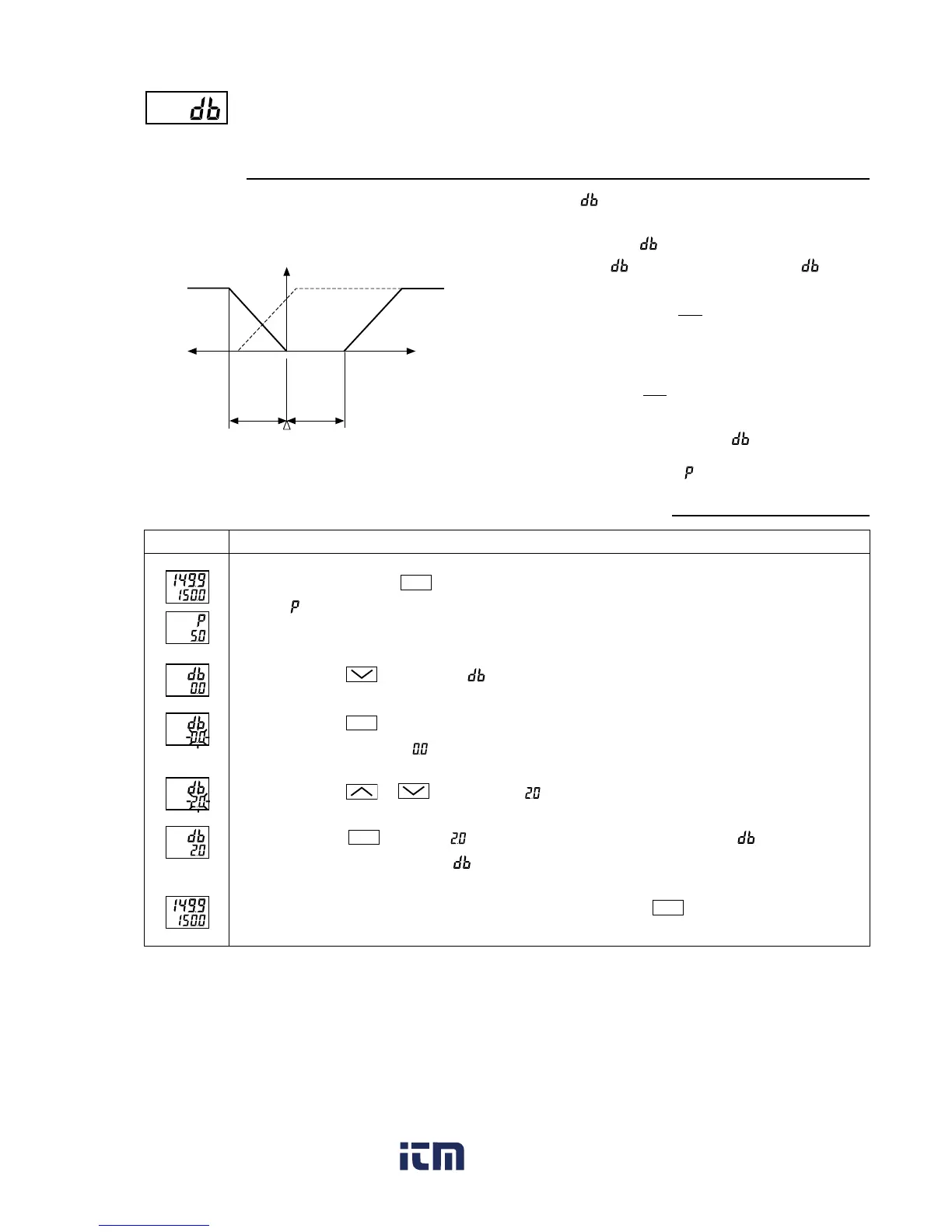
Cooling-side proportional band shift (Dead band/Overlap band)
(Option: Available for DUAL output only) (Setting range:
-
50.0 to +50.0)
[Description]
• This parameter is used for shifting the cooling-side pro-
portional band from the set value. (See the figure below.)
[Setting example] Shifting the cooling-side proportional band by 2.0
Press and hold the
SEL
key for three seconds.
will be displayed on the PV display.
Press the
key to display
.
Press the
SEL
key once.
The current setting (
) flashes on the SV display.
Press the
or
keys to display
.
Press the
SEL
key once. will stop flashing and will be registered for . After that, the
controller will operate with
being 2.0 %.
If you want to display the operation status, press and hold the
SEL
key for two seconds.
Operating procedureDisplay
1.
2.
3.
4.
5.
6.
• Related parameters: (page 24)
• When is a positive value, it is called the “Dead band”,
and when it is a negative value, the “Overlap band”.
• Since the unit of is same one used for MV [%], if you
want to set in the unit of deviation [%], must be
converted using the equation below.
Output
Heating side
Cooling side
Overlap
band
Dead
band
MV
MV
MV=50%
Ex) When making a dead band with a deviation of
1.0 [%] from the SV while the proportional
band (P) is 5.0%:
DB [%] = 1.0 × = 20 [%]
100
5.0
100
P
DB [%] = Deviation × [%]
Consequently, set the parameter to 20 [%].
www. .com
information@itm.com1.800.561.8187



 To Next Page