71
[Description]
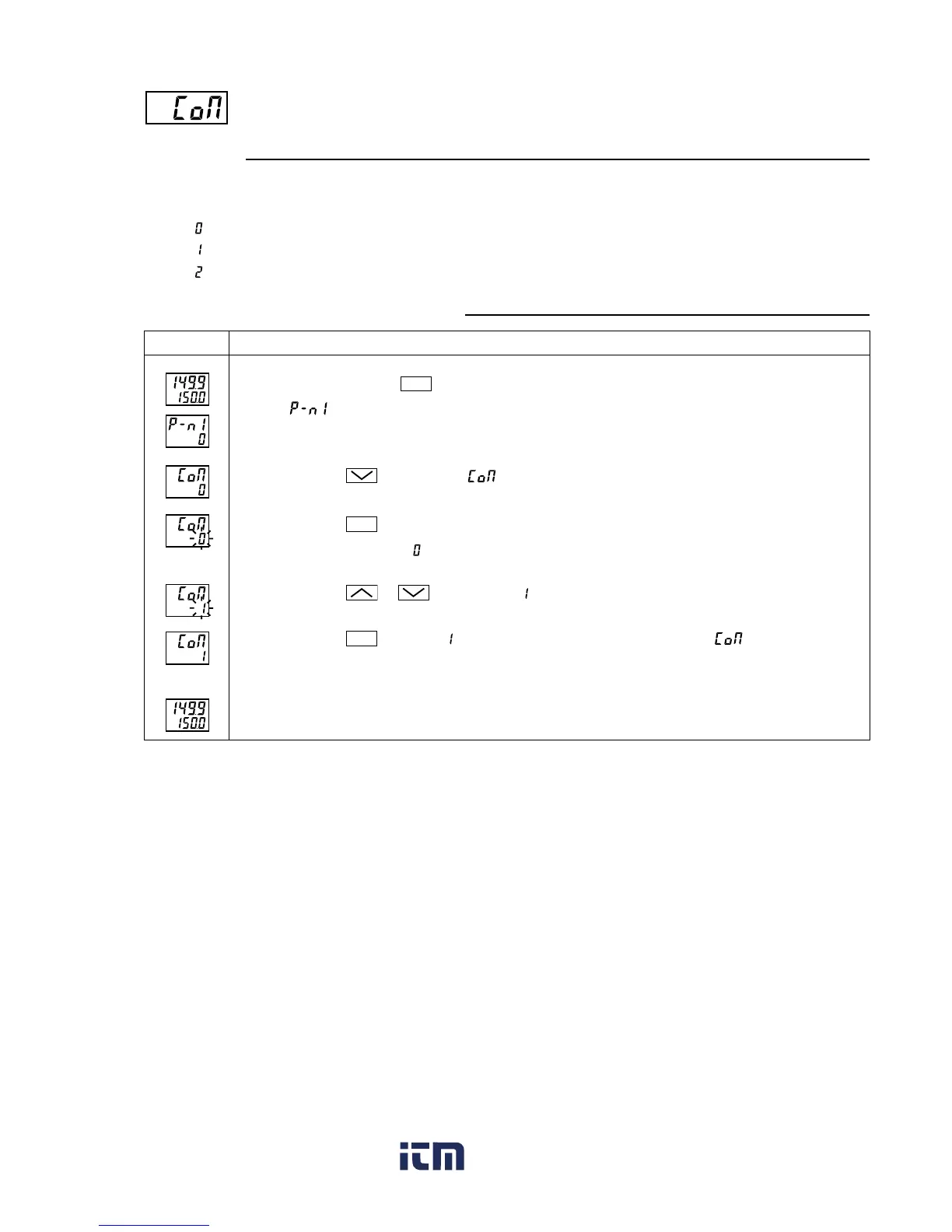
• This parameter sets the parity for communications.
The baud rate is fixed at 9600bps.
: Odd parity
: Even parity
: No parity
Parity for communication (Setting range: 0 to 2)
[Setting example] Setting the even parity
Press and hold the
SEL
key for five seconds.
will be displayed on the PV display.
Press the
key to display
.
Press the
SEL
key once.
The current setting (
) flashes on the SV display.
Press the
or
keys to display
.
Press the
SEL
key once. will stop flashing and will be registered for . However, it does
not switch to the even parity at this point.
Power off the PXR, and then on. The even parity is set now.
Operating procedureDisplay
1.
2.
3.
4.
5.
6.
www. .com
information@itm.com1.800.561.8187



 To Next Page