41
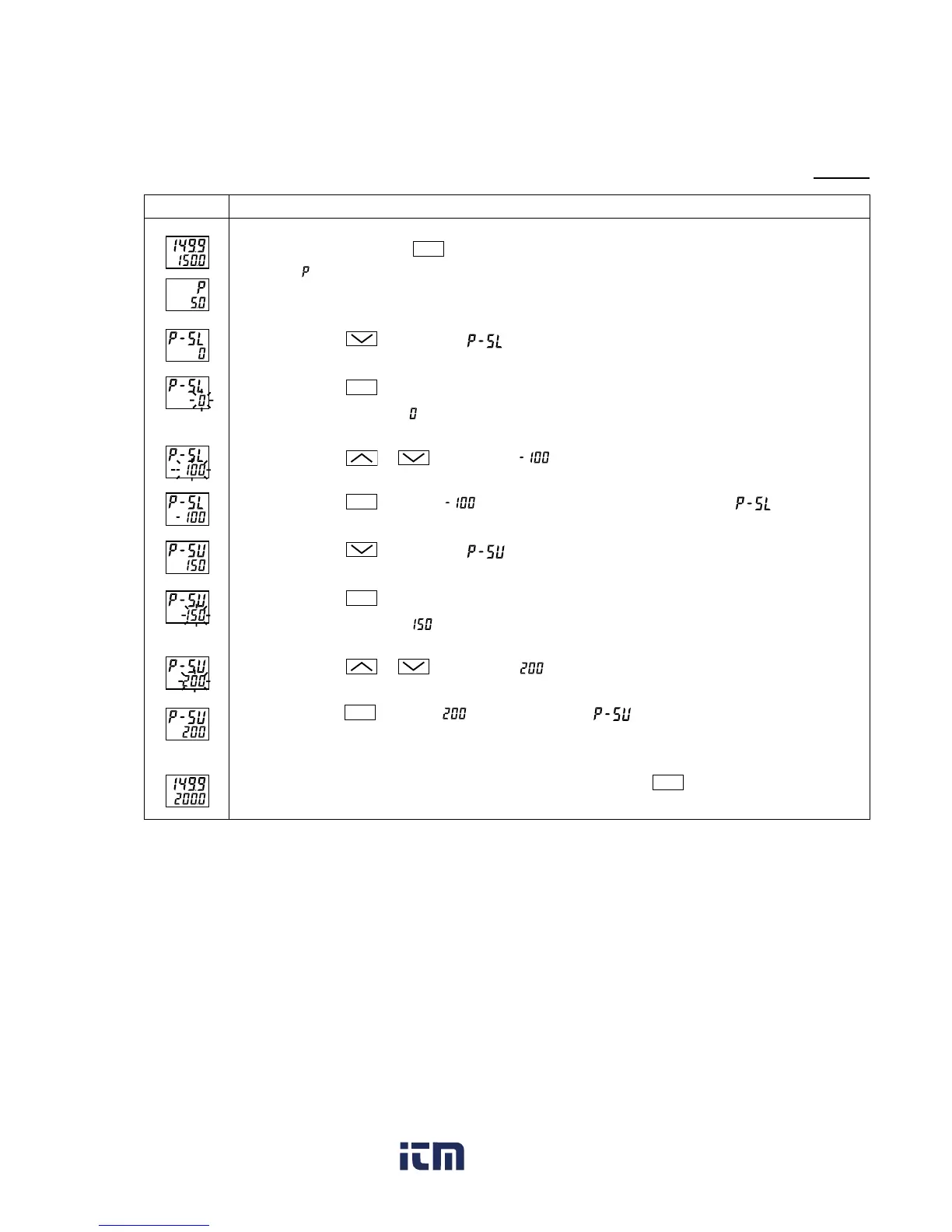
[Setting example] Changing the measuring range from 0°C to 150°C to
-
100°C to 200°C (Pt100)
Press and hold the
SEL
key for three seconds.
will be displayed on the PV display.
Press the
key to display .
Press the
SEL
key once.
The current setting ( ) flashes on the SV display.
Press the or key to display .
Press the
SEL
key once. will stop flashing and will be registered for .
Press the
key to display on the PV display.
Press the
SEL
key once.
The current setting ( ) flashes on the SV display.
Press the
or
key to display .
Press the
SEL
key once. will be registered for . After that, the controller will operate
with the measured range being
-
100°C to 200°C.
If you want to display the operation status, press and hold the
SEL
key for two seconds.
Operating procedureDisplay
1.
2.
3.
4.
5.
6.
7.
8.
9.
10.
www. .com
information@itm.com1.800.561.8187



 To Next Page