Adjusting the set point
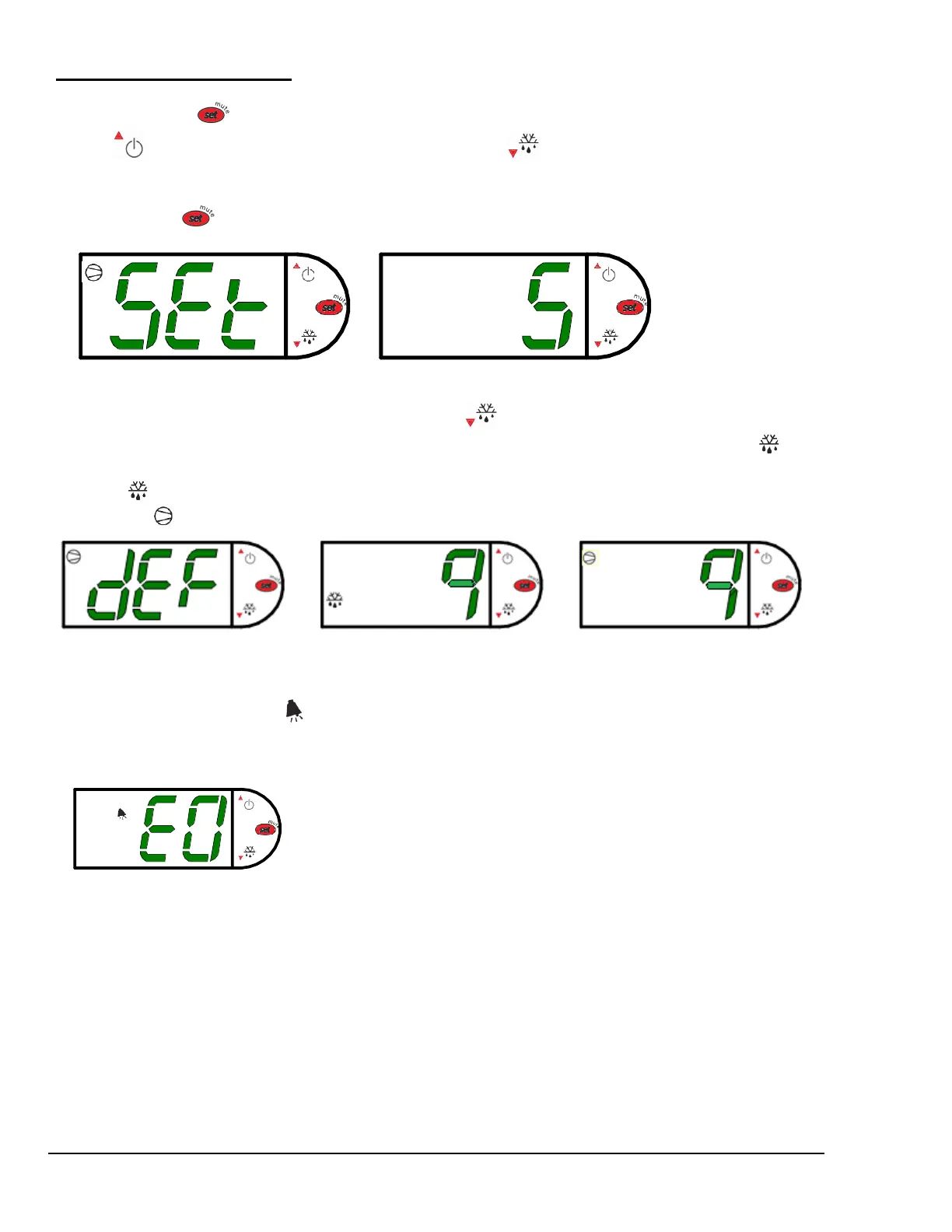
The set point is what determines how cold the display case will hold food and beverage. To adjust the set point
press and hold the button approx. three seconds until the display begins to flash a number. Then press the
use the button to scroll number up (colder) or press the button to scroll number lower (warmer). There
are nine (9) available set points numbers, the higher the number of the set point, the colder the display case will
run, with setting “9” being the coldest and setting “1” being the warmest. Once you have chosen your desired
setting press the button again to confirm your choice.
Entering manual defrost mode
In order to initiate a manual defrost press and hold the button approx. three seconds. The control will read
“dEF” while the button is being held. The defrost is initiated when the defrost mode indicator illuminates on
the display. The control display will then return to reading the case temperature. When the defrost mode
indicator turns off the defrost is complete and the compressor will turn back on illuminating the compressor
run indicator .
Error
codes
It is possible for error codes to be displayed on the control screen. In the event of a malfunction an alarm will
sound and the alarm indicator will be displayed on the display. An error code or codes will flash
intermittently on the display. If there are multiple codes, the display will continuously cycle through them. The
following photo shows error code “E0” as an example.
Mute: You may mute the alarm by pressing and releasing the wrench button. The red ringing bell and all error
codes will still be displayed. When the fault is remedied the control will return to normal operation and will
automatically clear the codes from the display.
Refrigerated Self-Serve Merchandiser (High Profile) Page 11


 To Next Page