FeelElec
42 FY8300S Series User’s Manual
Configuration
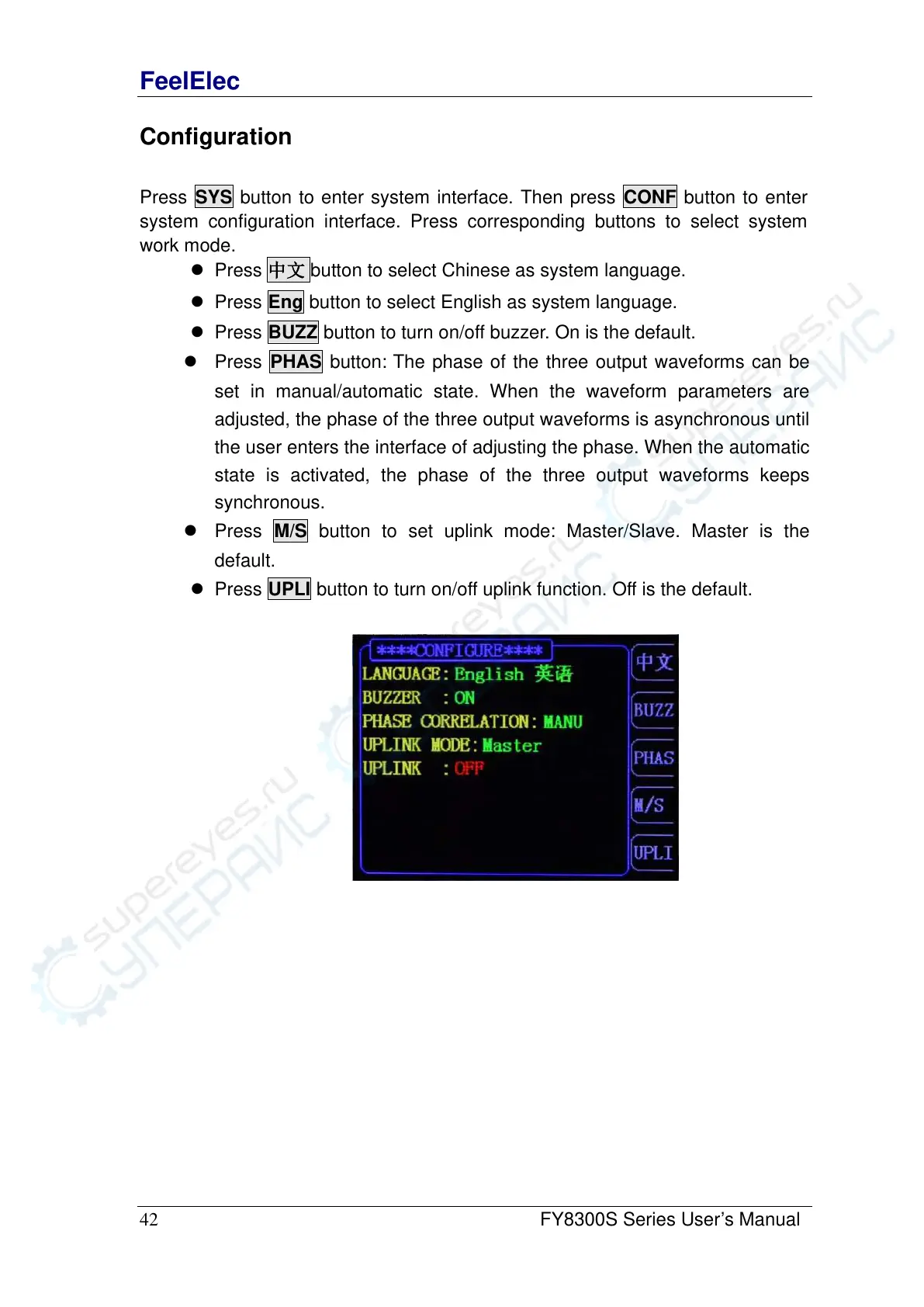
Press SYS button to enter system interface. Then press CONF button to enter
system configuration interface. Press corresponding buttons to select system
work mode.
⚫ Press 中文 button to select Chinese as system language.
⚫ Press Eng button to select English as system language.
⚫ Press BUZZ button to turn on/off buzzer. On is the default.
⚫ Press PHAS button: The phase of the three output waveforms can be
set in manual/automatic state. When the waveform parameters are
adjusted, the phase of the three output waveforms is asynchronous until
the user enters the interface of adjusting the phase. When the automatic
state is activated, the phase of the three output waveforms keeps
synchronous.
⚫ Press M/S button to set uplink mode: Master/Slave. Master is the
default.
⚫ Press UPLI button to turn on/off uplink function. Off is the default.



 To Next Page