FeelElec
FY8300 Series User’s Manual
7
Front Panel Overview
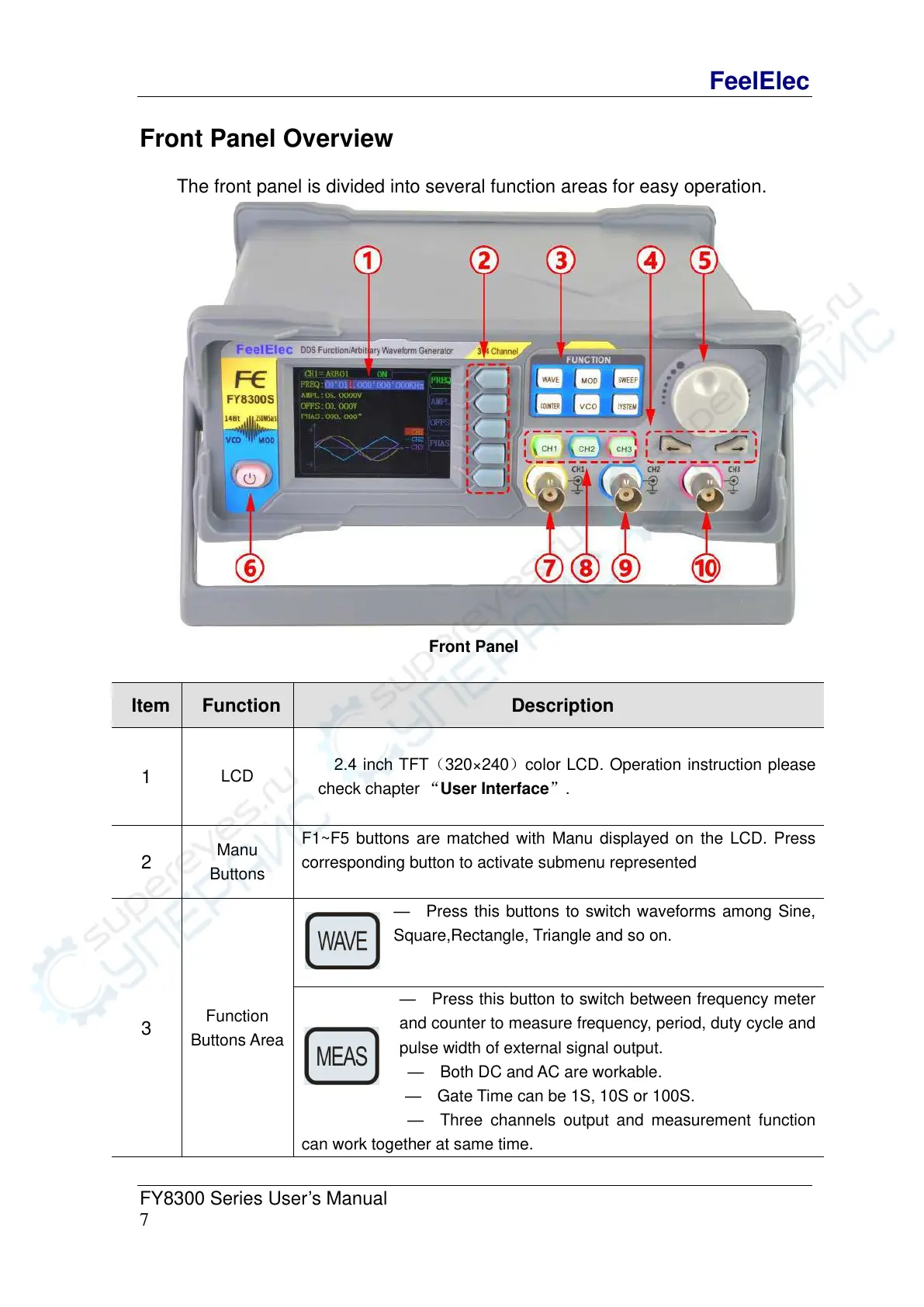
The front panel is divided into several function areas for easy operation.
Front Panel
2.4 inch TFT(320×240)color LCD. Operation instruction please
check chapter “User Interface”.
F1~F5 buttons are matched with Manu displayed on the LCD. Press
corresponding button to activate submenu represented
— Press this buttons to switch waveforms among Sine,
Square,Rectangle, Triangle and so on.
— Press this button to switch between frequency meter
and counter to measure frequency, period, duty cycle and
pulse width of external signal output.
— Both DC and AC are workable.
— Gate Time can be 1S, 10S or 100S.
— Three channels output and measurement function
can work together at same time.



 To Next Page