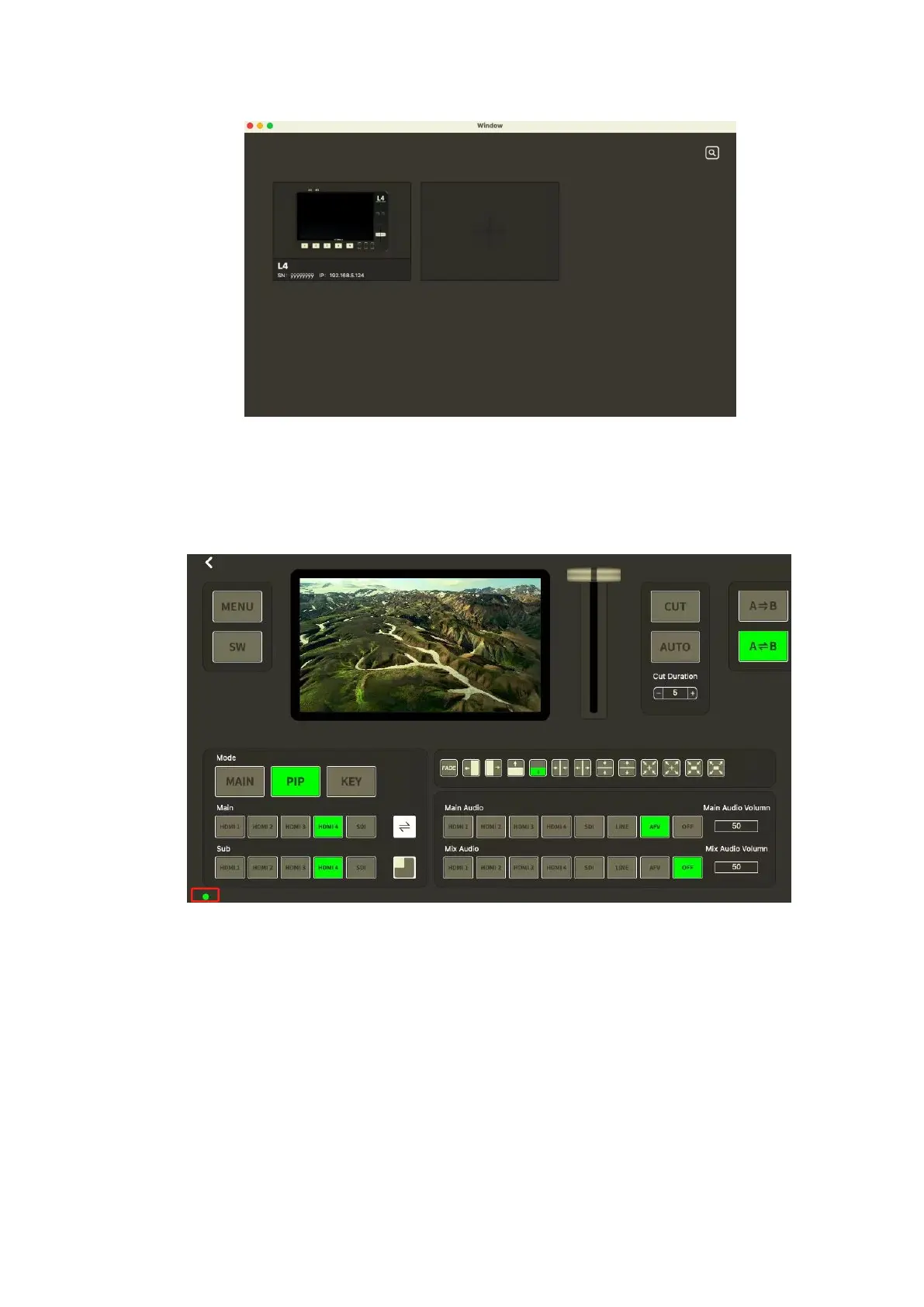
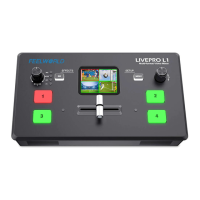
Select the desired device by SN and IP and enter the management window, if the connection
is successful, the indicator light in the lower left corner displays green, and if the connection
is fail, the indicator light is red.
5.2.1 MENU
Click【MENU】can set HDMI, Streaming Media, Audio, etc.


 To Next Page