Press it to switch the signal from PST to PGM directly
Knob
Rotate left or right to select menu items or adjust parameters. Press to
confirm menu selection (icon turns red after confirmed)
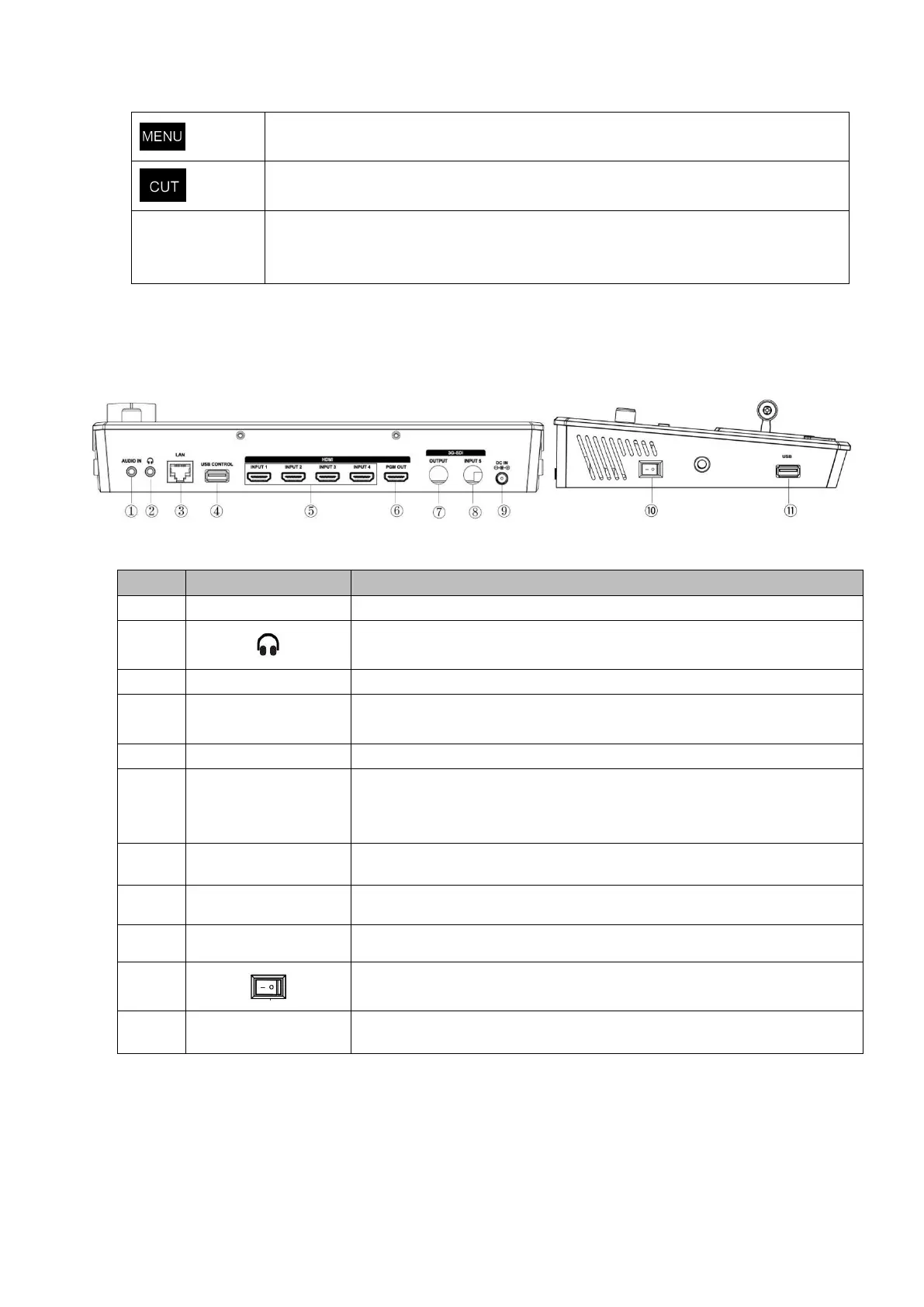
1.4 Interface Panel Instruction
Analog audio input port, connect to microphone
Communication port to link dedicated software for control
USB3.0 output, capture signal via third party streaming software
and push to live broadcasting websites
4 HDMI inputs, connect to input source from HD camera or PC
1 HDMI Output, it can connect to external display. You can select
to show program picture (PGM) or multiple view (PST)
1 DC Jack for power input, connect to 12V/3A power adapter.
Firmware update/logo overlay import


 To Next Page