Note:The Android and IOS versions can only connect wirelessly. Regardless of whether you are using wireless
or wired, you need to make sure that the IP addresses are on the same network segment and that they do not
④
. Open Feelworld Live Plus and search the device
5.2 Using Feelworld Live Plus (take MAC version as example)
Feelworld Live Plus simulates the L4's real world appearance and the operations you can
control with Feelworld Live Plus are very similar to those you can do with the L4's hardware.
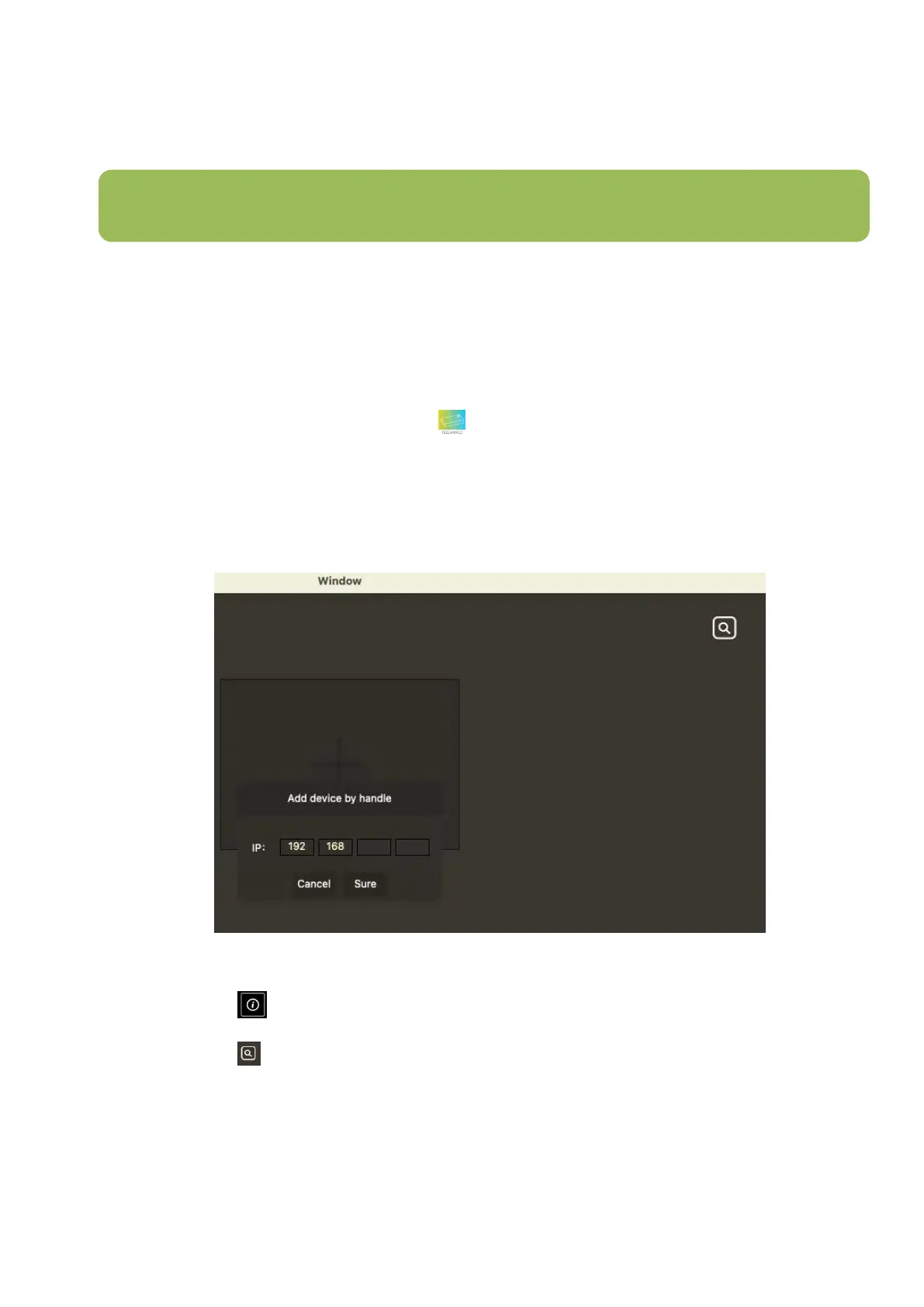
After software is installed, click the icon login the software, you can add device by
handle or search device automatically.
Add device by handle
Keying the IP address same as L4, then click Sure to add
Search device automatically
1. Click icon on L4, then turn on DHCP switch
2. Click icon to search device, after searching, the available L4 device in the sub-net can
be found.


 To Next Page