Chapter 3 Use Your Product
3.1 Touch Screen
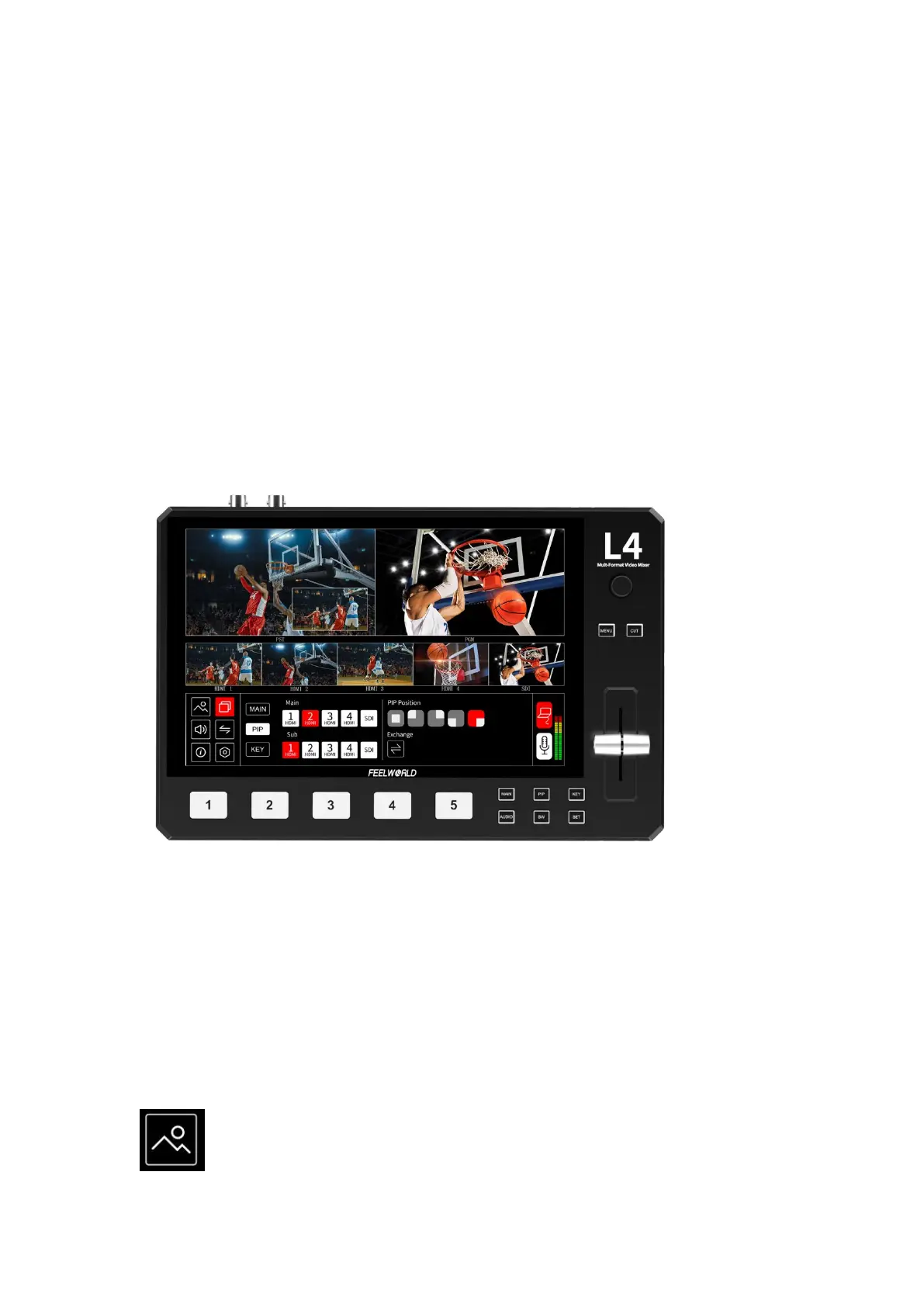
On the front panel of L4, you can see a 10.1-inch touch screen as shown in the picture
below:
The LCD screen presents 5 input sources, PST preset picture, PGM output picture and the
menu operation interface.
You can easily tap the picture of signal source directly to switch input source. All of control
can be finished by touching.
You can click on any position of PGM window, and the current set information ( Mode,
Input, Main Audio, Mix Audio, Brightness, Contrast, R.G.B value) can be displayed in the
upper right corner of PGM and PST. Click again to exit.
3.2 Button Instruction
Except touch control, L4 also with physical buttons. You can press directly to call out the
corresponding menu quickly, such as press button PIP can be call out PIP menu immediately.
Then rotate the knob to select the needed function or value, press the knob after selected to
confirm.
3.3 Menu Operation Instruction


 To Next Page