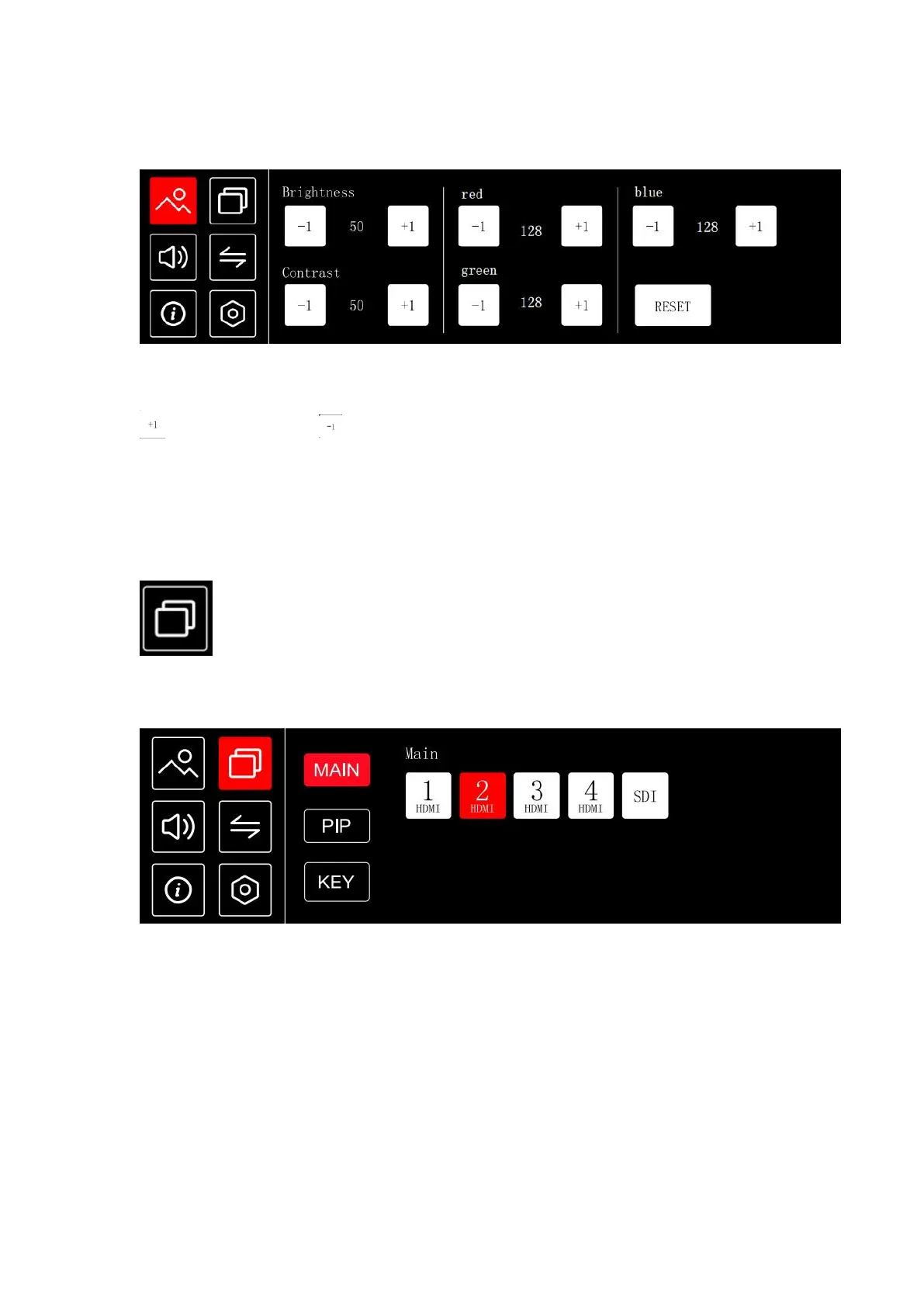
Click to adjust parameter values to adjust the brightness, contrast, and R.G.B color values of
the image
is increase value, is decrease value
Brightness: 0~100
Contrast: 0~100
R.G.B: 0~255
RESET: After click RESET, the value reset to default value R.G.B 128, Brightness/Contrast 50
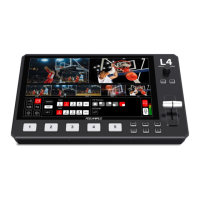
Including MAIN, PIP, KEY
MAIN
Click MAIN of menu interface or press button MAIN to enter main picture menu, you can
click any one input sources switch to PST (Preset)
PIP


 To Next Page