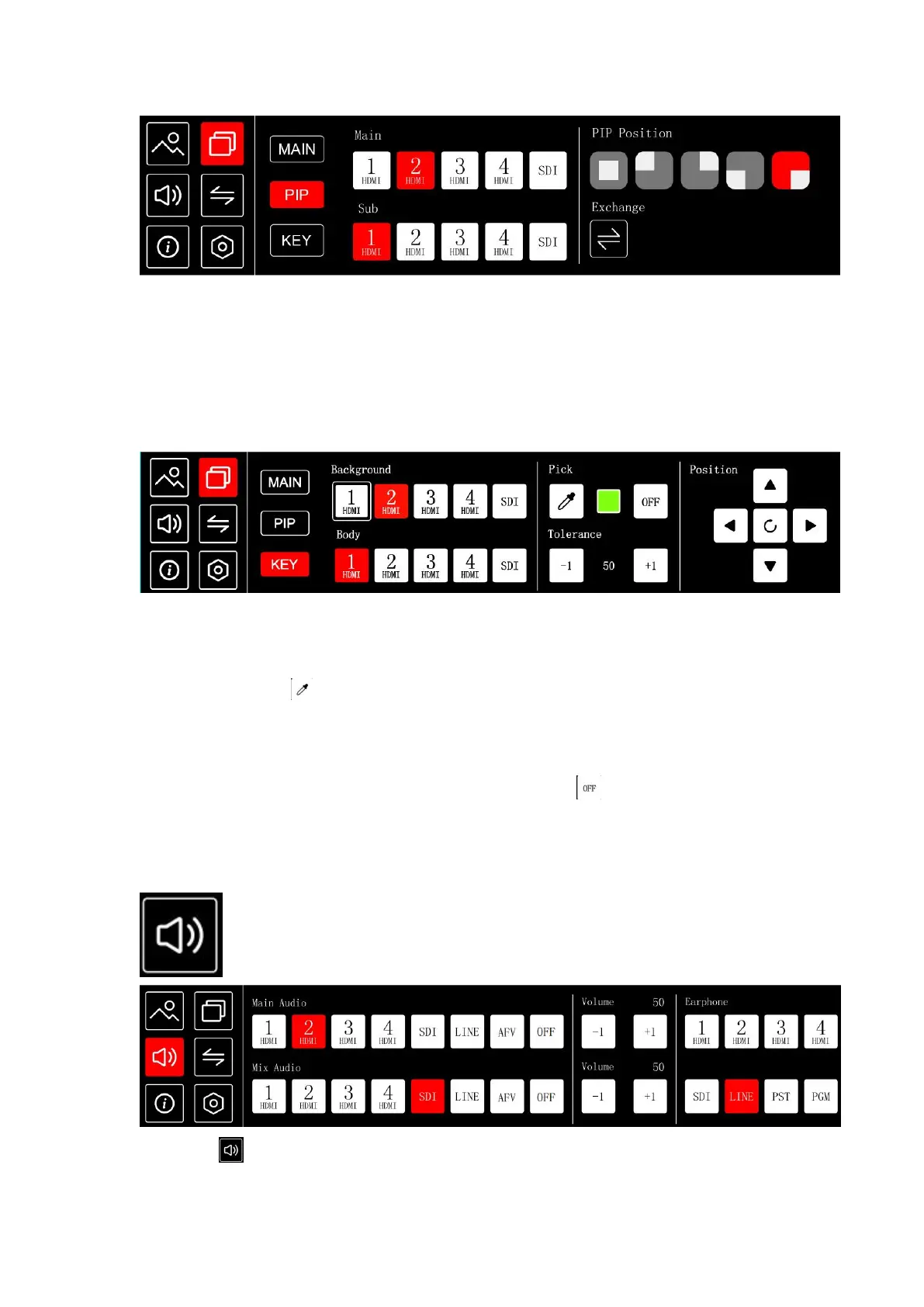
Click PIP of menu interface or press button PIP to enter Picture in Picture menu.
Select the signal source of main and sub picture, then you can see the selected signal in the
PST (preset) interface. You can choose the position of the PIP , and also can click Exchange to
quickly exchange the main picture and sub picture.
KEY
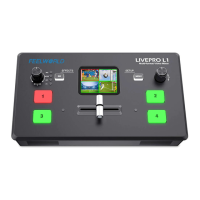
Click KEY of menu interface or press button KEY to enter chroma key menu
Steps of chroma key:
1. Click to select the signal source for Background and Body
2. Click on the icon to pick the color, the color selection can be pick by clicking on any
position of Body signal source or by clicking up, down, left, and right to adjust the color
selection position
3. After selecting the color, click on the chroma key switch
4. Click the tolerance value to adjust the chroma key effect
Click icon or press button AUDIO enter audio menu


 To Next Page