- 10 -
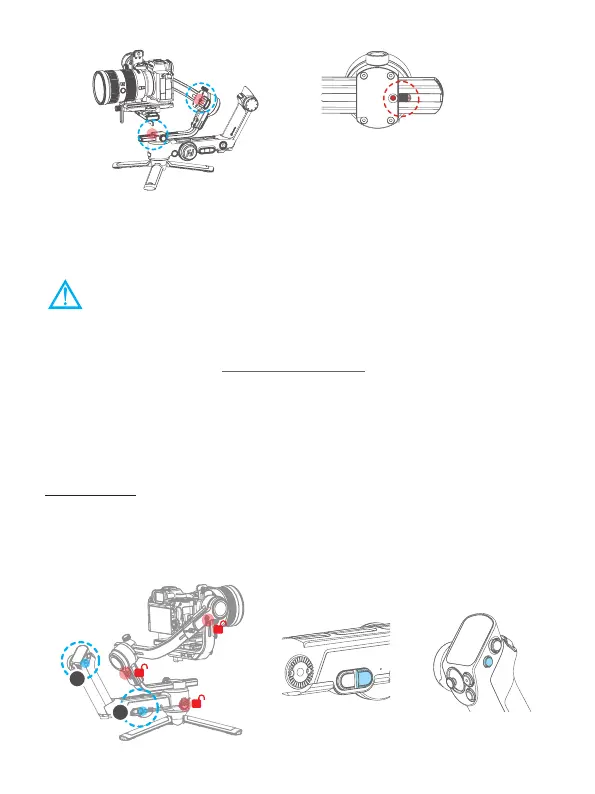
↑ Memory slider
←
The position of memory sliders
5. Power ON/ OFF& Wake up
5.1 Power ON/ OFF
(1) Before power on the gimbal, make sure you have balanced gimbal, and
unlocked all the three axes.
(2) If you haven't unlocked all the 3 axes, gimbal will enter sleep mode to protect itself.
Please single tap power button to wake up gimbal after unlocked all the 3 axes.
(3)Please set motor power rst after powering on gimbal for the rst time or after
changing a new camera/lens.
(Please refer to chapter 8.3.1)
Long press the power button and release it when you hear the beep sound to power
on/ o.
Before using for the rst time, please connect the gimbal with the handle and
power on them, they will be paired automatically, and the handle can control the
gimbal remotely when it is detached.
After pairing:
- When the remote control handle is installed on gimbal, both two power buttons can
power on/o the whole combination. When the handle is detached, please power on
each part separately.
- Both two power buttons can power o the whole combination.
1
2
①
Gimbal power button
②
Handle power button














 To Next Page