- 19 -
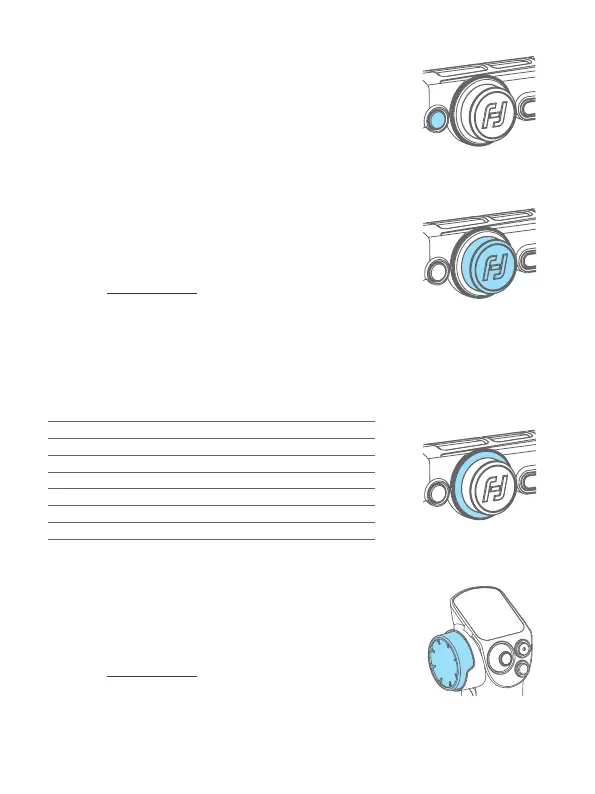
8.1.11 Knob function switching button
Single tap: Switch the control object while the
multifunction knob(manin knob) controlling the movement
of the 3 axes (Tilt/Pan/Roll)
Long press: Switch the control options of multifunction
knob(manin knob) in turn (The movement of the 3 axes/
Electronic focus/Focus motor 1)
8.1.12
Multifunction knob (Main knob)
Turn:
(1) Control the movement of the roll, tilt and pan axes.
(2) Control focus.
(3) Contol focus motor 1.
(4) Adjust the parameter in the touch screen.
Set current control option as option (1) or (2) or (3) through long press
the knob function switching button or swipe up in home page.
Main knob indicator instruction
Mode
Breathing light
PF Green
PTF Green / Yellow
FPV Red / Yellow
Lock Red
FFW Red / Yellow
Downloading rmwares Green
Updating rmwares Red light ash
8.1.13
Multifunction knob (Handle knob)
Turn:
(1) Control the movement of the roll, tilt and pan axes.
(2) Control focus.
(3) Contol focus motor 2.
(4) Adjust the parameter in the touch screen.
Set current control option as option (1) or (2) or (3) through swipe up in
home page.














 To Next Page