www.feiyu-tech.com 14
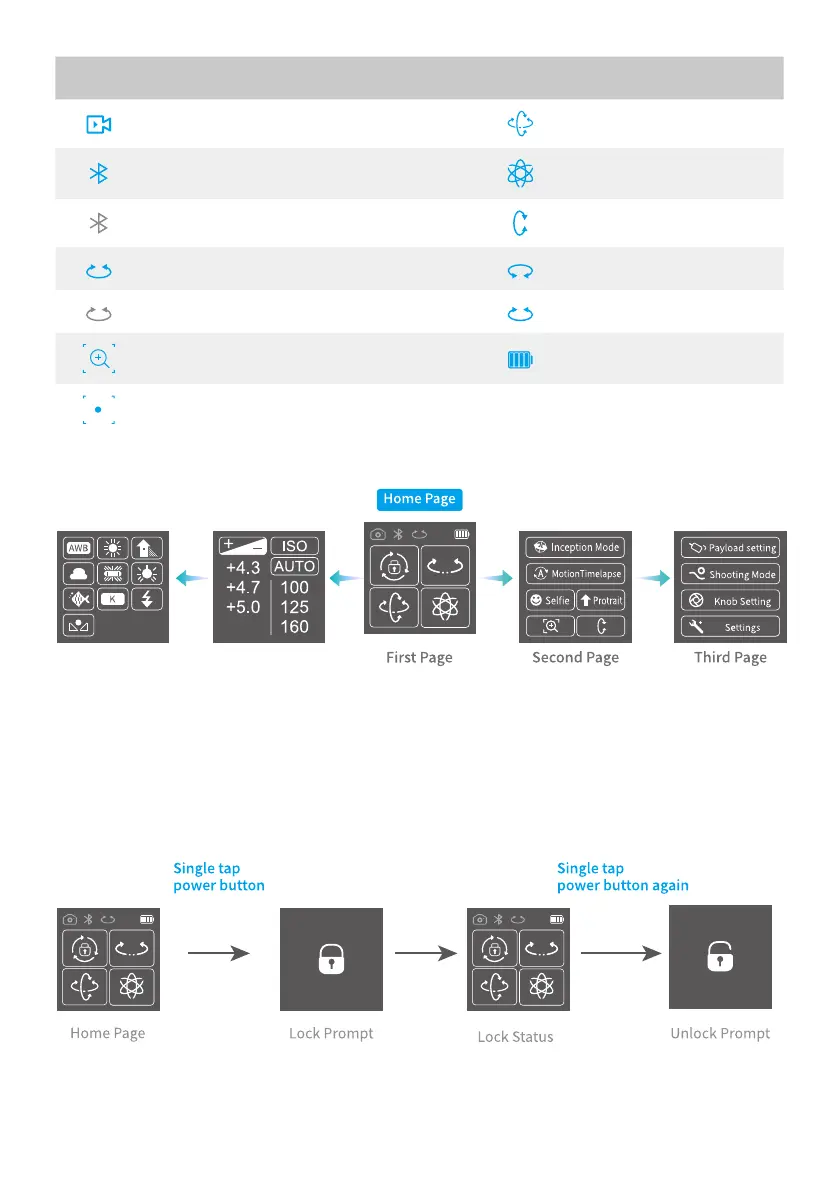
Icon Mode Icon Mode
Video Recording Mode Follow Mode
Bluetooth Connected All Follow Mode
Bluetooth Unconnected Tilt Axis Enabled
Multi-function Knob Dnabled Roll Axis Enabled
Multi-function Knob Disabled Pan Axis Enabled
Zoom Status Battery Level
Follow Focus Status
3.4.2 Display screen switch
3.4.3 Usage of touch screen
Slide right to left: Flip to the right sub page.
Slide left to right: Flip to the left sub page/return to previous option.
Tap: Select current option.
3.4.4 Lock/unlock screen



 To Next Page