www.feiyu-tech.com 76
2.4 Gimbal Balancing
For ideal shooting effects, balancing the gimbal is necessary, and accurate
balance will oer longer battery life.
TIPS
1) Before balancing the gimbal, please lock the gimbal at the balanced
lock status, and the lens cover should be removed from the camera and
the memory card needs to be inserted to the camera to complete all the
connections to ensure that the camera is ready for shooting.
2) During balancing the gimbal, make sure the camera and gimbal are all
powered o.
3) If it is needed to add accessories after the balance is completed, gimbal
needs to be re-balanced again.
Balanced standard: the camera can stay stably at any angles.
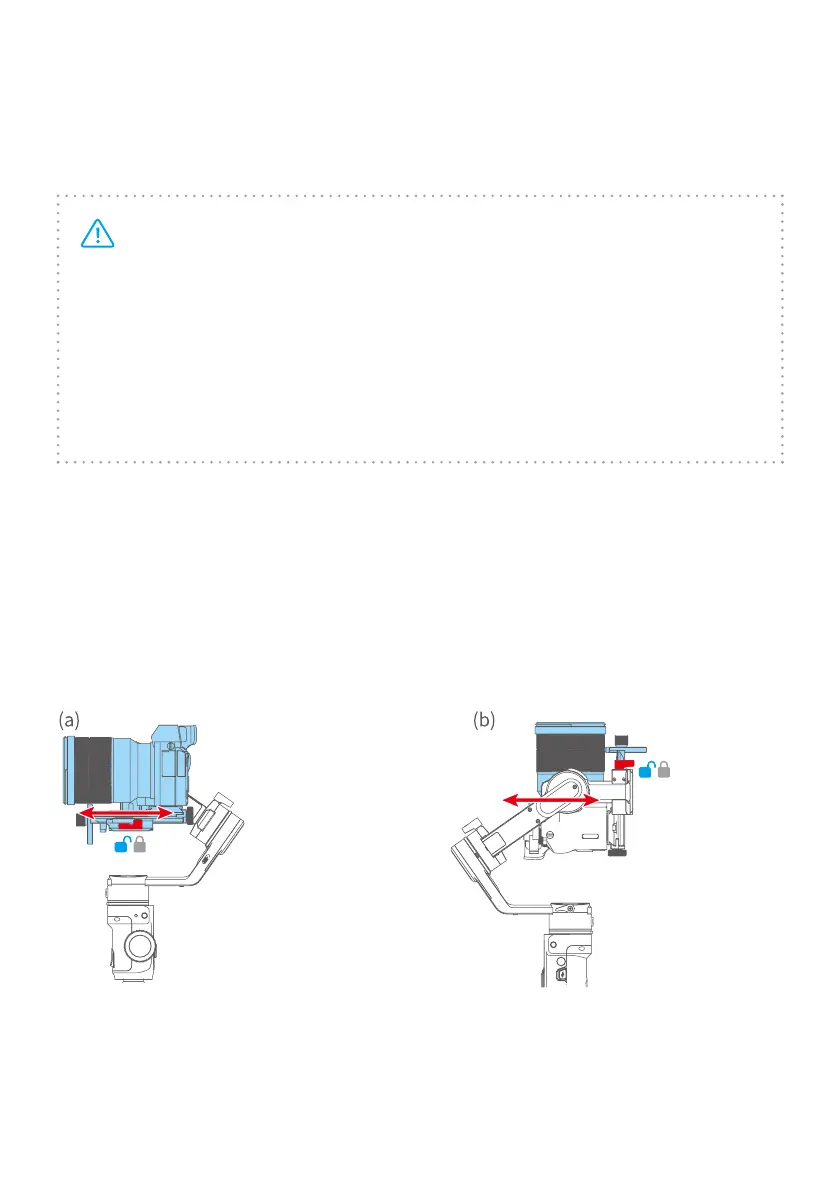
2.4.1 Balance tilt axis
·Turn the camera lens forward.
·Unlock the safety lock(red).
·Move the camera to balance.
·Lock the safety lock after camera
can keep horizontally forward.
·Turn the camera lens forward.
·Unlock the safety lock(red).
·Move the camera to balance.
·Lock the safety lock after camera
can keep horizontally forward.



 To Next Page