www.feiyu-tech.com 1514
3.5 Modes Setting
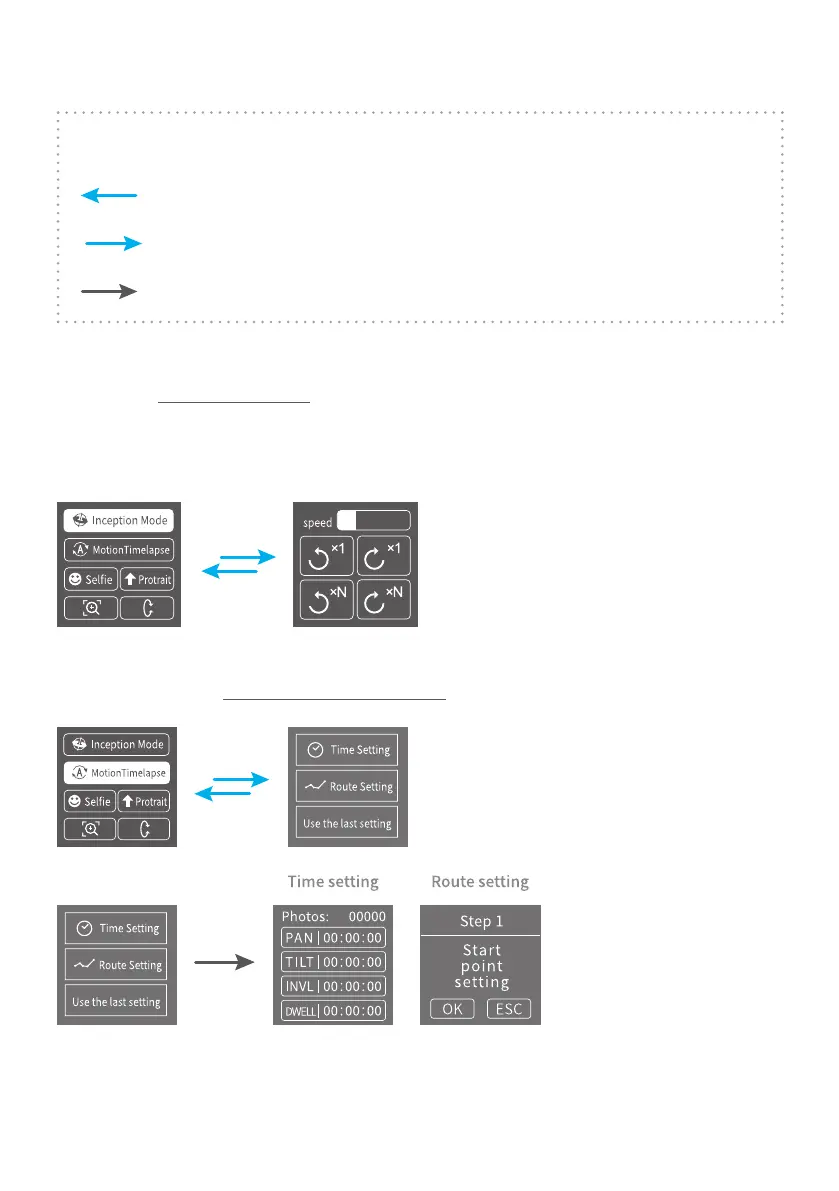
Description:
Slide right to left
Slide left to right
Tap to select current menu
3.5.1 Inception Mode setting
Single tap Inception Mode on screen, the camera lens will rotate to upward.
Holding the gimbal horizontally, and set rotation direction/speed/one circle
or continuous circle. The camera will automatically rotate 360 degree to take
inception footage with pre-set speed and direction after setup.
3.5.2 Motion-timelapse mode setting
Please refer to the Motion Timelapse Mode chapter.



 To Next Page