down
09
www.feiyu-tech.cn
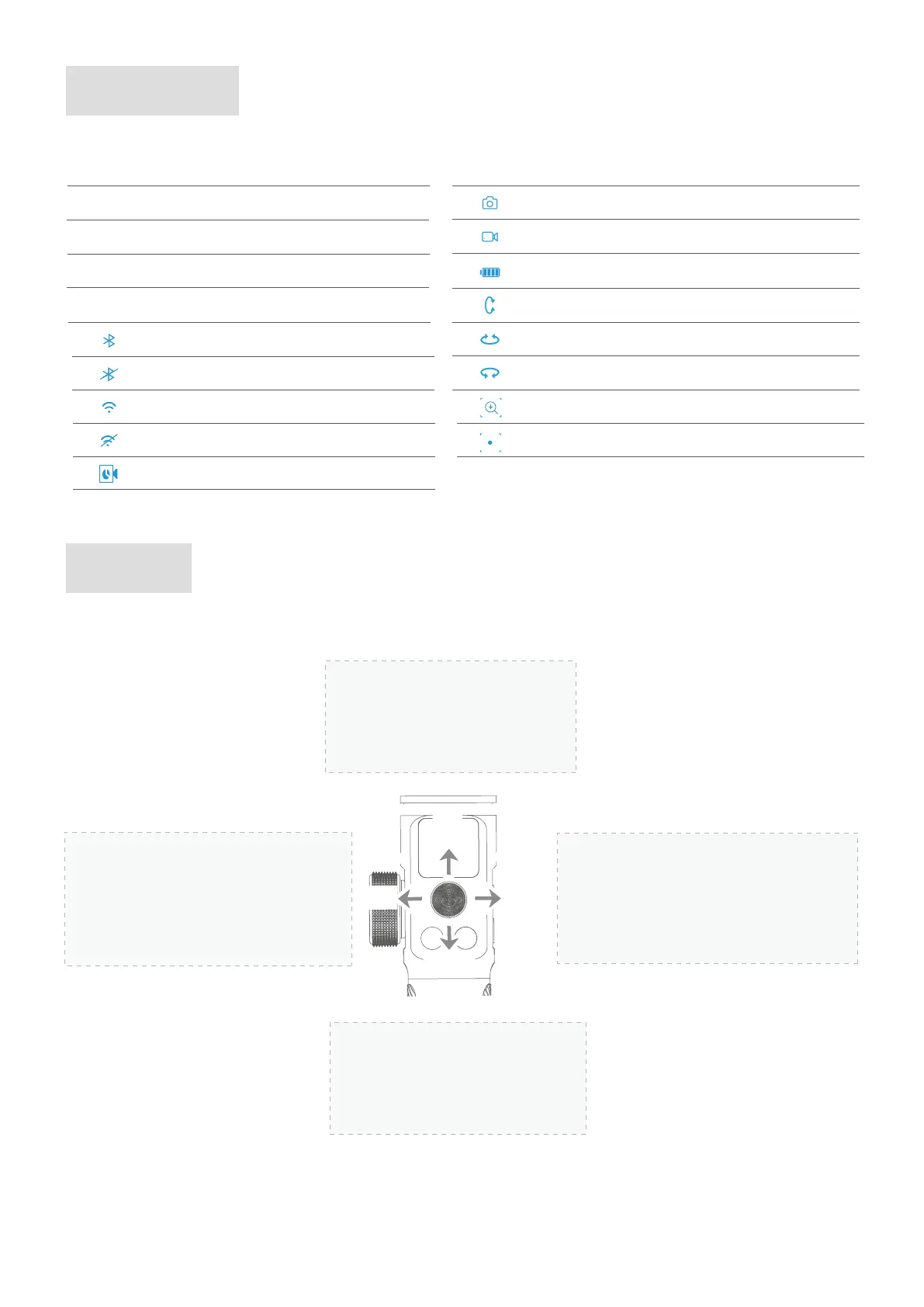
Joystick
Display icon Mode / Status
HF
AF
Pan Mode
All Follow Mode
Follow Mode
TF
Lock ModeLK
Bluetooth is connected
Bluetooth is not connected
Display icon Mode / Status
Photo mode
Video mode
WiFi is connected
WiFi is not connected
Timelapse mode
Battery Level
Touch Screen
Upward
(1) Camera lens upward
(2) Select the option above
Downward
(1) Camera lens downward
(2) Select the option below
Move to right
(1) Camera lens move to right
(2) Select the option on the right
(3) Confirm
Move to left
(1) Camera lens move to left
(2) Select the option on the left
(3) Cancel
up
right
left
Tilt axis enabled
Roll axis enabled
Zoom
Follow focus
Pan axis enabled



 To Next Page