Motor Setup
Adaption
Tilt motor
Cam Setup
Konb Setup
Turn Right
Turn Left
Continue R
14
www.feiyu-tech.cn
Continue L
Set Speed
Inception mode
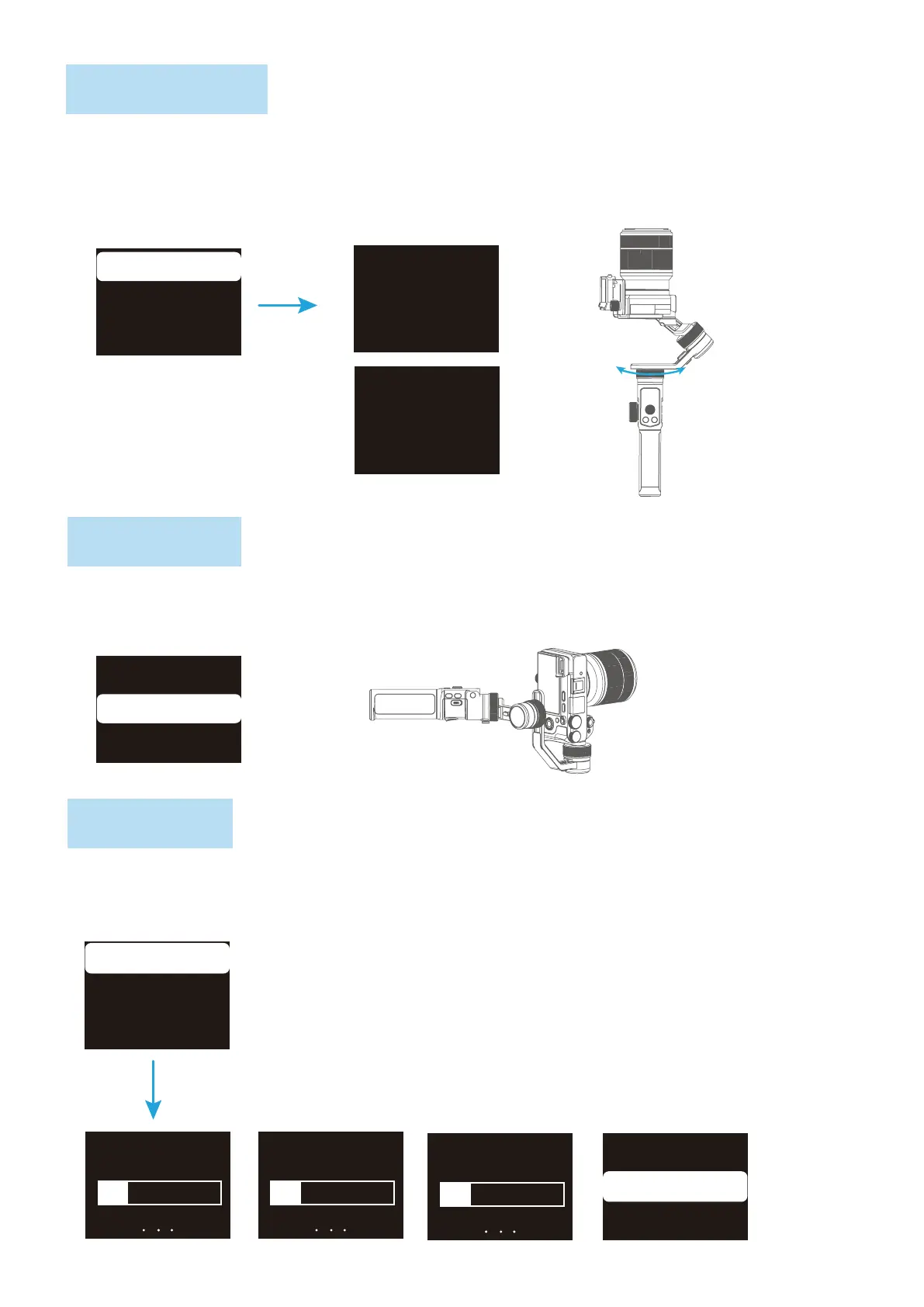
Single tap Inception Mode on screen, the camera lens will rotate to upward. Holding the gimbal
horizontally, and set rotation direction/speed, rotates one circle or continuous rotating. The
camera will automatically rotate 360 degree to take inception footage with pre-set speed and
direction after setup.
Portrait mode
Hold the gimbal horizontally, select “portrait” on screen to enter portrait shooting.
Motor setup
Pan motor
Roll motor
Inception
Portrait
Timelapse
Inception
Portrait
Timelapse



 To Next Page