Page 6
TriumphLX Assembly
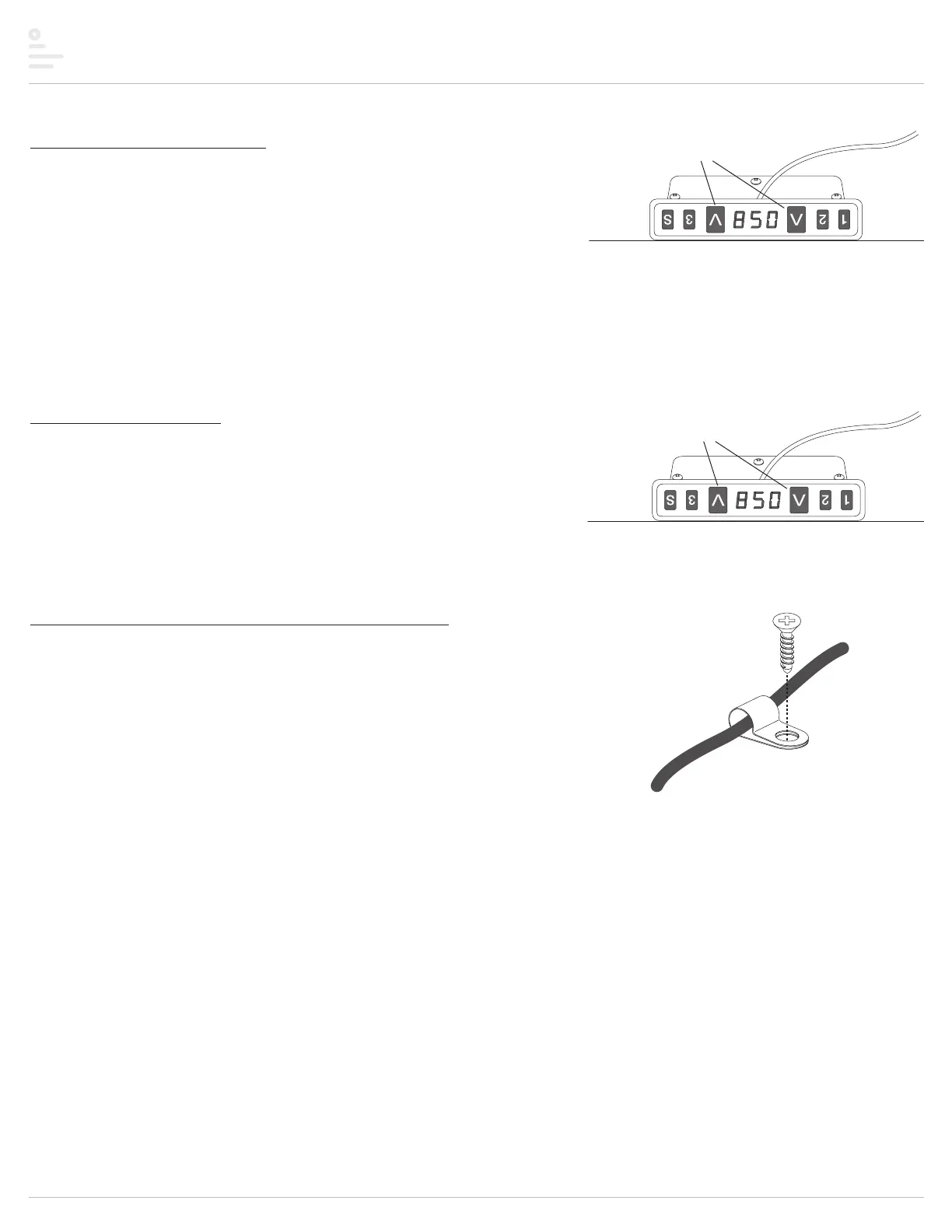
Step #8: initialize the system
• Press and hold the UP s and DOWN s buttons simultaneously for more than 3 seconds.
— The legs will begin to move down at half speed of normal operation.
• Continue to press the UP s and DOWN s buttons.
— The legs will move down to the lowest position, then rebound 0.06" to 0.2" (2mm to 5mm)
and stop.
• Release the UP ▲ and DOWN ▼ buttons at the same time. This completes the initialization
procedure.
IMPORTANT: The initialization procedure above must be completed before operating the table.
NOTE: The unit must be re-initialized anytime power is cut to the unit.
Step #9: test operation
• Press the UP ▲ and DOWN ▼ buttons individually to test operation.
— End your test with the legs lowered.
— Unplug the power cord.
• If there are problems with operation, check that all cable and cord connections are secure.
If problems continue, call ESI Customer Service: 800.833.3746.
Step #10: use cord clips to secure cables and cords
IMPORTANT: The cables and cords must not dangle under the table where they may present a
hazard to the user or may accidentally be pulled from their connections.
• Place the cord clips onto the cables and cords.
• Use the M3.5x16 #2 Phillips flat head screws to fasten the cord clips to the table.
Cord Clip
M3.5x16
#2 Phillips
flat head
Note: Until the table is turned upright, the DOWN
button points up and the UP button points down.
press and hold
UP and DOWN buttons
press UP and DOWN buttons
to test operation


 To Next Page